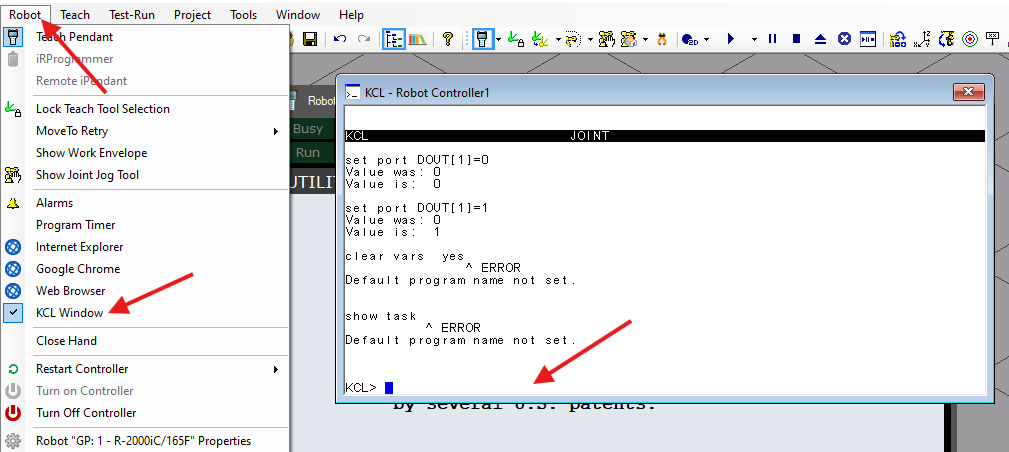
Telnet KCL allows you to send commands to a Fanuc robot, such as resetting alarms, writing variables, setting an IO, and more. This feature is natively available on all Fanuc robots without requiring any additional options.
To enable a TELNET connection on your real or simulated ROBOGUIDE robot, please follow the instructions below. On a real robot, the connection is established via TCP on port 23. In ROBOGUIDE, while this port is open, it only allows read-only access. Therefore, to enable full bidirectional communication via Telnet, you must follow the provided instructions to set up a dedicated alternative port.
This library allows you to send KCL (Karel Command Language) commands over the TELNET connection.
## 1. Set a TELNET password
Adding a password is mandatory to enable telnet control of the robot.
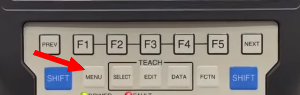
- Press `MENU` on the robot's teach pendant.
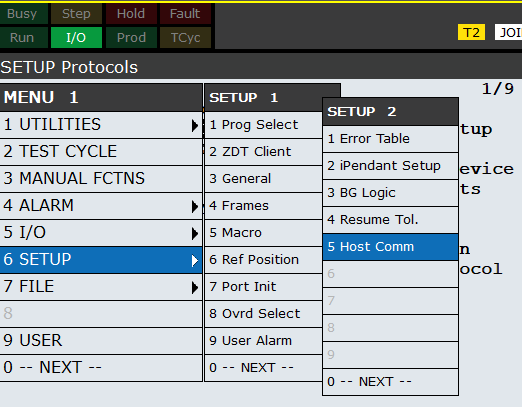
- Select `SETUP` / `-- NEXT --` / `Host Comm`
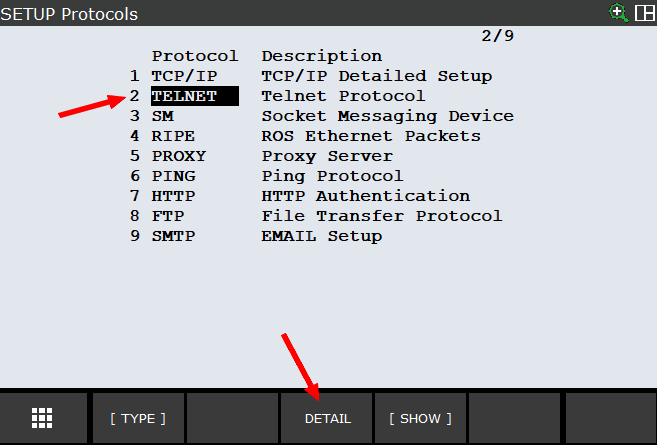
- Select `TELNET` and press `DETAIL`
- Add a password to the KCL feature
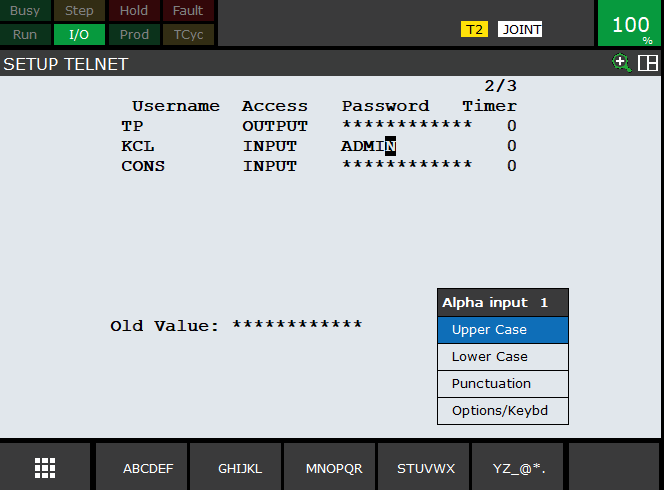
- Press `ENTER` and `PREV` on the robot's teach pendant to validate this password.
- Cold start your robot
## 2. If you have option J541 (Password Protection)
If the menu `SETUP` / `Passwords` exists on your robot, you have option "Password Protection" J541. You must then authorize the TELNET connection by modifying its security level.
- Press `MENU` on the robot's teach pendant.

- Select `SETUP` / `Passwords`
- Login as `INSTALL`
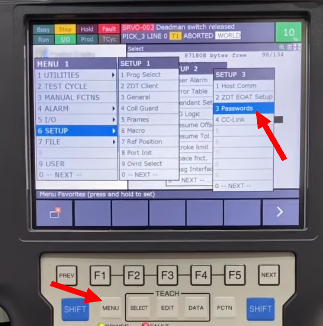
- Download this file : PASSWORD.xml,
On a real robot, transfer this file on a USB key and plug it into the pendant USB port.
On ROBOGUIDE, put this file into the `UT1` directory.
```xml
```
- Set import device to UT1 : press `MENU` key / `File` / `File` / `[CONFIG]` / `Set Device` / `--next page--` / `USB on TP (UT1:)`
- press `MENU` key / `SETUP` / `Passwords` / `>` at the bottom right of the pendant screen
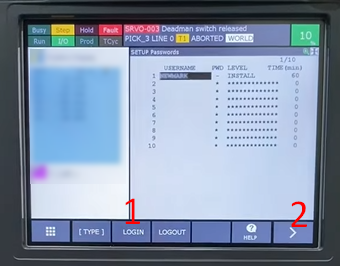
- Select `CONFIG` and import `PASSWORD.xml`
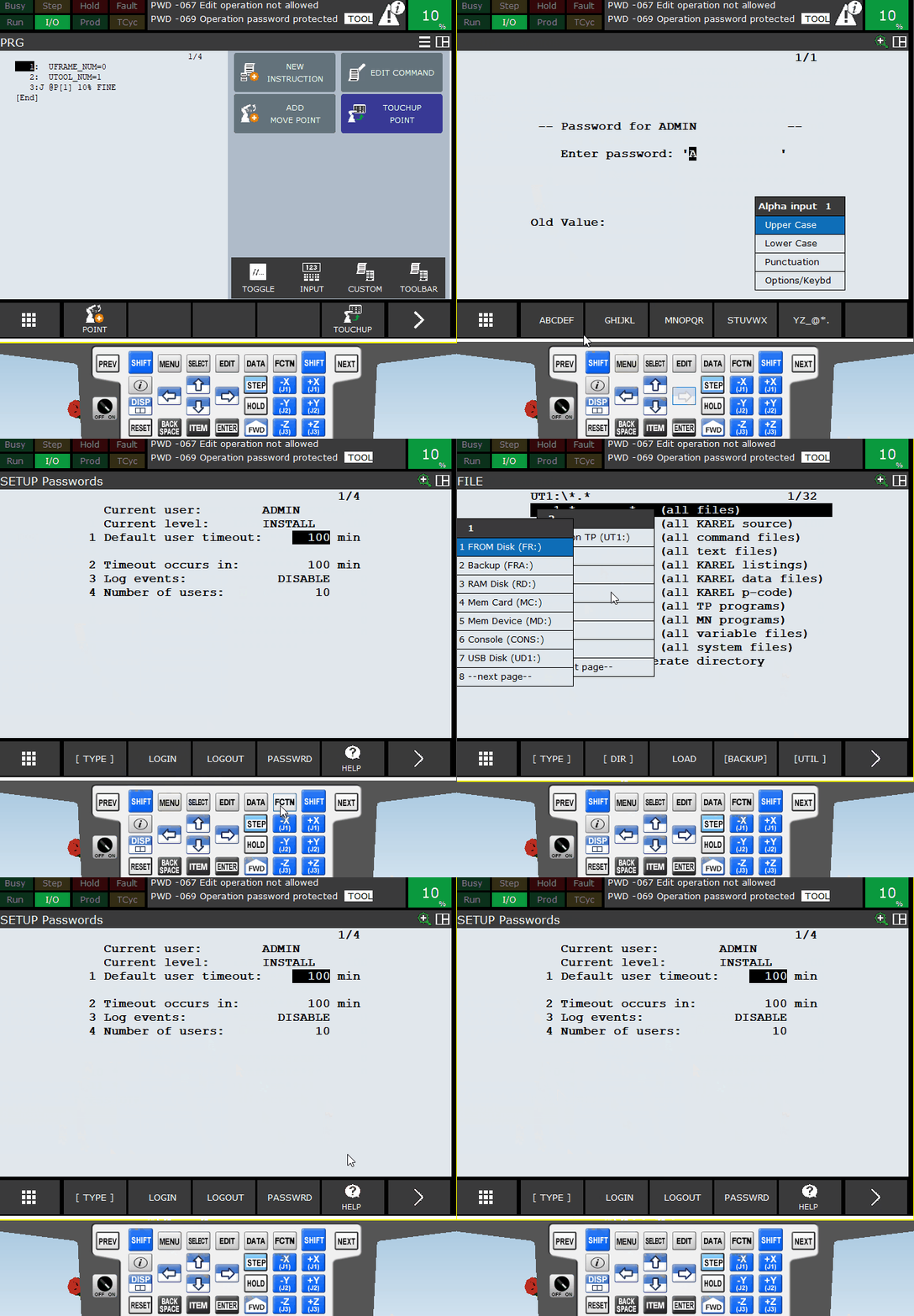
- Cold start your robot
## 3. Special configuration for ROBOGUIDE
If you are using ROBOGUIDE, you must also enable the KCL feature, as the default TELNET connection on port TCP 23 is read-only.
Currently, Telnet KCL simulation is not supported in ROBOGUIDE v10, only up to v9.
- Start ROBOGUIDE, open a cell and show the teach pendant 
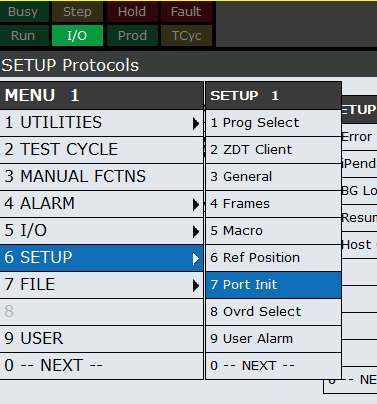
- press `MENU` key / `SETUP` / `Port Init`
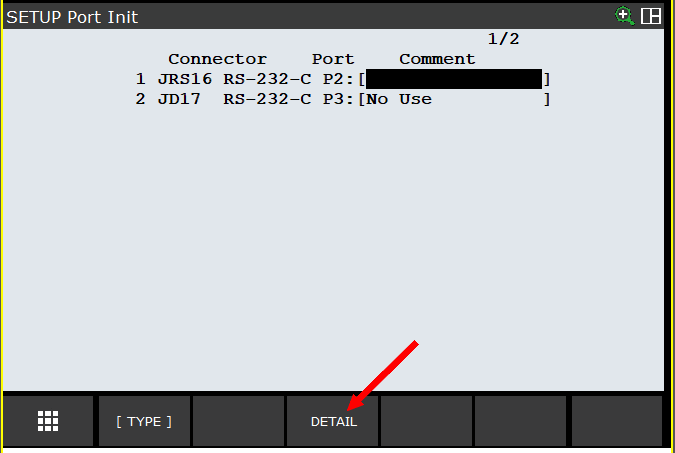
- Select `DETAIL` on first connector
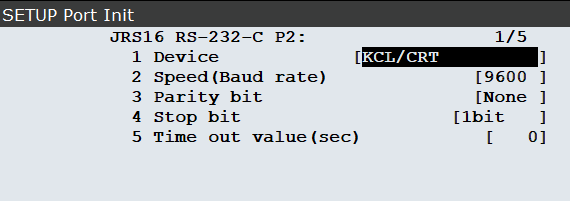
- Set `Device` to `KCL/CRT`, then press button `PREV` on teach pendant
- Cold start your robot
- You can then see KCL commands in the KCL window : `Robot` menu / `KCL Window`