What is TouchUp
The robot workbench for VS Code: what it does with a Fanuc or Yaskawa controller, its parts, and the rules it follows: no cloud, no project, free to read, explicit writes.
TouchUp is a workbench to program, maintain and back up industrial robots from a PC. This page explains what TouchUp does, where it runs and the rules that it follows with a controller.
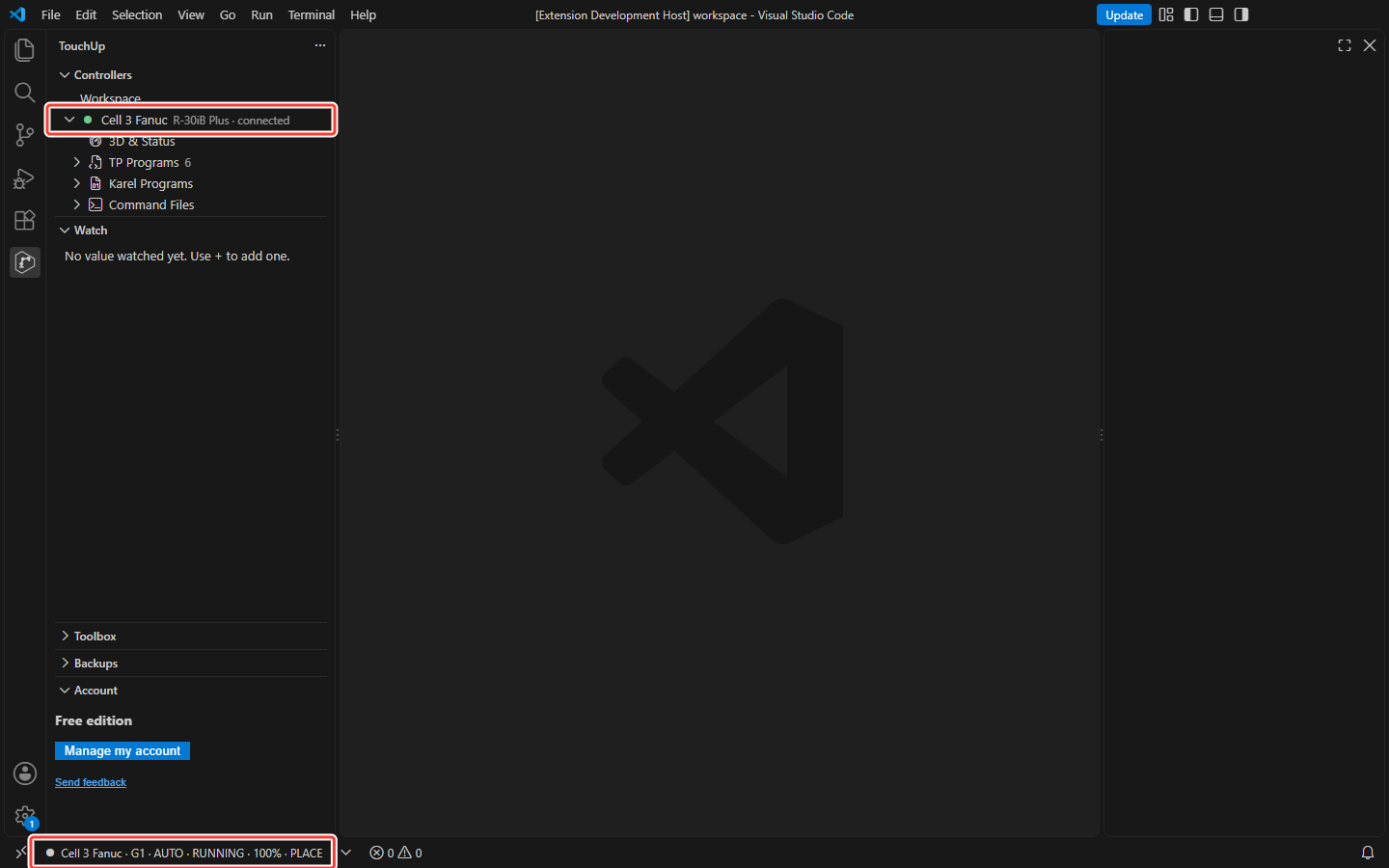
What TouchUp does
TouchUp connects directly to the controller of the robot, over the network of the cell. There is no project to create: open VS Code, enter the IP address of the controller and connect.
| Area | What you get | Page |
|---|---|---|
| Connect | A controller declared in one minute, the reason in clear text when it fails | Connect to your first controller |
| Monitor | Mode, program, line, servo, override and alarms, live | Status and status bar |
| Live values | Registers, variables, I/O and tasks of the controller, on your programs too | Read live values |
| Alarms | A notification for each alarm and a continuous log, exported to CSV | Alarms and logs |
| Files | The files of the controller in a tree, opened in the editor with the colors of the language | Open controller files |
| Back up | One click backup into the folder of your choice | Back up a controller |
| Compare | Two backups, two files of your PC, a file against the robot, or the robot against its last backup, without noise | Compare backups and controllers |
| Report | The report of a robot as a Markdown file and a PDF, and a handover pack with the backups of your robots | Robot report and handover pack |
| Write | Send a file to the controller, with confirmation, copy and audit | Send a file to the controller |
Fanuc and Yaskawa are supported. Universal Robots, ABB and Staubli come later: they are listed in the guide Add a controller as "Available later".
Where TouchUp runs
TouchUp has the same features in three forms:
- VS Code extension: TouchUp inside VS Code, installed from a VSIX file.
- Desktop application: TouchUp as a standalone application for Windows and Linux.
- Web application: the same application in a browser. It is reachable from the PC that runs it only, unless you start it in network mode, over HTTPS at a host name, see Install TouchUp.
Nothing is installed on the controller, and nothing else is needed on the PC. See Install TouchUp.
The rules of TouchUp
- No cloud. TouchUp contacts the controllers only. No account, no data leaves your PC. The only optional exception is the anonymous usage statistics of the VS Code extension: they are off by default and never hold robot data, see Anonymous usage statistics.
- No mandatory project. A controller is declared in a configuration file, of the open folder or of your user folder. See Controllers and configuration files.
- Free to read, paid to write. Everything that only reads a controller is free. See Editions and license.
- Explicit writes. Nothing is written to a controller without a visible action, a confirmation, a copy of the old file and a record in the audit log. See Send a file to the controller.
TouchUp does not replace the safety of the cell. It never moves a robot by itself, and the controller decides whether a remote command is accepted.
Accessibility
The views of TouchUp follow the color theme of VS Code, light, dark or high contrast, and they have been checked in these themes for contrast and for focus marks. You can reach every button and field of the views with the keyboard: Tab and Shift+Tab move between them, and the focus is always visible. The state of an item is also written in words, not only shown by a color, for example Active in the user frames table. The 3D views have a text label that tells which robot is drawn and at which pose, or why nothing is drawn. This is an effort to make TouchUp usable with the keyboard and in every theme. It is not a certification.