Variables and registers
Read and write the B, I, D, R and S variables, the P, BP and EX position variables and the M registers of a Yaskawa controller.
This page shows how to read and write the variables and the registers of a Yaskawa Motoman controller with the SDK. A job and a PC exchange data through these variables: counters, offsets, recipe numbers, positions.
Variable types
| Variable | Content | Read | Write | .NET type |
|---|---|---|---|---|
B | Byte, 0 to 255 | ReadByte | WriteByte | byte[] |
I | Integer, 16 bits | ReadInteger | WriteInteger | short[] |
D | Double integer, 32 bits | ReadDoubleInteger | WriteDoubleInteger | int[] |
R | Real, 32 bit floating point | ReadReal | WriteReal | float[] |
S | String of 16 bytes | Read16BytesChar | Write16BytesChar | string[] |
S | String of 32 bytes | Read32BytesChar | Write32BytesChar | string[] |
P | Robot position | ReadPositionVariable | WritePositionVariable | RobotPositionIntData[] |
BP | Base axis position | ReadBasePosition | WriteBasePosition | RobotBasePositionData[] |
EX | Station axis position | ReadExternalPosition | WriteExternalPosition | RobotExternalAxisData[] |
M | Register of the concurrent I/O ladder | ReadRegister | WriteRegister | short[] |
Every read method takes the number of the first variable and a count: ReadInteger(10, 2) reads I010 and I011. It returns an object whose Value is an array, one item per variable. Every write method takes the number of the first variable and an array: one call writes several variables in a row.
The numbers start at 0 (B000, I000...). The number of variables of each type depends on the controller and on its settings.
Numeric variables
var robot = new YaskawaRobot();robot.Connect("192.168.0.1");// B000 to B003: byte variables (0 to 255)byte[] b = robot.HighSpeedEServer.ReadByte(0, 4).Value;robot.HighSpeedEServer.WriteByte(0, new byte[] { 1, 2, 3, 4 });// I010 and I011: integer variables (16 bits)short[] i = robot.HighSpeedEServer.ReadInteger(10, 2).Value;robot.HighSpeedEServer.WriteInteger(10, new short[] { -100, 200 });// D000: double integer variable (32 bits)int[] d = robot.HighSpeedEServer.ReadDoubleInteger(0, 1).Value;robot.HighSpeedEServer.WriteDoubleInteger(0, new[] { 100000 });// R005 to R007: real variables (32 bit floating point)float[] r = robot.HighSpeedEServer.ReadReal(5, 3).Value;robot.HighSpeedEServer.WriteReal(5, new[] { 1.5f, -2.25f, 3f });robot.Disconnect();}
Dvariables are 32 bit integers, not floating point values. UseRvariables for decimal values.
String variables
var robot = new YaskawaRobot();robot.Connect("192.168.0.1");// S000 and S001: string variables of 16 bytesstring[] texts = robot.HighSpeedEServer.Read16BytesChar(0, 2).Value;// Longer strings are cut to 16 charactersrobot.HighSpeedEServer.Write16BytesChar(0, new[] { "PART-A", "BATCH 12" });// String variables of 32 bytes, on the controllers that have themstring[] longTexts = robot.HighSpeedEServer.Read32BytesChar(0, 1).Value;robot.HighSpeedEServer.Write32BytesChar(0, new[] { "Reference 2026-10-01 line 4" });robot.Disconnect();}
A string longer than the size of the variable is cut. Write ASCII characters only.
The 32 byte strings exist on the controllers that store their S variables in 32 bytes. On the others, the controller refuses the request.
Position variables
A P variable holds a robot position: in pulses, or in a Cartesian frame with a tool, a user frame and a posture.
var robot = new YaskawaRobot();robot.Connect("192.168.0.1");// P000: a position variableRobotPositionIntData p0 = robot.HighSpeedEServer.ReadPositionVariable(0, 1).Value[0];// PulseValue: Axes are pulses. Otherwise: X, Y, Z in micrometers, Rx, Ry, Rz in 1/10000 degreeConsole.WriteLine($"{p0.DataType}, tool {p0.ToolNumber}: {string.Join(", ", p0.Axes)}");// P001: a Cartesian position in the robot framevar p1 = new RobotPositionIntData{DataType = RobotPositionDataType.RobotCoordinateValue,Form = new RobotPosture(),ToolNumber = 0,UserCoordinateNumber = 0,};p1.Axis1 = 850000; // X = 850 mmp1.Axis2 = 0; // Yp1.Axis3 = 400000; // Z = 400 mmp1.Axis4 = 1800000; // Rx = 180 degreesp1.Axis5 = 0; // Ryp1.Axis6 = 0; // Rzrobot.HighSpeedEServer.WritePositionVariable(1, new[] { p1 });robot.Disconnect();}
DataType | Axes |
|---|---|
PulseValue | One value per axis, in pulses |
BaseCoordinateValue, RobotCoordinateValue, UserCoordinateValue, ToolCoordinateValue | X, Y, Z in micrometers, then Rx, Ry, Rz in 1/10000 degree |
The units of a P variable are the raw units of the controller: 850 mm is 850000. They differ from GetRobotCartesianPosition(), which returns mm and degrees.
To write a variable, set Form: new RobotPosture() is the default posture. In Python, use RobotPosture.from_integer(0).
A variable that was never taught has IsDefined set to false, and all its values are 0. ToCartesian() converts a Cartesian variable to mm and degrees, the units of GetRobotCartesianPosition(). It throws an InvalidOperationException for a variable in pulses.
var robot = new YaskawaRobot();robot.Connect("192.168.0.1");RobotPositionIntData p10 = robot.HighSpeedEServer.ReadPositionVariable(10, 1).Value[0];// A variable never taught: all values are 0if (!p10.IsDefined)Console.WriteLine("P010 is not taught");else if (p10.DataType != RobotPositionDataType.PulseValue){// Raw units (micrometers, 1/10000 degree) to mm and degreesRobotPositionCartesianData mm = p10.ToCartesian();Console.WriteLine($"X={mm.X} Y={mm.Y} Z={mm.Z} Rx={mm.Rx} Ry={mm.Ry} Rz={mm.Rz}");}robot.Disconnect();}
IsDefined also exists on the base (BP) and station (EX) position variables.
Base and station position variables
BP variables hold the position of base axes (travel tracks), EX variables the position of station axes (positioners). The values are in pulses, up to 8 axes.
var robot = new YaskawaRobot();robot.Connect("192.168.0.1");// BP000: base axis position variable (travel track)RobotBasePositionVariableData bp = robot.HighSpeedEServer.ReadBasePosition(0, 1);RobotBasePositionData bp0 = bp.Value[0];Console.WriteLine($"{bp0.DataType}: {string.Join(", ", bp0.Axes)}");// Change the first axis and write the variable backbp0.Axis1 += 1000;robot.HighSpeedEServer.WriteBasePosition(0, new[] { bp0 });// EX000: station axis position variable (positioner), in pulsesRobotExternalAxisData ex0 = robot.HighSpeedEServer.ReadExternalPosition(0, 1).Value[0];ex0.Axis1 = 0;robot.HighSpeedEServer.WriteExternalPosition(0, new[] { ex0 });robot.Disconnect();}
The data type of a BP variable (pulses or base frame) cannot be set by the SDK: read the variable, change its axes and write it back, as above.
Registers
M registers are the 16 bit registers of the concurrent I/O ladder of the controller.
var robot = new YaskawaRobot();robot.Connect("192.168.0.1");// M000 to M009: registers of the concurrent I/O ladder (16 bits)short[] registers = robot.HighSpeedEServer.ReadRegister(0, 10).Value;Console.WriteLine(string.Join(", ", registers));// Write M560 and M561. The controller refuses the registers reserved for the systemrobot.HighSpeedEServer.WriteRegister(560, new short[] { 12, 34 });robot.Disconnect();}
The controller reserves some registers for its own use, and refuses to write them. Check the free registers in the concurrent I/O manual of your controller.
Errors
- A variable number out of range makes the controller refuse the request: the SDK throws an
InvalidDataAnswerException. - One write call takes a limited number of values, for example 120
Dvariables. Beyond, the SDK throws an exception that gives the maximum: split the array in several calls.
Try it in the demo application
Everything on this page can be tried without writing code, in the Variables page of the demo application.
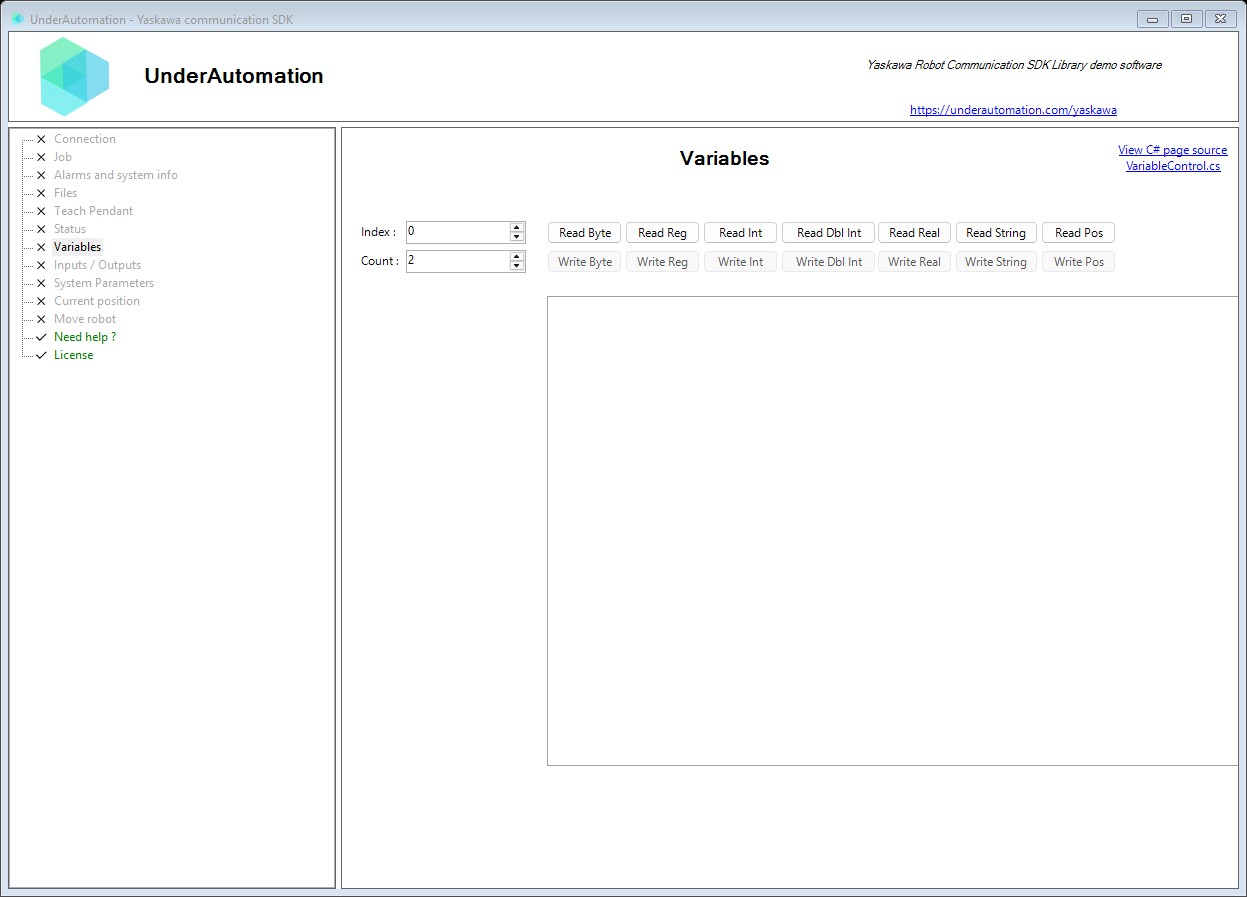
The demo application is open source. The C# source of this page is VariableControl.cs.
Reference
Methods of HighSpeedEServerClientBase :// Reads multiple 16-byte string variables (S variables) from the robot controller. String variables are fixed-length, null-terminated ASCII strings.RobotStringVariableData Read16BytesChar(int firstIndex, int count);// Reads multiple 32-byte string variables (S variables) from the robot controller (DX200 only). Extended string variables for longer text storage than 16-byte variants.RobotStringVariableData Read32BytesChar(int firstIndex, int count);// Reads multiple base position variables (BP variables) from the robot controller. Base position variables store the position of the base axes (travel axis) of a robot.RobotBasePositionVariableData ReadBasePosition(int firstIndex, int count);// Reads multiple byte variables (B variables) from the robot controller. Byte variables are 8-bit unsigned values used for compact data storage.RobotByteVariableData ReadByte(int firstIndex, int count);// Reads multiple double-precision variables (D variables) from the robot controller. Note: The protocol actually transmits float values which are then cast to double.RobotDoubleIntegerVariableData ReadDoubleInteger(int firstIndex, int count);// Reads multiple external axis variables (EX variables) from the robot controller. External axis variables store the position of the station axes (positioner...), in encoder pulses.RobotExternalAxisVariableData ReadExternalPosition(int firstIndex, int count);// Reads multiple integer variables (I variables) from the robot controller. Integer variables are 16-bit signed values (-32768 to 32767).RobotIntegerVariableData ReadInteger(int firstIndex, int count);// Reads multiple position variables (P variables) from the robot controller. Each variable is a pulse position or a Cartesian position (base, robot, tool or user frame), with its posture, tool number and user frame number.RobotPositionVariableData ReadPositionVariable(int firstIndex, int count);// Reads multiple real (single-precision float) variables (R variables) from the robot controller. Real variables are 32-bit IEEE 754 floating-point values.RobotRealVariableData ReadReal(int firstIndex, int count);// Reads multiple 16-bit register values (M variables) from the robot controller. Registers are used for general-purpose integer storage in robot programs.RobotRegisterData ReadRegister(int firstIndex, int count);// Writes 16-byte string variables (S variables) to the robot controller. Strings longer than 16 characters will be truncated.RobotDataHeader Write16BytesChar(int firstIndex, string[] data);// Writes 32-byte string variables (S variables) to the robot controller. Strings longer than 32 characters will be truncated.RobotDataHeader Write32BytesChar(int firstIndex, string[] data);// Writes base position variables (BP variables) to the robot controller.RobotDataHeader WriteBasePosition(int firstIndex, RobotBasePositionData[] data);// Writes byte variables (B variables) to the robot controller.RobotDataHeader WriteByte(int firstIndex, byte[] data);// Writes double-precision variables (D variables) to the robot controller.RobotDataHeader WriteDoubleInteger(int firstIndex, int[] data);// Writes external axis variables (EX variables) to the robot controller using generic type. Provided for backward compatibility with existing code.RobotDataHeader WriteExternalPosition(int firstIndex, RobotAxisRawData<int>[] data);// Writes external axis variables (EX variables) to the robot controller.RobotDataHeader WriteExternalPosition(int firstIndex, RobotExternalAxisData[] data);// Writes integer variables (I variables) to the robot controller.RobotDataHeader WriteInteger(int firstIndex, short[] data);// Writes position variables (P variables) to the robot controller.RobotDataHeader WritePositionVariable(int firstIndex, RobotPositionIntData[] data);// Writes real (single-precision float) variables (R variables) to the robot controller.RobotDataHeader WriteReal(int firstIndex, float[] data);// Writes multiple 16-bit register values (M variables) to the robot controller.RobotDataHeader WriteRegister(int firstIndex, short[] data);
Represents robot position data with 32-bit integer axis values. This is the primary type used for pulse-based position data from the High Speed Ethernet Server. Axis values are in pulse units (encoder counts) or scaled coordinate values.
| Member | Type | Description |
|---|---|---|
RobotPositionIntData() Constructor | Creates a blank instance of RobotPositionIntData | |
RobotPositionIntData(RobotDataHeader) Constructor | Creates a new instance of RobotPositionIntData with the specified header information.
| |
ToCartesian() Method | RobotPositionCartesianData | Converts a Cartesian position to millimeters and degrees. |
Defines the coordinate system type for position data.
| Name | Value | Description |
|---|---|---|
BaseCoordinateValue | 16 | Position in base coordinate system (world frame, value 16). |
PulseValue | 0 | Position in encoder pulse values (joint space). |
RobotCoordinateValue | 17 | Position in robot coordinate system (robot base frame, value 17). |
ToolCoordinateValue | 18 | Position in tool coordinate system (value 18). |
UserCoordinateValue | 19 | Position in user-defined coordinate system (value 19). |
Represents base position data for coordinated motion with travel units or external bases. Base positions define the location of the robot's base in world coordinates or pulse values.
| Member | Type | Description |
|---|---|---|
RobotBasePositionData(RobotDataHeader) Constructor | Creates a new instance of RobotBasePositionData with the specified header information.
| |
DataType Property read only | RobotBasePositionType | Gets the data type indicating whether values are pulse or coordinate values. |
IsDefined Property read only | bool | Gets whether the variable is taught on the controller. False for a variable read with ReadBasePosition(int%Int32) that is not defined: its values are then all 0. |
Represents external axis position data for positioners, travel units, or additional servo axes. External axes are coordinated with the robot motion for applications like welding positioners.
| Member | Type | Description |
|---|---|---|
RobotExternalAxisData(RobotAxisRawData<int>) Constructor | Creates a new instance of RobotExternalAxisData from a generic RobotAxisRawData. Used for conversion from generic types to specific types.
| |
RobotExternalAxisData(RobotDataHeader) Constructor | Creates a new instance of RobotExternalAxisData with the specified header information.
| |
IsDefined Property read only | bool | Gets whether the variable is taught on the controller. False for a variable read with ReadExternalPosition(int%Int32) that is not defined: its values are then all 0. |