Motion
Power the arm, set the motion descriptor, send MoveJJ, MoveJC, MoveL and MoveC moves, then stop, restart or cancel them.
This page shows how to move a Staubli robot from a PC with the SDK: power the arm, describe the motion, send joint, linear and circular moves, then stop, restart or cancel them. The moves are executed by the motion planner of the CS8 or CS9 controller.
A robot is dangerous machinery. Test your code on the emulator of Staubli Robotics Suite first, then on the real robot with low speeds and a person at the emergency stop.
Prerequisites
- The controller is in remote mode. Otherwise the power and the moves are refused.
- The user of the connection has the right to move the arm.
- The arm is powered: see below.
Power
SetPower(true) powers the arm, SetPower(false) switches it off. The answer tells if the controller accepted the request.
var controller = new StaubliController();controller.Connect("192.168.0.254");// The controller must be in remote modePowerReturnCode code = controller.Soap.SetPower(true);if (code != PowerReturnCode.Success)Console.WriteLine($"Arm not powered: {code}"); // OnlyInRemoteMode, EnableTimeout...// Power off at the endcontroller.Soap.SetPower(false);controller.Disconnect();}
PowerReturnCode | Meaning |
|---|---|
Success | Done |
OnlyInRemoteMode | The controller is not in remote mode |
RobotNotStopped | The power cannot change while the arm moves |
EnableTimeout | The arm was not powered in time |
DisableTimeout | The arm was not switched off in time |
Motion descriptor
Every move takes a MotionDesc: the speed limits, the blending, the tool, the reference frame and the configuration of the arm.
double[] joints = controller.Soap.GetCurrentJointPosition(robot: 0);IForwardKinematics fk = controller.Soap.ForwardKinematics(robot: 0, joints);var mdesc = new MotionDesc{// Limits of the joint speed, acceleration and decelerationVelocity = 0.5,Acceleration = 0.5,Deceleration = 0.5,// Limits of the speed of the tool center pointTranslationVelocity = 0.1,RotationVelocity = 0.1,// Stop at each point, no blendingBlendType = BlendType.BlendOff,// Absolute target, flange as tool, world as reference frameAbsRel = MoveType.Absolute,Tool = new Frame(),Frame = new Frame(),// Keep the configuration of the arm (shoulder, elbow, wrist)Config = fk.Config,// Interpolation frequency in percent. 0 is refused by the controller (invalid motion descriptor)Frequency = 100,};controller.Disconnect();}
Velocity,Acceleration,Deceleration: limits of the joints.TranslationVelocity,RotationVelocity: limits of the tool center point.BlendType:BlendOffstops at each point.BlendJointandBlendCartesianjoin the moves without a stop, fromDistanceBlendPreviousbefore the point toDistanceBlendNextafter it.ToolandFrame: the tool center point and the reference frame of the Cartesian targets.new Frame()is the identity: the flange, and the world frame.AbsRel:Absolutetargets, orRelativeto the current position.Config: the configuration of the arm. See Kinematics.
Start with low values and increase them step by step. Check on the emulator that the speeds and distances are the ones you expect before the first move of a real robot.
Moves
| Method | Path | Target |
|---|---|---|
MoveJJ(robot, joints, mdesc) | joint interpolation | joint values, in radians |
MoveJC(robot, frame, mdesc) | joint interpolation | a Cartesian frame |
MoveL(robot, frame, mdesc) | straight line | a Cartesian frame |
MoveC(robot, frameB, frameC, mdesc) | circle through frameB | the Cartesian frame frameC |
Frame intermediate = controller.Soap.ForwardKinematics(robot: 0, joints).Position;intermediate.Py += 0.05;controller.Soap.SetPower(true);// Joint move to joint values, in radiansIMoveResult result = controller.Soap.MoveJJ(robot: 0, joints, mdesc);// Joint move to a Cartesian frameresult = controller.Soap.MoveJC(robot: 0, target, mdesc);// Straight line to a Cartesian frameresult = controller.Soap.MoveL(robot: 0, target, mdesc);// Circle through an intermediate frame, to a target frameresult = controller.Soap.MoveC(robot: 0, intermediate, target, mdesc);// The controller accepted the move, or tells why notif (result.ReturnCode != MotionReturnCode.Success)Console.WriteLine($"Move {result.Id} refused: {result.ReturnCode}");controller.Disconnect();}
A move method returns the answer of the controller to the request. It does not tell that the arm has reached the target. IMoveResult.ReturnCode tells if the move was accepted, and Id identifies it:
MotionReturnCode | Meaning |
|---|---|
Success | The move is accepted |
NotReady | The arm is not ready to move, for example not powered |
ParameterError | A value of the target or of the descriptor is wrong |
MisuseError | The request is not allowed in this state |
UnexpectedError | Another error of the controller |
To wait for the end of a move, read the position until it reaches the target: see Position.
Stop, restart and cancel
var controller = new StaubliController();controller.Connect("192.168.0.254");// Stop the arm nowMotionReturnCode code = controller.Soap.StopMotion();// Continue the moves that were stoppedcode = controller.Soap.RestartMotion();// Or cancel all the moves that are not finishedcode = controller.Soap.ResetMotion();controller.Disconnect();}
StopMotion()stops the arm on its path.RestartMotion()continues the moves that were stopped.ResetMotion()cancels every move that is not finished. Call it after an error, before new moves.
Try it in the demo application
Everything on this page can be tried without writing code, in the Move the robot page of the demo application.
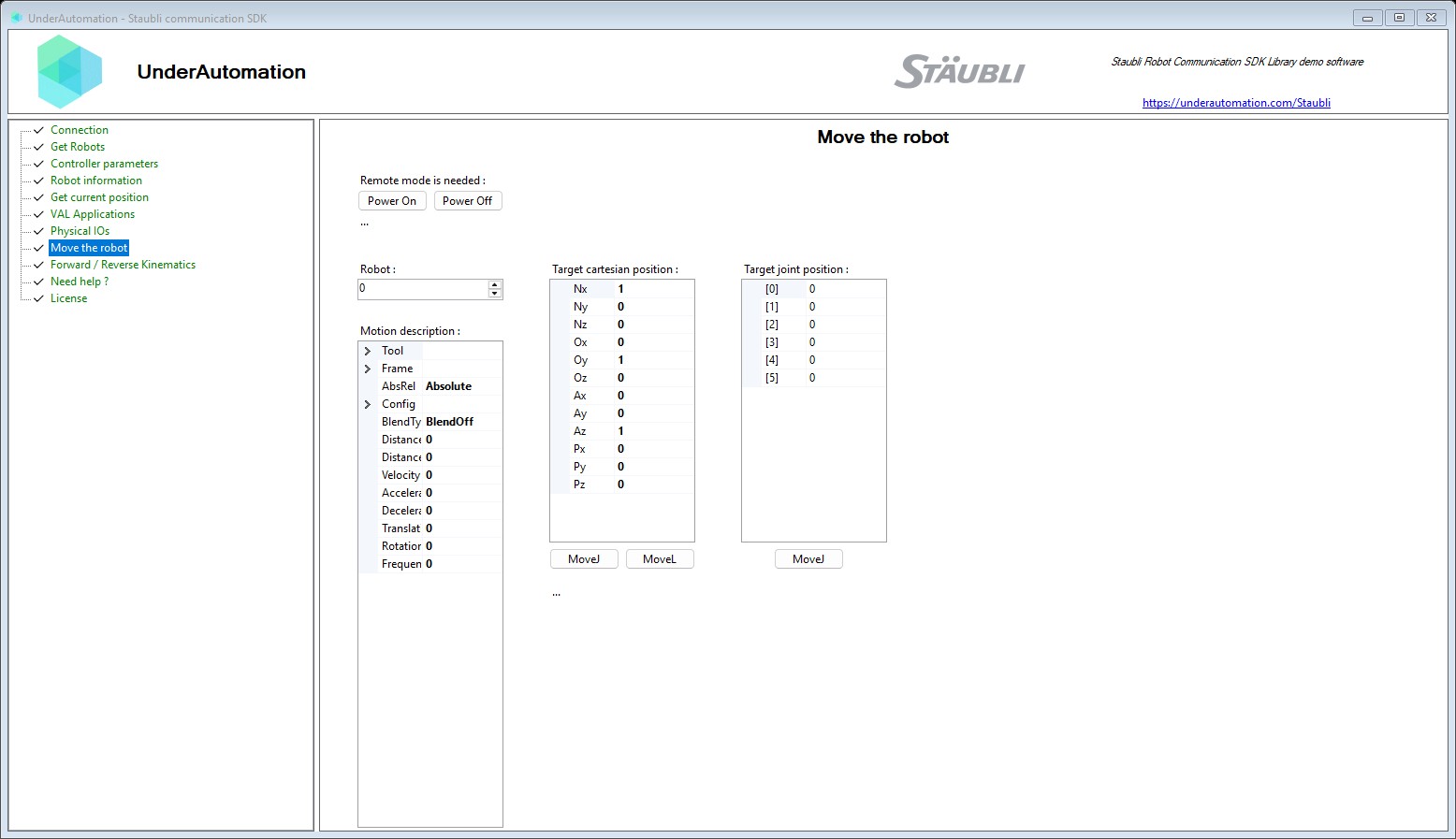
The demo application is open source. The C# source of this page is MotionControl.cs.
Reference
Methods of SoapClientBase :// Move the robot to a target position using a Cartesian pathIMoveResult MoveC(int robot, Frame frameB, Frame frameC, MotionDesc mdesc);// Move the robot to a target position using a Cartesian path with joint constraintsIMoveResult MoveJC(int robot, Frame frame, MotionDesc mdesc);// Move the robot to a target position using joint positionsIMoveResult MoveJJ(int robot, double[] joints, MotionDesc mdesc);// Move the robot to a target position using a linear path in Cartesian spaceIMoveResult MoveL(int robot, Frame frame, MotionDesc mdesc);// Reset the motion of the robotMotionReturnCode ResetMotion();// Restart the motion of the robotMotionReturnCode RestartMotion();// Set the power state of the robot (controller mut be in remote mode)PowerReturnCode SetPower(bool power);// Stop the motion of the robot immediatelyMotionReturnCode StopMotion();
Describes the parameters of a robot motion, including tool, frame, velocity, acceleration, blending and configuration.
| Member | Type | Description |
|---|---|---|
MotionDesc() Constructor | Initializes a new instance of the MotionDesc class. | |
AbsRel Property | MoveType | Specifies whether the motion is defined in absolute or relative terms. |
Acceleration Property | double | Maximum allowed joint acceleration, as a percentage of the robot's nominal acceleration. |
BlendType Property | BlendType | Specifies the type of blending to be applied when transitioning between motion segments. |
Config Property | Config | Contains additional configuration parameters specific to the robot type, such as anthropomorphic, SCARA, or VRBX configurations. |
Deceleration Property | double | Maximum allowed joint deceleration, as a percentage of the robot's nominal deceleration. |
DistanceBlendNext Property | double | In joint and Cartesian blending modes, the distance between the target point where blending ends and the next point, in millimeters or inches, depending on the length unit of the application. |
DistanceBlendPrevious Property | double | In the joint and Cartesian blending modes, the distance between the target point where blending begins and the next point, in millimeters or inches, depending on the length unit used in the application. |
Frame Property | Frame | Defines the frame in which the tool position is located, including both position and orientation. |
Frequency Property | double | Frequency of motion in Hz. |
RotationVelocity Property | double | Maximum permitted tool rotation speed, in degrees per second. |
Tool Property | Frame | Defines the pose of the robot's tool center point (TCP) in flange, including both position and orientation. |
TranslationVelocity Property | double | Maximum allowed feed rate of the tool center, in mm/s or inches/s depending on the length unit of the application. |
Velocity Property | double | Maximum allowable joint speed, as a percentage of the robot's nominal speed. |
Equals(object) Method | bool | |
GetHashCode() Method | int | |
ToString() Method | string |
Represents the result of a robot motion command.
| Member | Type | Description |
|---|---|---|
Id Property read only | int | Identifier of the motion command. |
ReturnCode Property read only | MotionReturnCode | Return code indicating the outcome of the motion command. |
Return code for robot motion commands.
| Name | Value | Description |
|---|---|---|
MisuseError | 3 | Motion command misuse error. |
NotReady | 1 | The robot is not ready to execute motion. |
ParameterError | 2 | Invalid parameter provided to the motion command. |
Success | 0 | Success, no error occurred. |
UnexpectedError | 4 | An unexpected error occurred during motion. |
Return code for robot power commands.
| Name | Value | Description |
|---|---|---|
DisableTimeout | 3 | Timeout while disabling power. |
EnableTimeout | 2 | Timeout while enabling power. |
OnlyInRemoteMode | 4 | Power can only be changed in remote mode. |
RobotNotStopped | 1 | Cannot change power while the robot is not stopped. |
Success | 0 | Success, no error occurred. |
Blend mode used during motion transitions between segments.
| Name | Value | Description |
|---|---|---|
BlendCartesian | 2 | Cartesian-space blending between motion segments. |
BlendJoint | 1 | Joint-space blending between motion segments. |
BlendOff | 0 | No blending; the robot stops at each target point. |