本页面仅提供英文版本。
Inventory
Every controller seen by TouchUp, with its model, serial number, software version and connections, exported to CSV.
This page explains the inventory of TouchUp: the list of every controller it has connected to, with its model, its serial number and its software version. It is built by TouchUp alone, at each connection, without any action of the user.
Open the inventory
Run TouchUp: Open Inventory. The panel lists one row per controller.
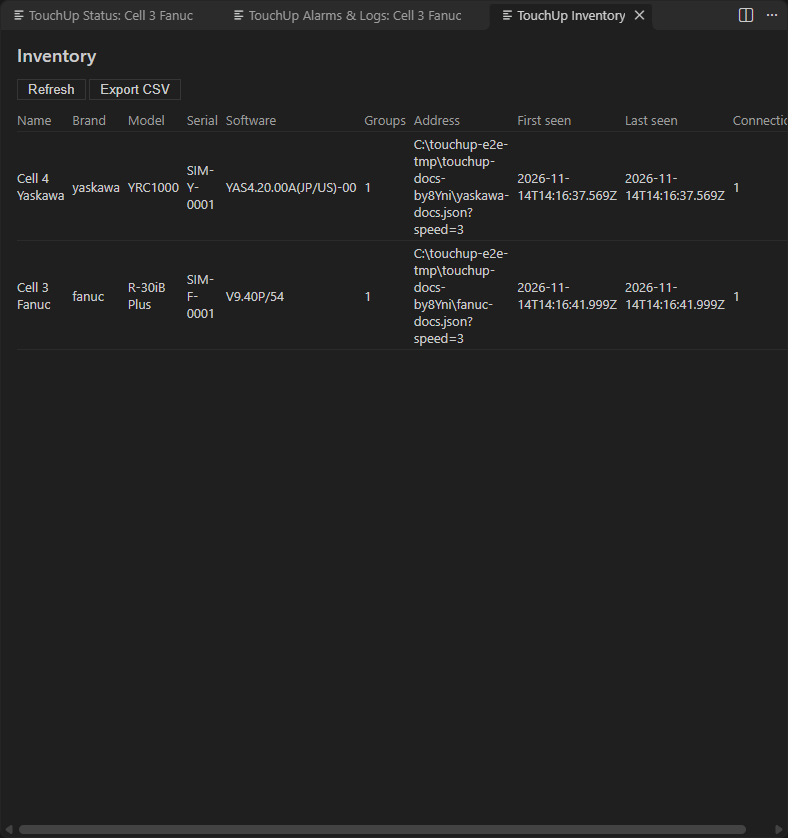
| Column | Content |
|---|---|
| Name, Brand, Address | As declared in TouchUp |
| Model | The model of the controller, read at connect |
| Serial | The serial number of the controller |
| Software | The software or firmware version |
| Groups | The motion groups of the controller |
| Connections | The number of connections |
| First seen, Last seen | The date of the first and of the last connection |
Refresh reads the list again. Before any controller is connected, the panel says "No controller connected yet: connect one in the Controllers view."
Export to CSV
Export CSV writes the inventory to a CSV file, for a maintenance report or a spreadsheet of the plant.