
ABB SDK控制 ABB 机器人 直接从您自己的软件
快速创建与 ABB 工业机器人通信的 .NET 和 Python 应用程序,同时支持 IRC5 和 OmniCore。 开箱即用的软件库:您的电脑通过网线与机器人通信。
 .NET / C#
 Python
 Matlab
1// dotnet add package UnderAutomation.ABB2using UnderAutomation.ABB;34var robot = new AbbController();5robot.Connect("192.168.0.1");67var target = robot.Rws.MotionSystem.GetRobTarget("ROB_1");8robot.Rws.Rapid.SetSymbolValue("RAPID/T_ROB1/user/reg1", "5");9var state = robot.Rws.Panel.GetControllerState();
您将获得什么
Plug & Play
只需几分钟即可连接您的机器人。无需安装许可证管理器, 无需 USB 密钥。仅参考图书馆。
没有在机器人上安装的插件
使用机器人控制器作为标准提供的网络协议。
30 天试用
免费试用 30 天, 无承诺, 无需注册
付一次, 永远使用
永久许可, 无需订阅, 无论机器人, 开发人员的数量是多少
ABB SDK 功能:面向 IRC5 和 OmniCore 的 Robot Web Services
每项功能都有代码示例。点击示例可查看完整代码。
RAPID 变量与程序
读写 RAPID 变量和持久变量,启动和停止任务,移动程序指针,加载和保存模块。
AbbController robot = new AbbController();robot.Connect("192.168.0.1");// Read a RAPID variablevar counter = robot.Rws.Rapid.GetSymbolValue("RAPID/T_ROB1/MainModule/nCounter");Console.WriteLine(counter.Value);// Write it backrobot.Rws.Mastership.Request();robot.Rws.Rapid.SetSymbolValue("RAPID/T_ROB1/MainModule/nCounter", "42");robot.Rws.Mastership.Release();// Start the programrobot.Rws.Rapid.ResetProgramPointer();robot.Rws.Rapid.Start();}}
输入 / 输出
列出、读取和写入数字量、模拟量和组信号。发送脉冲、取反信号,浏览 I/O 设备和网络。
AbbController robot = new AbbController();robot.Connect("192.168.0.1");// Read every signal of the controllerforeach (var signal in robot.Rws.Io.GetSignals()){Console.WriteLine($"{signal.Name} = {signal.LogicalValue} ({signal.Type})");}// Read and write one signalvar gripper = robot.Rws.Io.GetSignal("Local", "DRV_1", "DO_Gripper");robot.Rws.Io.SetSignalValue("Local", "DRV_1", "DO_Gripper", 1);// Send 3 pulses of 500 msrobot.Rws.Io.PulseSignal("Local", "DRV_1", "DO_Gripper", 1, 3, 500, 500);}}
位置与运动学
读取当前的 robtarget 和 jointtarget,计算正向和逆向运动学,并手动点动机器人。
AbbController robot = new AbbController();robot.Connect("192.168.0.1");// Cartesian position of the toolvar robTarget = robot.Rws.MotionSystem.GetRobTarget("ROB_1");Console.WriteLine($"X={robTarget.X} Y={robTarget.Y} Z={robTarget.Z}");// Joint anglesvar jointTarget = robot.Rws.MotionSystem.GetJointTarget("ROB_1");Console.WriteLine($"Axis 1 = {jointTarget.RobotAxes.Axis1}");// Forward kinematics, without moving the robotvar toolFrame = new Pose(0, 0, 100, new Quaternion(1, 0, 0, 0));var pose = robot.Rws.MotionSystem.GetPoseFromJoints("ROB_1", toolFrame, jointTarget);}}
控制器与备份
读取控制器的标识和选项,设置时钟和网络,创建并恢复完整备份。
AbbController robot = new AbbController();robot.Connect("192.168.0.1");// Who am I talking tovar identity = robot.Rws.Controller.GetIdentity();Console.WriteLine($"{identity.Name} ({identity.Type}, {identity.MacAddress})");// RobotWare version and installed optionsvar system = robot.Rws.System.GetInfo();Console.WriteLine($"RobotWare {system.Version}");Console.WriteLine(robot.Rws.Controller.HasOption("Multitasking"));// Full controller backuprobot.Rws.Controller.CreateBackup("/hd0a/MyBackup");Console.WriteLine(robot.Rws.Controller.GetBackupState());}}
文件系统
浏览控制器的文件系统,下载和上传文件,创建、复制、重命名和删除文件与目录。
AbbController robot = new AbbController();robot.Connect("192.168.0.1");// Browse a directory of the controllerDirectoryListing listing = robot.Rws.File.ListDirectory("/hd0a/RobotWare");foreach (FileItem file in listing.Files){Console.WriteLine($"{file.Name} : {file.Size} bytes");}// Download a RAPID module and upload it backstring module = robot.Rws.File.GetFileAsText("/hd0a/MyProgram/MainModule.mod");robot.Rws.File.UploadFileFromText("/hd0a/MyProgram/MainModule.mod", module);}}
事件日志与状态
读取事件日志,跟踪运行模式、控制器状态和机器人速度倍率。
AbbController robot = new AbbController();robot.Connect("192.168.0.1");// State of the robotConsole.WriteLine(robot.Rws.Panel.GetOperationMode());Console.WriteLine(robot.Rws.Panel.GetControllerState());Console.WriteLine(robot.Rws.Panel.GetSpeedRatio());// Last events of every domainforeach (var domain in robot.Rws.Elog.GetDomains()){foreach (var message in robot.Rws.Elog.GetMessages(domain.Number, maxCount: 5)){Console.WriteLine($"[{message.Timestamp}] {message.Type} : {message.Title}");}}}}
IRC5 和 OmniCore,同一套 API
ABB 机器人提供两个版本的 Robot Web Services。本 SDK 同时支持两者,因此同一份代码既能运行在旧的 IRC5 上,也能运行在新的 OmniCore 上。只需改变一个连接参数。
| Controller | RobotWare | Robot Web Services | Connection parameter |
|---|---|---|---|
| IRC5 | RobotWare 6 and earlier | RWS 1.0 | RwsVersion.Irc5_V1_0 |
| OmniCore | RobotWare 7 and later | RWS 2.0 | RwsVersion.OmniCore_V2_0 |
后续计划
Robot Web Services 现已可用。ABB 控制器的其他原生协议,首先是 Externally Guided Motion(EGM),正在开发中,将加入同一个 SDK。
Robot Web Services
RAPID, I/O, position, controller, file system, event log and mastership, on IRC5 and on OmniCore.
Externally Guided Motion (EGM)
Low latency motion over UDP: position stream, position guidance and path correction, for sensor and vision driven applications.
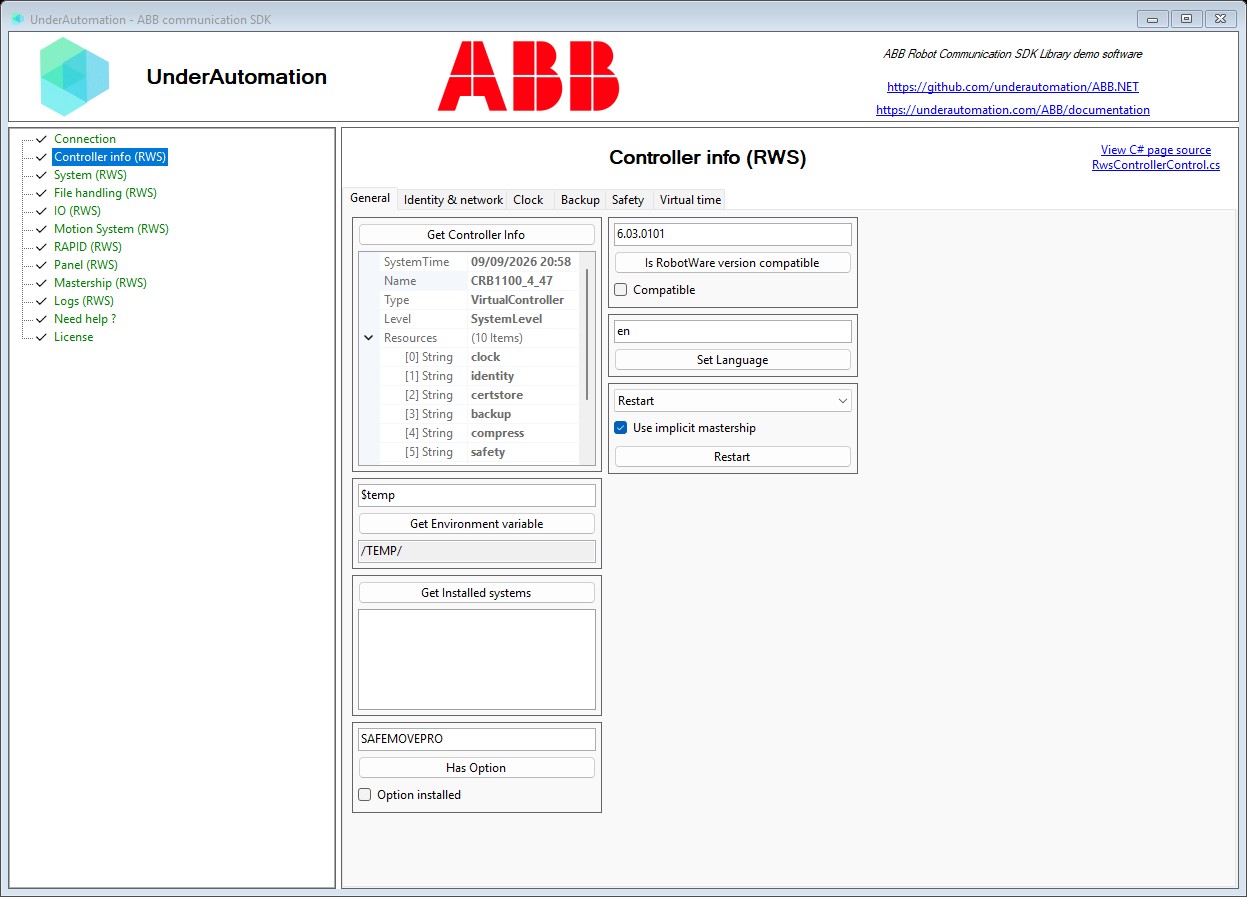
看看实际效果
随 SDK 提供的演示程序的视频和截图。
一条命令即可安装
选择您的语言。30 天试用从首次使用开始,无需注册。
.NET
适用于 C# 和 VB.NET 的 NuGet 包,从 .NET Framework 到最新的 .NET。
dotnet add package UnderAutomation.ABBAI 助手
面向 AI 编程助手(Claude Code、Cursor、Copilot 等)的 Skill:您的助手了解 SDK 的 API。
npx skills add underautomation/skills --skill underautomation-abb-csharp浏览文档
该文档使您可以快速开始使用库开发。 所有受支持的语言都可以使用相同的功能。

浏览文档
该文档使您可以快速开始使用库开发。 所有受支持的语言都可以使用相同的功能。
开始使用.NET
用这个100%托管的库在C#或VB中编码你的应用程序, 没有依赖性, 在NuGet.org上有你选择的版本和架构 (x86, x64, ARM, Linux, Windows, MacOS, .NET Framework, .NET Core, UWP, ...) 。
开始使用Python
用Python快速开发一个程序, 用这个库与你的机器人进行通信。它可以在PyPI上使用。
开始使用Matlab
让你的Matlab脚本来驱动你的机器人。
指南和实用文章
针对开发者最常问的 ABB 机器人问题给出的简短回答。
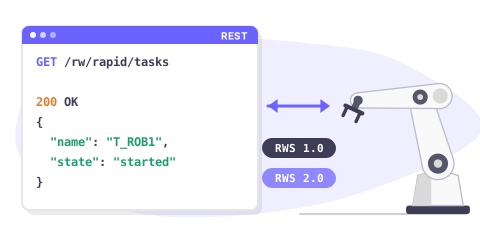
Robot Web Services overview
Robot Web Services (RWS) is the REST interface of ABB robot controllers. One API covers RWS 1.0 on IRC5 and RWS 2.0 on OmniCore.
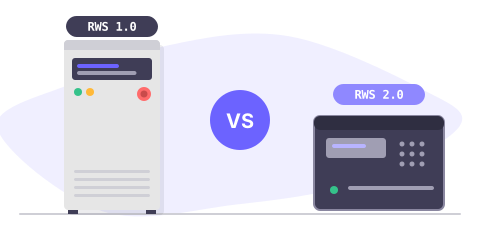
IRC5 or OmniCore: which RWS version
RWS 1.0 runs on IRC5 with RobotWare 6, RWS 2.0 on OmniCore with RobotWare 7. Compare both, and see what changes in your code.
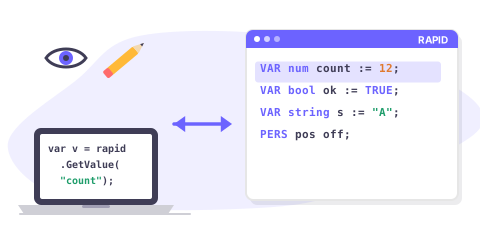
Read & write RAPID variables
Read and write a RAPID num, bool, string, robtarget or a custom record from C#, on IRC5 and on OmniCore.
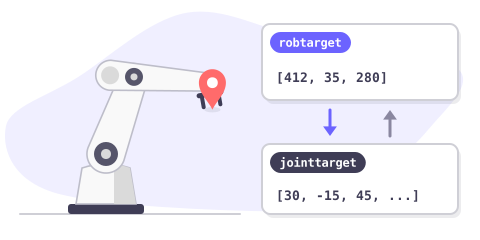
Get the robot position
Read the current Cartesian position (robtarget) and the joint position (jointtarget) of an ABB robot, and convert between them.
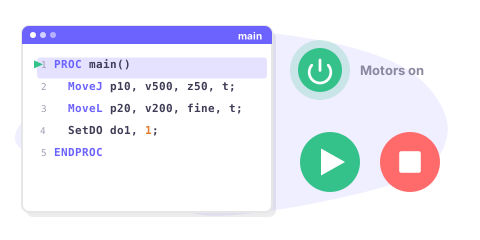
Start & stop a RAPID program
Start, stop and reset a RAPID program remotely: motors on, program pointer, execution cycle, and how to check that it really started.
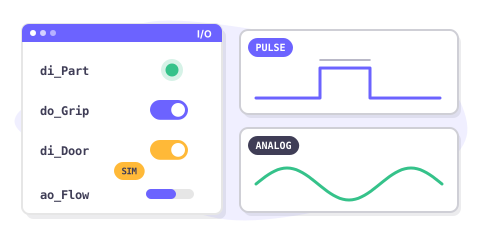
Read & write I/O signals
Read and write digital, analog and group I/O signals of an ABB controller, pulse a signal and simulate one during tests.
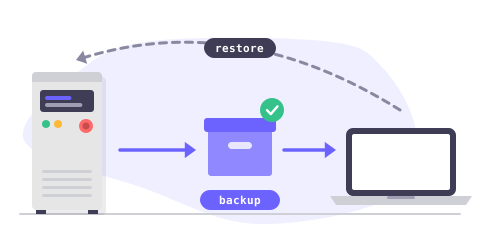
Backup & restore a controller
Create a full controller backup, download it to your PC, check it and restore it, entirely from your application.
价格
可以免费下载库, 可以进行30天的测试。 在此期间之后, 您可以要求我们延长试用期, 或购买最适合您的许可证: 站点 (仅二进制二进制) 或源代码 (源代码) 。 购买后, 您有一个一年的维护期, 使您优先访问支持和更新的可能性。 当您购买使用许可证时, 它会链接到机器人品牌, 无论您将其重新分配给客户的机器人, 开发人员或软件的数量如何, 都可以永远使用, 而无需重复费用。 如果您是分销商, 并希望为您的客户提供我们的产品之一, 请与我们联系以讨论特殊条件和价格。
标准站点许可证
•
专业许可
•
源代码许可
•
常见问题
GitHub 上的库
每个包都发布在 GitHub 上,并附有更新日志。