
ABB SDKControl ABB robots from your own software
Quickly create .NET and Python applications that communicate with your ABB industrial robot, on IRC5 as well as on OmniCore. A ready-to-use software library: your PC talks to the robot over the network cable.
From 800 € / $1000, paid once
 .NET / C#
 Python
 Matlab
1// dotnet add package UnderAutomation.ABB2using UnderAutomation.ABB;34var robot = new AbbController();5robot.Connect("192.168.0.1");67var target = robot.Rws.MotionSystem.GetRobTarget("ROB_1");8robot.Rws.Rapid.SetSymbolValue("RAPID/T_ROB1/user/reg1", "5");9var state = robot.Rws.Panel.GetControllerState();
What you get
Plug & Play
Connect your robot in just a few minutes. No license manager to install, no USB key. Only reference the library.
No plugins to install on the robot
Use of network protocols provided as standard by the robot controller.
30-day trial
Try it free for 30 days, no commitment, no registration required
Pay once, use forever
Perpetual license, no subscription required, regardless of the number of robots, developers, or redistributed software
ABB SDK features: Robot Web Services for IRC5 and OmniCore
Each feature comes with a code sample. Click on it to see the full code.
RAPID variables and programs
Read and write RAPID variables and persistents, start and stop tasks, move the program pointer, load and save modules.
AbbController robot = new AbbController();robot.Connect("192.168.0.1");// Read a RAPID variablevar counter = robot.Rws.Rapid.GetSymbolValue("RAPID/T_ROB1/MainModule/nCounter");Console.WriteLine(counter.Value);// Write it backrobot.Rws.Mastership.Request();robot.Rws.Rapid.SetSymbolValue("RAPID/T_ROB1/MainModule/nCounter", "42");robot.Rws.Mastership.Release();// Start the programrobot.Rws.Rapid.ResetProgramPointer();robot.Rws.Rapid.Start();}}
Inputs / Outputs
List, read and write digital, analog and group signals. Pulse or invert a signal, and browse the I/O devices and networks.
AbbController robot = new AbbController();robot.Connect("192.168.0.1");// Read every signal of the controllerforeach (var signal in robot.Rws.Io.GetSignals()){Console.WriteLine($"{signal.Name} = {signal.LogicalValue} ({signal.Type})");}// Read and write one signalvar gripper = robot.Rws.Io.GetSignal("Local", "DRV_1", "DO_Gripper");robot.Rws.Io.SetSignalValue("Local", "DRV_1", "DO_Gripper", 1);// Send 3 pulses of 500 msrobot.Rws.Io.PulseSignal("Local", "DRV_1", "DO_Gripper", 1, 3, 500, 500);}}
Position and kinematics
Read the current robtarget and jointtarget, compute forward and inverse kinematics, and jog the robot.
AbbController robot = new AbbController();robot.Connect("192.168.0.1");// Cartesian position of the toolvar robTarget = robot.Rws.MotionSystem.GetRobTarget("ROB_1");Console.WriteLine($"X={robTarget.X} Y={robTarget.Y} Z={robTarget.Z}");// Joint anglesvar jointTarget = robot.Rws.MotionSystem.GetJointTarget("ROB_1");Console.WriteLine($"Axis 1 = {jointTarget.RobotAxes.Axis1}");// Forward kinematics, without moving the robotvar toolFrame = new Pose(0, 0, 100, new Quaternion(1, 0, 0, 0));var pose = robot.Rws.MotionSystem.GetPoseFromJoints("ROB_1", toolFrame, jointTarget);}}
Controller and backup
Read the identity and the options of the controller, set the clock and the network, create and restore a full backup.
AbbController robot = new AbbController();robot.Connect("192.168.0.1");// Who am I talking tovar identity = robot.Rws.Controller.GetIdentity();Console.WriteLine($"{identity.Name} ({identity.Type}, {identity.MacAddress})");// RobotWare version and installed optionsvar system = robot.Rws.System.GetInfo();Console.WriteLine($"RobotWare {system.Version}");Console.WriteLine(robot.Rws.Controller.HasOption("Multitasking"));// Full controller backuprobot.Rws.Controller.CreateBackup("/hd0a/MyBackup");Console.WriteLine(robot.Rws.Controller.GetBackupState());}}
File system
Browse the controller file system, download and upload files, create, copy, rename and delete files and directories.
AbbController robot = new AbbController();robot.Connect("192.168.0.1");// Browse a directory of the controllerDirectoryListing listing = robot.Rws.File.ListDirectory("/hd0a/RobotWare");foreach (FileItem file in listing.Files){Console.WriteLine($"{file.Name} : {file.Size} bytes");}// Download a RAPID module and upload it backstring module = robot.Rws.File.GetFileAsText("/hd0a/MyProgram/MainModule.mod");robot.Rws.File.UploadFileFromText("/hd0a/MyProgram/MainModule.mod", module);}}
Event log and state
Read the event log, follow the operation mode, the controller state and the speed ratio of the robot.
AbbController robot = new AbbController();robot.Connect("192.168.0.1");// State of the robotConsole.WriteLine(robot.Rws.Panel.GetOperationMode());Console.WriteLine(robot.Rws.Panel.GetControllerState());Console.WriteLine(robot.Rws.Panel.GetSpeedRatio());// Last events of every domainforeach (var domain in robot.Rws.Elog.GetDomains()){foreach (var message in robot.Rws.Elog.GetMessages(domain.Number, maxCount: 5)){Console.WriteLine($"[{message.Timestamp}] {message.Type} : {message.Title}");}}}}
IRC5 and OmniCore, one single API
ABB robots expose Robot Web Services in two versions. The SDK covers both, so the same code runs on an old IRC5 and on a new OmniCore. Only one connection parameter changes.
| Controller | RobotWare | Robot Web Services | Connection parameter |
|---|---|---|---|
| IRC5 | RobotWare 6 and earlier | RWS 1.0 | RwsVersion.Irc5_V1_0 |
| OmniCore | RobotWare 7 and later | RWS 2.0 | RwsVersion.OmniCore_V2_0 |
What comes next
Robot Web Services is available today. The other native protocols of ABB controllers, starting with Externally Guided Motion (EGM), are in development and will be added to the same SDK.
Robot Web Services
RAPID, I/O, position, controller, file system, event log and mastership, on IRC5 and on OmniCore.
Externally Guided Motion (EGM)
Low latency motion over UDP: position stream, position guidance and path correction, for sensor and vision driven applications.
See it in action
Video and screenshots of the demo application delivered with the SDK.
Windows application example
No code to write: test the SDK on your robot with the demo application.
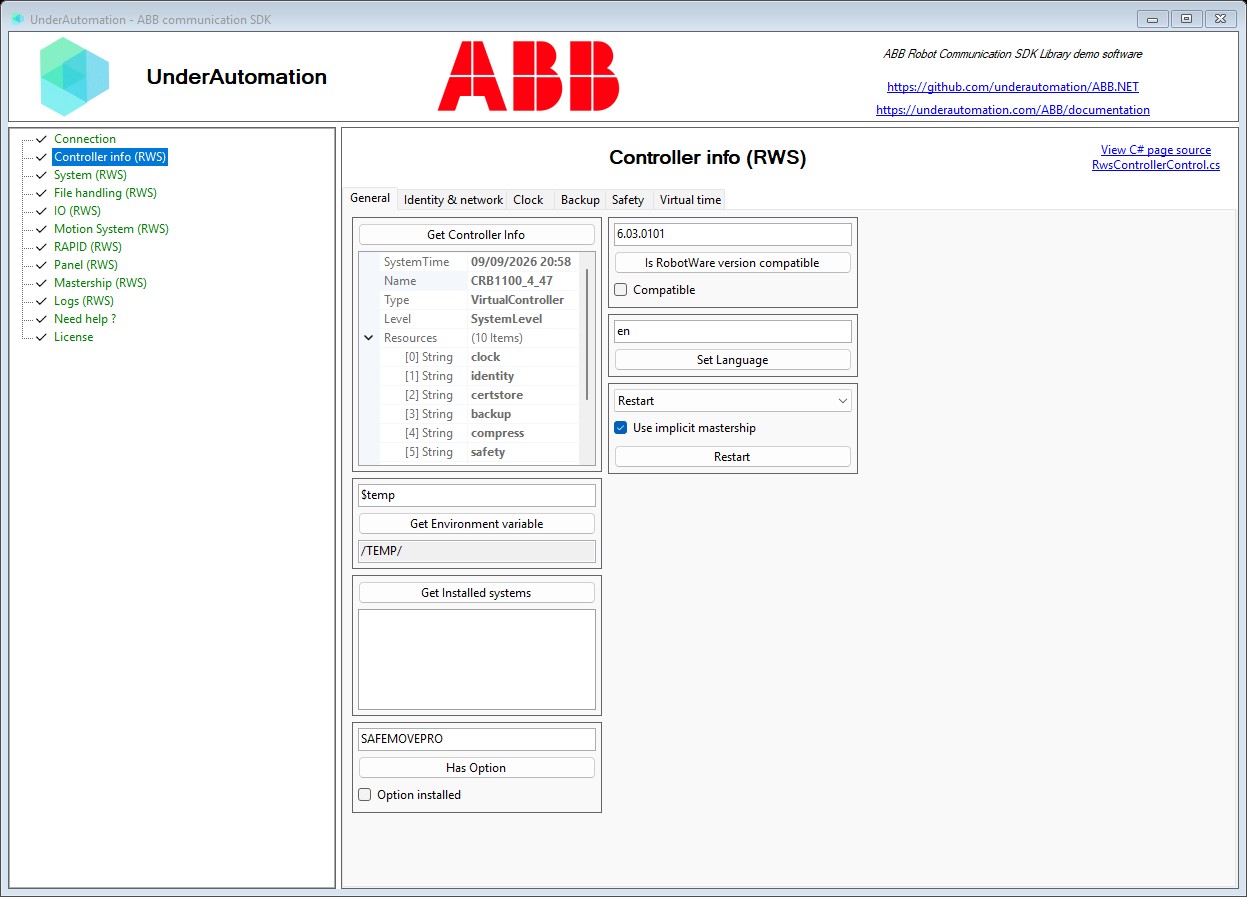
Examples on GitHub
The sources of examples of use of this SDK are available on Github
Python example
Example of operation of this SDK with Python to recover the Cartesian position of a robot.
Install it in one command
Choose your language. The 30-day trial starts at the first use, with no registration.
.NET
NuGet package for C# and VB.NET, from .NET Framework to the latest .NET.
dotnet add package UnderAutomation.ABBPython
Python package on PyPI, for Windows, Linux and macOS.
pip install UnderAutomation.ABBAI agents
Skill for AI coding agents (Claude Code, Cursor, Copilot...): your assistant knows the API of the SDK.
npx skills add underautomation/skills --skill underautomation-abb-csharpBrowse the documentation
The documentation allows you to quickly start developing with the library. The same functionality is available in all supported languages.

Browse the documentation
The documentation allows you to quickly start developing with the library. The same functionality is available in all supported languages.
Getting started with .NET
Code your application in C# or VB with this 100% managed library, without dependencies and available on NuGet.org in the version and architecture of your choice (x86, x64, ARM, Linux, Windows, MacOS, .NET Framework, .NET Core, UWP, ...)
Get started with Python
Quickly develop a program in Python that communicates with your robot using this library. It is available on PyPI.
Getting started with Matlab
Allow your Matlab scripts to drive your robot.
Guides and how-to articles
Short answers to the questions developers ask most often about ABB robots.
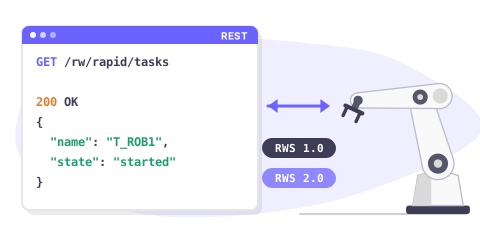
Robot Web Services overview
Robot Web Services (RWS) is the REST interface of ABB robot controllers. One API covers RWS 1.0 on IRC5 and RWS 2.0 on OmniCore.
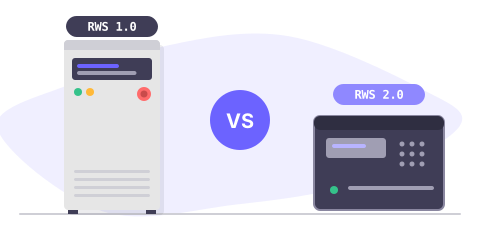
IRC5 or OmniCore: which RWS version
RWS 1.0 runs on IRC5 with RobotWare 6, RWS 2.0 on OmniCore with RobotWare 7. Compare both, and see what changes in your code.
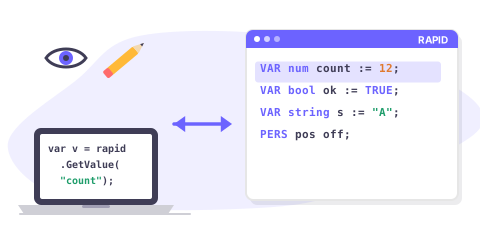
Read & write RAPID variables
Read and write a RAPID num, bool, string, robtarget or a custom record from C#, on IRC5 and on OmniCore.
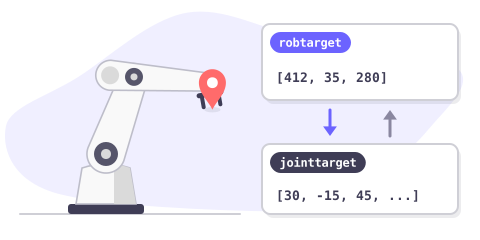
Get the robot position
Read the current Cartesian position (robtarget) and the joint position (jointtarget) of an ABB robot, and convert between them.
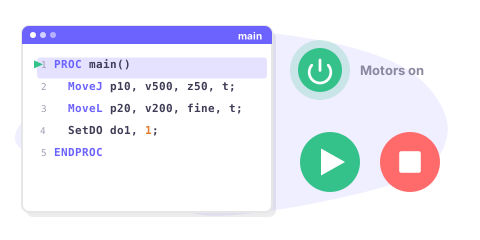
Start & stop a RAPID program
Start, stop and reset a RAPID program remotely: motors on, program pointer, execution cycle, and how to check that it really started.
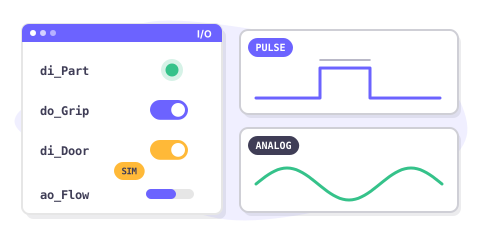
Read & write I/O signals
Read and write digital, analog and group I/O signals of an ABB controller, pulse a signal and simulate one during tests.
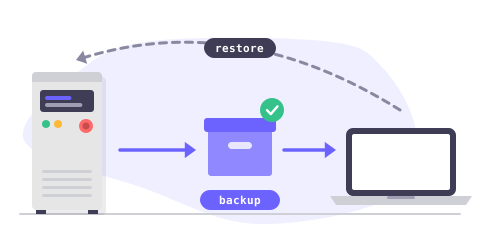
Backup & restore a controller
Create a full controller backup, download it to your PC, check it and restore it, entirely from your application.
Pricing
Libraries can be downloaded for free and can be tested for 30 days. After this period, you can ask us to extend the trial period, or buy the license that suits you best: standard, pro or source. After purchasing, you have a maintenance period, giving you access to the support and the possibility of updating. When you buy a license to use, it is linked to a robot brand, you can use it forever, without recurring fee, regardless of the number of robot, developer or software that you redistribute to your customers. If you are a distributor and wish to offer your customers one of our products, please contact us to discuss special conditions and prices.
Standard Site License
•
Pro License
•
Source license
•
Frequently asked questions
Libraries on GitHub
Each package is published on GitHub with its changelog.
Get started now !
Start the 30-day trial today, or ask for a quote.