
ABB SDKABB 로봇을 자체 소프트웨어에서 제어
ABB 산업용 로봇과 통신하는 .NET 및 Python 애플리케이션을 빠르게 개발하십시오. IRC5와 OmniCore 모두에서 동작합니다. 바로 쓸 수 있는 소프트웨어 라이브러리입니다. PC가 네트워크 케이블로 로봇과 통신합니다.
800 € / $1000부터, 1회 결제
 .NET / C#
 Python
 Matlab
1// dotnet add package UnderAutomation.ABB2using UnderAutomation.ABB;34var robot = new AbbController();5robot.Connect("192.168.0.1");67var target = robot.Rws.MotionSystem.GetRobTarget("ROB_1");8robot.Rws.Rapid.SetSymbolValue("RAPID/T_ROB1/user/reg1", "5");9var state = robot.Rws.Panel.GetControllerState();
제공되는 것
Plug & Play
단 몇 분만에 로봇을 연결하세요. 설치할 라이센스 관리자도 없고 USB 키도 없습니다. 라이브러리만 참조하세요.
로봇에 설치할 플러그인이 없습니다
로봇 컨트롤러가 표준으로 제공 한 네트워크 프로토콜 사용.
30일 평가판
30일간 무료, 약정 없음, 등록 필요 없음
한 번 지불하고 영원히 사용하십시오
로봇, 개발자 또는 재배포 된 소프트웨어에 관계없이 영구 라이센스, 구독 필요 없음
ABB SDK 기능: IRC5와 OmniCore를 위한 Robot Web Services
각 기능에는 코드 예제가 있습니다. 클릭하면 전체 코드를 볼 수 있습니다.
RAPID 변수와 프로그램
RAPID 변수와 persistent를 읽고 쓰며, 태스크를 시작하고 정지하고, 프로그램 포인터를 이동하고, 모듈을 로드하고 저장합니다.
AbbController robot = new AbbController();robot.Connect("192.168.0.1");// Read a RAPID variablevar counter = robot.Rws.Rapid.GetSymbolValue("RAPID/T_ROB1/MainModule/nCounter");Console.WriteLine(counter.Value);// Write it backrobot.Rws.Mastership.Request();robot.Rws.Rapid.SetSymbolValue("RAPID/T_ROB1/MainModule/nCounter", "42");robot.Rws.Mastership.Release();// Start the programrobot.Rws.Rapid.ResetProgramPointer();robot.Rws.Rapid.Start();}}
입력 / 출력
디지털, 아날로그, 그룹 신호를 나열하고 읽고 씁니다. 신호에 펄스를 주거나 반전하고, I/O 장치와 네트워크를 탐색합니다.
AbbController robot = new AbbController();robot.Connect("192.168.0.1");// Read every signal of the controllerforeach (var signal in robot.Rws.Io.GetSignals()){Console.WriteLine($"{signal.Name} = {signal.LogicalValue} ({signal.Type})");}// Read and write one signalvar gripper = robot.Rws.Io.GetSignal("Local", "DRV_1", "DO_Gripper");robot.Rws.Io.SetSignalValue("Local", "DRV_1", "DO_Gripper", 1);// Send 3 pulses of 500 msrobot.Rws.Io.PulseSignal("Local", "DRV_1", "DO_Gripper", 1, 3, 500, 500);}}
위치와 기구학
현재 robtarget과 jointtarget을 읽고, 정기구학과 역기구학을 계산하며, 로봇을 수동으로 조그합니다.
AbbController robot = new AbbController();robot.Connect("192.168.0.1");// Cartesian position of the toolvar robTarget = robot.Rws.MotionSystem.GetRobTarget("ROB_1");Console.WriteLine($"X={robTarget.X} Y={robTarget.Y} Z={robTarget.Z}");// Joint anglesvar jointTarget = robot.Rws.MotionSystem.GetJointTarget("ROB_1");Console.WriteLine($"Axis 1 = {jointTarget.RobotAxes.Axis1}");// Forward kinematics, without moving the robotvar toolFrame = new Pose(0, 0, 100, new Quaternion(1, 0, 0, 0));var pose = robot.Rws.MotionSystem.GetPoseFromJoints("ROB_1", toolFrame, jointTarget);}}
컨트롤러와 백업
컨트롤러의 식별 정보와 옵션을 읽고, 시계와 네트워크를 설정하며, 전체 백업을 생성하고 복원합니다.
AbbController robot = new AbbController();robot.Connect("192.168.0.1");// Who am I talking tovar identity = robot.Rws.Controller.GetIdentity();Console.WriteLine($"{identity.Name} ({identity.Type}, {identity.MacAddress})");// RobotWare version and installed optionsvar system = robot.Rws.System.GetInfo();Console.WriteLine($"RobotWare {system.Version}");Console.WriteLine(robot.Rws.Controller.HasOption("Multitasking"));// Full controller backuprobot.Rws.Controller.CreateBackup("/hd0a/MyBackup");Console.WriteLine(robot.Rws.Controller.GetBackupState());}}
파일 시스템
컨트롤러의 파일 시스템을 탐색하고, 파일을 내려받거나 올리며, 파일과 디렉터리를 생성, 복사, 이름 변경, 삭제합니다.
AbbController robot = new AbbController();robot.Connect("192.168.0.1");// Browse a directory of the controllerDirectoryListing listing = robot.Rws.File.ListDirectory("/hd0a/RobotWare");foreach (FileItem file in listing.Files){Console.WriteLine($"{file.Name} : {file.Size} bytes");}// Download a RAPID module and upload it backstring module = robot.Rws.File.GetFileAsText("/hd0a/MyProgram/MainModule.mod");robot.Rws.File.UploadFileFromText("/hd0a/MyProgram/MainModule.mod", module);}}
이벤트 로그와 상태
이벤트 로그를 읽고, 운전 모드와 컨트롤러 상태, 로봇 속도 비율을 확인합니다.
AbbController robot = new AbbController();robot.Connect("192.168.0.1");// State of the robotConsole.WriteLine(robot.Rws.Panel.GetOperationMode());Console.WriteLine(robot.Rws.Panel.GetControllerState());Console.WriteLine(robot.Rws.Panel.GetSpeedRatio());// Last events of every domainforeach (var domain in robot.Rws.Elog.GetDomains()){foreach (var message in robot.Rws.Elog.GetMessages(domain.Number, maxCount: 5)){Console.WriteLine($"[{message.Timestamp}] {message.Type} : {message.Title}");}}}}
IRC5와 OmniCore, 하나의 API
ABB 로봇은 Robot Web Services를 두 가지 버전으로 제공합니다. 본 SDK는 두 가지를 모두 지원하므로 동일한 코드가 구형 IRC5와 신형 OmniCore에서 모두 동작합니다. 바뀌는 것은 연결 파라미터 하나뿐입니다.
| Controller | RobotWare | Robot Web Services | Connection parameter |
|---|---|---|---|
| IRC5 | RobotWare 6 and earlier | RWS 1.0 | RwsVersion.Irc5_V1_0 |
| OmniCore | RobotWare 7 and later | RWS 2.0 | RwsVersion.OmniCore_V2_0 |
다음 계획
Robot Web Services는 현재 사용할 수 있습니다. ABB 컨트롤러의 다른 기본 프로토콜은 Externally Guided Motion(EGM)을 시작으로 개발 중이며 같은 SDK에 추가될 예정입니다.
Robot Web Services
RAPID, I/O, position, controller, file system, event log and mastership, on IRC5 and on OmniCore.
Externally Guided Motion (EGM)
Low latency motion over UDP: position stream, position guidance and path correction, for sensor and vision driven applications.
실제 동작 보기
SDK와 함께 제공되는 데모 애플리케이션의 동영상과 스크린샷입니다.
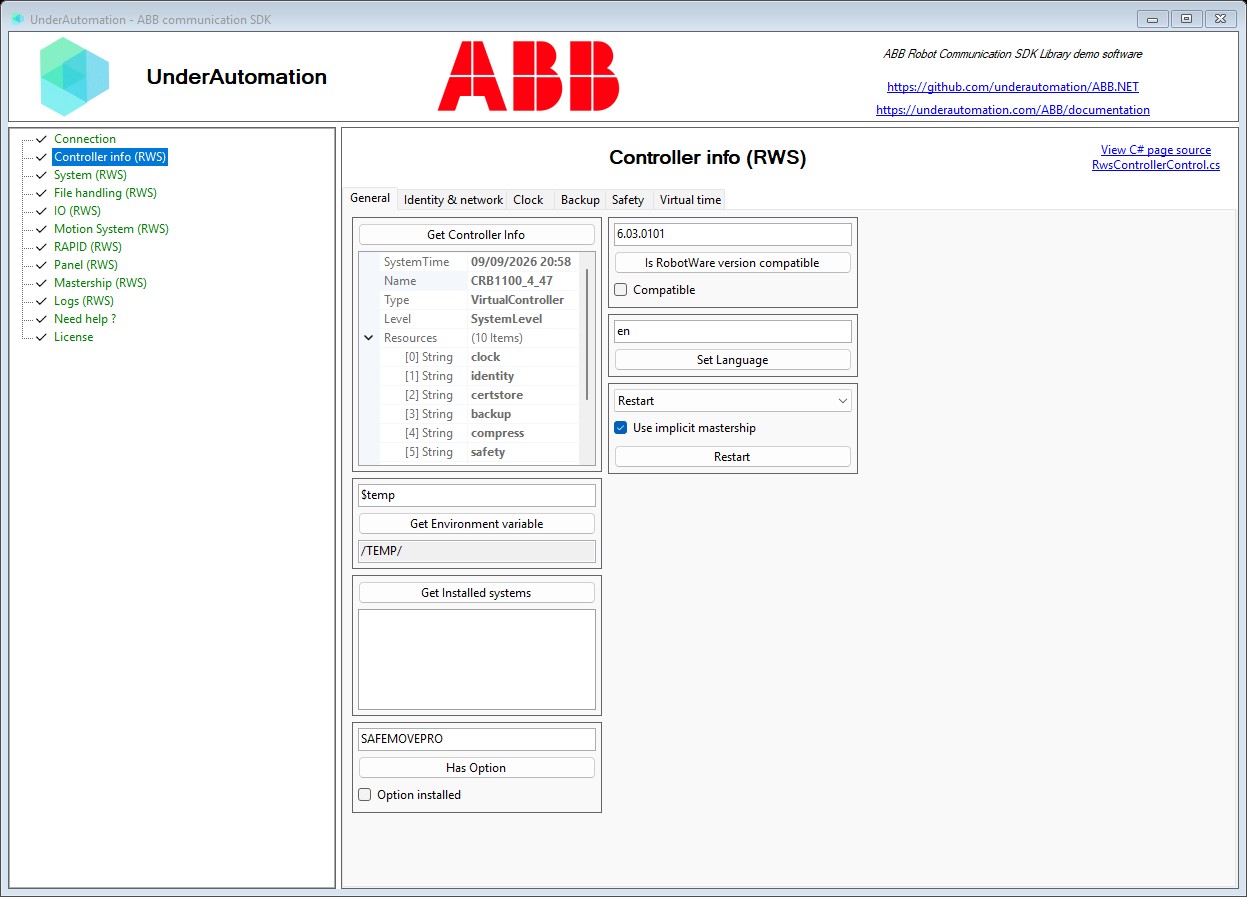
Windows 응용 프로그램 예제
코드를 작성할 필요가 없습니다. 데모 애플리케이션으로 로봇에서 SDK를 테스트하세요.
Github의 예
이 SDK의 사용 예는 Github에서 사용할 수 있습니다.
파이썬 예제
로봇의 데카르트 위치를 복구하기 위해 파이썬 으로이 SDK의 작동 예.
명령 하나로 설치
언어를 선택하세요. 30일 체험은 처음 사용할 때 시작되며, 등록이 필요 없습니다.
.NET
C# 및 VB.NET용 NuGet 패키지. .NET Framework부터 최신 .NET까지 지원합니다.
dotnet add package UnderAutomation.ABBPython
PyPI의 Python 패키지. Windows, Linux, macOS를 지원합니다.
pip install UnderAutomation.ABBAI 에이전트
AI 코딩 에이전트(Claude Code, Cursor, Copilot 등)용 Skill: 어시스턴트가 SDK의 API를 알게 됩니다.
npx skills add underautomation/skills --skill underautomation-abb-csharp문서를 찾아보십시오
문서를 사용하면 라이브러리로 신속하게 개발을 시작할 수 있습니다. 모든 지원되는 언어에서 동일한 기능을 사용할 수 있습니다.

문서를 찾아보십시오
문서를 사용하면 라이브러리로 신속하게 개발을 시작할 수 있습니다. 모든 지원되는 언어에서 동일한 기능을 사용할 수 있습니다.
.NET 시작하기
NuGet.org에서 제공되는 100% 관리형, 종속성 없는 라이브러리를 사용하여 원하는 버전 및 아키텍처(x86, x64, ARM, Linux, Windows, MacOS, .NET Framework, .NET Core, UWP 등)로 C# 또는 VB로 애플리케이션을 코딩할 수 있습니다.
Python 시작하기
이 라이브러리를 사용하여 로봇과 통신하는 Python 프로그램을 빠르게 개발하세요. PyPI에서 사용할 수 있습니다.
Matlab 시작하기
Matlab *.m 스크립트가 코봇과 통신할 수 있도록 합니다.
가이드 및 실용 문서
개발자들이 ABB 로봇에 대해 가장 자주 묻는 질문에 대한 짧은 답변입니다.
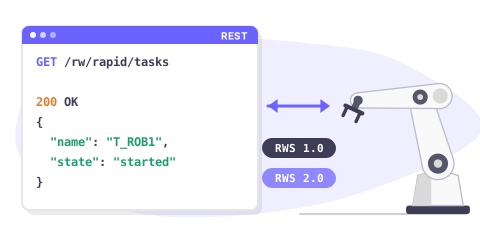
Robot Web Services overview
Robot Web Services (RWS) is the REST interface of ABB robot controllers. One API covers RWS 1.0 on IRC5 and RWS 2.0 on OmniCore.
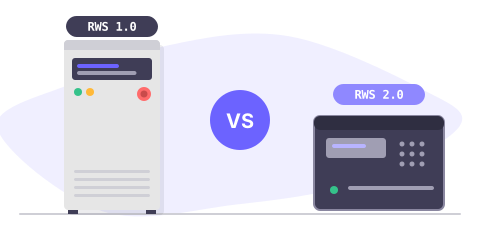
IRC5 or OmniCore: which RWS version
RWS 1.0 runs on IRC5 with RobotWare 6, RWS 2.0 on OmniCore with RobotWare 7. Compare both, and see what changes in your code.
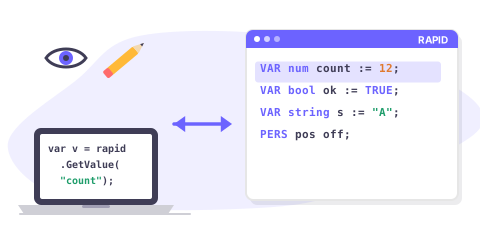
Read & write RAPID variables
Read and write a RAPID num, bool, string, robtarget or a custom record from C#, on IRC5 and on OmniCore.
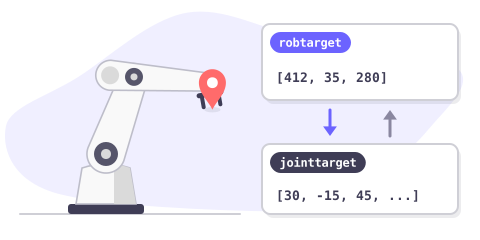
Get the robot position
Read the current Cartesian position (robtarget) and the joint position (jointtarget) of an ABB robot, and convert between them.
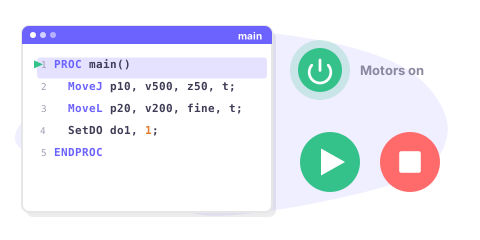
Start & stop a RAPID program
Start, stop and reset a RAPID program remotely: motors on, program pointer, execution cycle, and how to check that it really started.
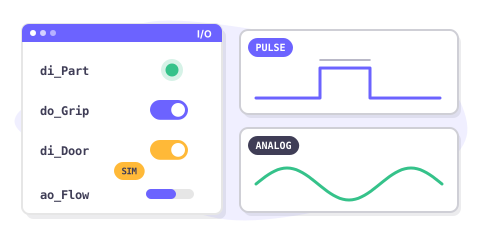
Read & write I/O signals
Read and write digital, analog and group I/O signals of an ABB controller, pulse a signal and simulate one during tests.
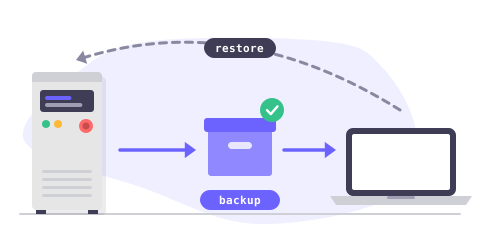
Backup & restore a controller
Create a full controller backup, download it to your PC, check it and restore it, entirely from your application.
물가
라이브러리는 무료로 다운로드 할 수 있으며 30 일 동안 테스트 할 수 있습니다. 이 기간이 지나면 시험 기간을 연장하거나 가장 적합한 라이센스를 구입하도록 요청할 수 있습니다 : 사이트 (가로 된 바이너리 전용) 또는 소스 (소스 코드). 구매 후 1 년의 유지 보수 기간이있어 지원 및 업데이트 가능성에 우선적으로 액세스 할 수 있습니다. 사용할 라이센스를 구매하면 로봇 브랜드와 연결되어 있으며 고객에게 재분배하는 로봇, 개발자 또는 소프트웨어의 수에 관계없이 반복 비용없이 영원히 사용할 수 있습니다. 유통 업체이고 고객에게 당사 제품 중 하나를 제공하려면 특별 조건과 가격에 대해 문의하십시오.
표준 사이트 라이센스
•
프로 라이선스
•
소스 코드 라이선스
•
자주 묻는 질문
GitHub의 라이브러리
각 패키지는 변경 내역과 함께 GitHub에 게시됩니다.