UnderAutomation.Robotics
In developmentOne API for every robot brand
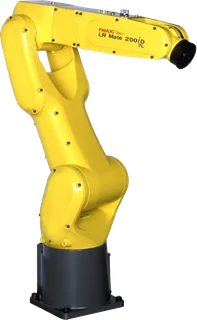
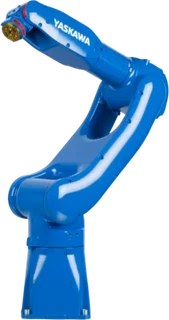
UnderAutomation.Robotics is the next library of UnderAutomation, for C# and Python. Write your robot code once: it runs on Fanuc, Yaskawa, Universal Robots, ABB and Stäubli.
One email at the release. Nothing else.
1using UnderAutomation.Robotics.Controllers;23var robot = new RobotController();4robot.Connect(new UnderAutomation.Fanuc.ConnectionParameters("192.168.0.10"));56robot.Program.Start("MAIN");78foreach (var alarm in robot.Alarm.GetActive())9 Console.WriteLine(alarm.Code + " " + alarm.Message);1011robot.Disconnect();
Change the robot, keep your code
Today: one SDK per brand
Each brand has its own protocols and its own API. A cell with two brands means two code bases.





With Robotics: one API by task
You say what you want to do. The library chooses the right protocol of each brand.
robot.Program.Start("MAIN");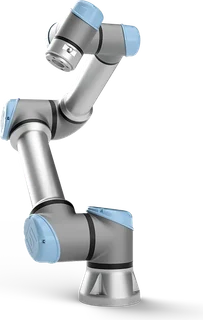
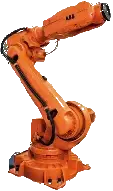
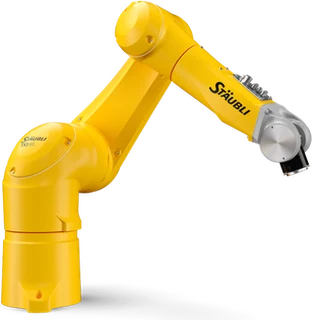
Everything you do with a robot, in 10 services
You look for "start a program", not for the name of a protocol. The API follows the same idea.
.Info
Model, serial number, software version, options.State
Mode, servo power, running or held, speed.Program
List, select, start, pause, stop, current line.Debug
Breakpoints, step by step, continue.Variable
Variables and registers, by their native name.Io
Input and output signals, by their native name.Alarm
Active alarms, history, reset.Motion
Position, joint and linear moves, kinematics, frames.File
List, download, upload, rename, delete.Backup
Create and download a backup of the controllerC# and Python, same API
The Python package follows the C# API with Python names, like the brand SDKs.
1using UnderAutomation.Robotics.Controllers;23var robot = new RobotController();4robot.Connect(new UnderAutomation.Fanuc.ConnectionParameters("192.168.0.10"));56robot.Program.Start("MAIN");7foreach (var alarm in robot.Alarm.GetActive())8 Console.WriteLine(alarm.Code + " " + alarm.Message);
Preview of the API: names can still change before the release.
Simple for a first program, complete for experts
The address is enough
Give the IP address. The library finds which protocols answer and chooses a route for each method.
Knows what the robot can do
Ask if a method is available on the connected controller before you call it, and why it is not.
Nothing is hidden
The objects of the brand SDK stay reachable on the same connection. Each result keeps its native data.
Your code still compiles
Already a user of a brand SDK? Replace its reference with UnderAutomation.Robotics: same namespaces, same types.
From .NET Framework 3.5 to .NET 8+
The same targets as the brand SDKs, on Windows, Linux and macOS.
Works with simulators
ROBOGUIDE, MotoSim, URSim, RobotStudio and SRS, like the brand SDKs.
On top of SDKs already used in production
Robotics contains the five brand SDKs and adds the common API above them. TouchUp, our robot IDE, is its first user.

TouchUp
Robot IDE for the factory floorYour software
C# · Python · LabVIEW · MatlabUnderAutomation.Robotics
One common API for every brandWhere we are
Five brand SDKs in production
Universal Robots, Fanuc, Yaskawa, ABB and Stäubli, used in 24 countries.
Common API designed
Services, protocol routing, data model and errors are specified.
Adapters for the five brands
In development, together with TouchUp.
Preview for early users
Contact us if you want to test it on your robots.
Public release
NuGet package for .NET, then the Python package.
Be the first to use UnderAutomation.Robotics
Leave your email: we write to you once, when the library is released.
One email at the release. Nothing else.