
Fanuc SDK控制 Fanuc 机器人 直接从您自己的软件
快速创建使用 .NET、Python 或 LabVIEW 与 Fanuc 工业机器人通信的应用程序。 开箱即用的软件库:您的电脑通过网线与机器人通信。
 .NET / C#
 Python
 LabVIEW
 Matlab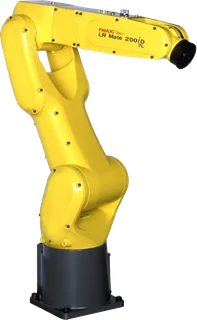
1// dotnet add package UnderAutomation.Fanuc2using UnderAutomation.Fanuc;34var robot = new FanucRobot();5robot.Connect("192.168.0.1");67var position = robot.Cgtp.ReadCartesianPosition();8robot.Cgtp.WriteVariable("$RMT_MASTER", 1);9robot.Cgtp.RunProgram("MyProgram");
您将获得什么
Plug & Play
只需几分钟即可连接您的机器人。无需安装许可证管理器, 无需 USB 密钥。仅参考图书馆。
没有在机器人上安装的插件
使用机器人控制器作为标准提供的网络协议。
30 天试用
免费试用 30 天, 无承诺, 无需注册
付一次, 永远使用
永久许可, 无需订阅, 无论机器人, 开发人员的数量是多少
客户成功案例
了解我们的客户如何将 UnderAutomation 解决方案集成到他们的工业项目中。


GE: Aerospace & Healthcare Automation
GE Accelerates Industrial Automation with UnderAutomation SDKs for Universal Robots and FANUC.


Lockheed Martin: Flexible Aerospace Automation
Refining precision manufacturing and handling with collaborative robots.


Nissan: Driving Efficiency at Scale
How Nissan Smyrna Leverages Fanuc Connectivity for intelligent vehicle assembly.
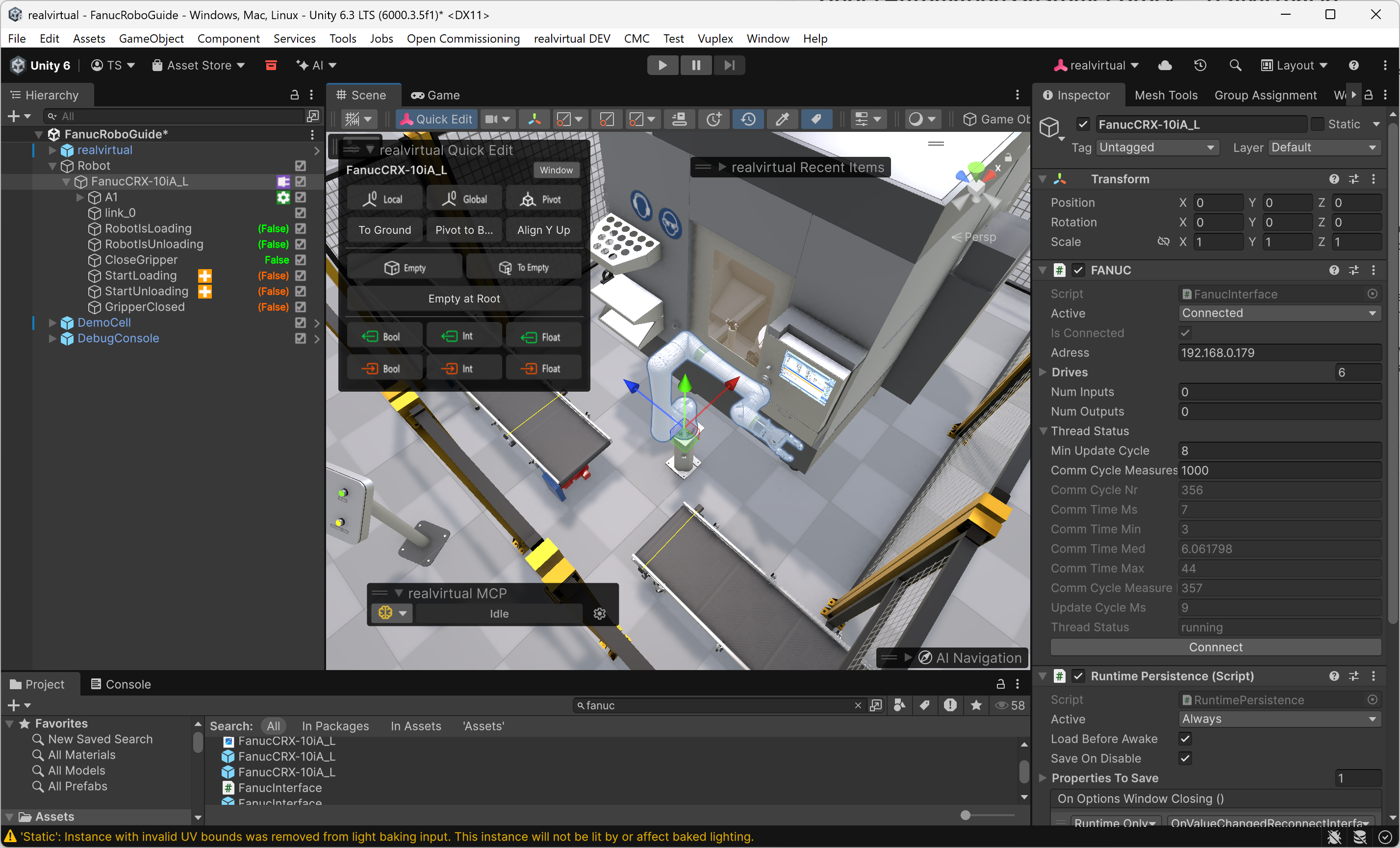

realvirtual.io: Fanuc Integration for Virtual Commissioning
How realvirtual.io embedded the UnderAutomation Fanuc SDK to deliver first-class robot integration inside their Unity-based digital twin platform.
Fanuc SDK 功能: CGTP、Telnet、SNPX、FTP 和运动学
每项功能都有代码示例。点击示例可查看完整代码。
远程命令
在 PC 上运行、暂停和中止程序,复位报警,写入变量和 I/O。可使用 CGTP (较新控制器的 Web 服务器,HTTP / HTTPS),旧控制器则使用 Telnet KCL。控制器上不需要任何选项。
robot.Connect(parameters);// Read a variableCgtpVariableValue var = robot.Cgtp.ReadVariable("$RMT_MASTER");int rmtMaster = var.IntegerValue;// Write a variablerobot.Cgtp.WriteVariable("$RMT_MASTER", 1);// Read a numeric register with commentNumericRegisterWithComment reg = robot.Cgtp.ReadNumericRegisterWithComment(1);// Read I/Oint di1 = robot.Cgtp.ReadIo(CgtpIoPortType.DI, 1);// Write I/Orobot.Cgtp.WriteIo(CgtpIoPortType.DO, 1, 1);// Read current Cartesian positionCartesianPosition pos = robot.Cgtp.ReadCartesianPosition();// Run a programrobot.Cgtp.RunProgram("MY_PROGRAM");}}
高速数据阅读和写作
SNPX (也称为SRTP/Robotif) 允许与机器人快速而结构化的数据通信。 它用于读取/编写寄存器, 监视警报并检查机器人的状况。
// Connect to the robotrobot.Connect(parameters);// Read a registerPosition posReg1 = robot.Snpx.PositionRegisters.Read(1);float numReg5 = robot.Snpx.NumericRegisters.Read(5);string strReg10 = robot.Snpx.StringRegisters.Read(10);// Write a registerposReg1.CartesianPosition.X = 100;robot.Snpx.PositionRegisters.Write(1, posReg1);robot.Snpx.NumericRegisters.Write(2, 123.45f);robot.Snpx.StringRegisters.Write(3, "Hello, world!");// Read a variableint rmtMaster = robot.Snpx.IntegerSystemVariables.Read("$RMT_MASTER");string lastAlm = robot.Snpx.StringSystemVariables.Read("$ALM_IF.$LAST_ALM");Position cellFloor = robot.Snpx.PositionSystemVariables.Read("$CELL_FLOOR");// Write a system variablerobot.Snpx.IntegerSystemVariables.Write("$RMT_MASTER", 1);robot.Snpx.StringSystemVariables.Write("$ALM_IF.$LAST_ALM", "No alarms");robot.Snpx.PositionSystemVariables.Write("$CELL_FLOOR", cellFloor);// Write a Karel program variablerobot.Snpx.IntegerSystemVariables.Write("$[KarelProgram]KarelVariable", 1);// Read and Write I/O (SDI,SDO,RDI,RDO,UI,UO,SI,SO,WI,WO,WSI,PMC_K,PMC_R)robot.Snpx.RDO.Write(1, true);ushort ai5 = robot.Snpx.AI.Read(5);// Read and Write analogs (AI,AO,GI,GO,PMC_D)robot.Snpx.AO.Write(2, 5);ushort ao3 = robot.Snpx.AO.Read(3);// Clear alarmsrobot.Snpx.ClearAlarms();}
文件和解码
将FTP直接访问机器人的内存, 以进行文件传输, 读取变量和机器人状态的管理, 所有这些都以解码为单位并准备在结构化对象中使用。
// Connect to the robotrobot.Connect(parameters);IOState ioState = robot.Ftp.GetIOState();// Read a variablevar variableFiles = robot.Ftp.GetAllVariables();foreach (var variableFile in variableFiles)foreach (var variable in variableFile.Variables)Console.WriteLine($"{variable.Name} = {variable.Value}");// Read system variable $RMT_MASTERint remoteMode = robot.Ftp.KnownVariableFiles.GetSystemFile().RmtMaster;// Read safety statusSafetyStatus safetyStatus = robot.Ftp.GetSafetyStatus();Console.WriteLine($"Emergency Stop: {safetyStatus.ExternalEStop}");Console.WriteLine($"Teach Pendant Enabled: {safetyStatus.TPEnable}");// Get current position for each arm (Joints, World position of each tool, user frame positions)CurrentPosition currentPosition = robot.Ftp.GetCurrentPosition();// Upload a TP program to the controllerrobot.Ftp.DirectFileHandling.UploadFileToController(@"C:\Programs\MyPrg.tp", "md:/MyPrg.tp");// Download a file from the robotrobot.Ftp.DirectFileHandling.DownloadFileFromController("md:/Backup.va", @"C:\Backup\Backup.va");// Delete a file on the robotrobot.Ftp.DirectFileHandling.DeleteFile("md:/OldProgram.tp");}
逆运动学
根据任何 Fanuc 机器人或协作机器人的 DH 参数对其正运动学和逆运动学进行代数计算。
FanucRobot robot = new FanucRobot();robot.Connect("192.168.0.1");// Get DH parameters// Example: CRX-10iA/LDhParameters dh = new DhParameters(-540, 150, -160, 0, 710, 0);// From a known arm modeldh = DhParameters.FromArmKinematicModel(ArmKinematicModels.CRX10iA);// From OPW parameters: M10iA/7Ldh = DhParameters.FromOpwParameters(0.15, -0.20, 0.60, 0.86, 0.10);// From an online robot (SYSMOTN file)dh = DhParameters.FromSymotnFile(robot.Ftp.KnownVariableFiles.GetSymotnFile())[0];// Forward kinematicsCartesianPosition pose = KinematicsUtils.ForwardKinematics(position, dh);// Inverse kinematics with multiple solutionsJointsPosition[] positions = KinematicsUtils.InverseKinematics(pose, dh);}}
Motion Interfaces
实施 Fanuc RMI (R912) 和 Stream Motion (J519) 协议, 使您可以简单地向机器人发送运动命令, 以及读取和写入其输入、输出和寄存器。
parameters.Rmi.Enable = true;robot.Connect(parameters);// Initialize the RMI_MOVE program on the controller.// TP must be disabled and the controller must be in AUTO mode.robot.Rmi.Initialize();// Linear motion at 100 mm/s to a Cartesian target (tool 1, frame 0)var instr = new LinearMotionTpInstruction{SpeedType = RmiLinearSpeedType.MmSec,Speed = 100,TermType = RmiTerminationType.Fine,Target = new CartesianPositionWithUserFrame(500, 200, 300, 0, 90, 0, tool: 1, frame: 0)};RmiInstructionResponse r = robot.Rmi.SendTpInstruction(instr);// Wait for the controller to confirm the motion completedr.WaitForCompletion();if (r.Status == RmiInstructionStatus.Error)System.Console.WriteLine("Error: " + r.ErrorText);// Abort when done - always end the session with Abort() or Disconnect()robot.Rmi.Abort();robot.Disconnect();}}
离线工具
无需机器人的功能允许您处理标准文件格式 (可变文件, 错误列表, 机器人状态等) 。
static void Main(){// Parse a variable file and extract a hierarchical list of variablesGenericVariableFile vaFile = FanucFileReaders.VariableReader.ReadFile("C:/path/to/variable.va", Languages.English);foreach (var variable in vaFile.Variables)Console.WriteLine($"{variable.Name} = {variable.Value} [{variable.Type}]");// Edit and regenerate the variable filevaFile.GenerateVa("C:/path/to/variable_modified.va\"");// Parse several types of filesFanucFileReaders.ErrorListReader.ReadFile("C:/path/to/errall.ls", Languages.English);FanucFileReaders.IOStateReader.ReadFile("C:/path/to/iostate.dg", Languages.English);FanucFileReaders.SafetyStatusReader.ReadFile("C:/path/to/safety.dg", Languages.English);FanucFileReaders.CurrentPositionReader.ReadFile("C:/path/to/curpos.dg", Languages.English);}
看看实际效果
随 SDK 提供的演示程序的视频和截图。
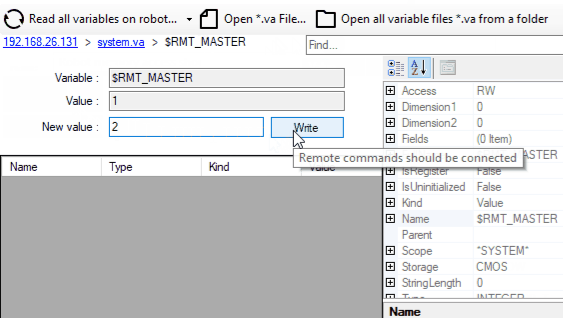

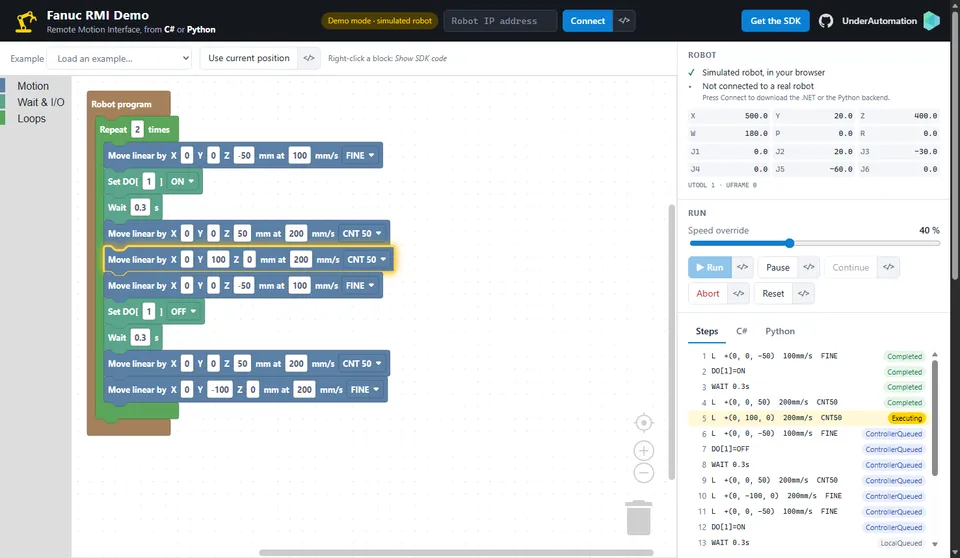
在浏览器中试用
两个使用 Fanuc SDK 构建的 Web 应用。无需安装即可测试。
一条命令即可安装
选择您的语言。30 天试用从首次使用开始,无需注册。
.NET
适用于 C# 和 VB.NET 的 NuGet 包,从 .NET Framework 到最新的 .NET。
dotnet add package UnderAutomation.FanucLabVIEW
LabVIEW 库 (.lvlib) 及其示例项目,位于 GitHub。
git clone https://github.com/underautomation/Fanuc.vi.gitAI 助手
面向 AI 编程助手(Claude Code、Cursor、Copilot 等)的 Skill:您的助手了解 SDK 的 API。
npx skills add underautomation/skills --skill underautomation-fanuc-csharp浏览文档
该文档使您可以快速开始使用库开发。 所有受支持的语言都可以使用相同的功能。

浏览文档
该文档使您可以快速开始使用库开发。 所有受支持的语言都可以使用相同的功能。
开始使用.NET
用这个100%托管的库在C#或VB中编码你的应用程序, 没有依赖性, 在NuGet.org上有你选择的版本和架构 (x86, x64, ARM, Linux, Windows, MacOS, .NET Framework, .NET Core, UWP, ...) 。
开始使用Python
用Python快速开发一个程序, 用这个库与你的机器人进行通信。它可以在PyPI上使用。
开始使用LabVIEW
为您的LabVIEW VIs配备与机器人的通信功能。
开始使用Matlab
让你的Matlab脚本来驱动你的机器人。
指南和实用文章
SDK通过多种原生以太网协议涵盖了Fanuc机器人的主要功能。根据控制器上安装的选项及其代次, 某些协议可能可用或不可用。以下每篇文章介绍如何完成特定任务, 并比较不同的实现方式。
CGTP overview
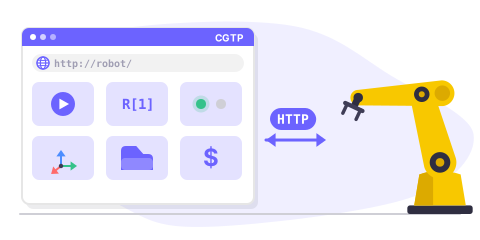
CGTP is an HTTP-based protocol providing the richest feature set: program management, variables, registers, I/O, kinematics, batch operations, and file access.
SNPX overview
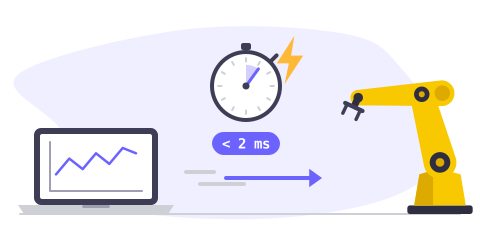
SNPX (also known as RobotIF or SRTP) is a high-speed protocol for reading and writing registers, variables, I/O signals, alarms, and positions in less than 2 ms.
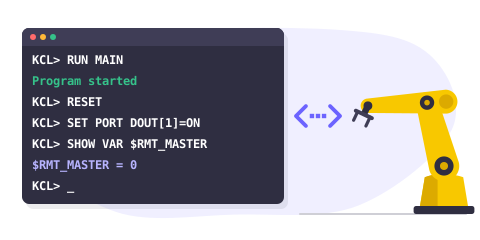
Telnet overview
Telnet KCL (Keyboard Command Line) sends commands to a Fanuc robot: run programs, reset alarms, read and write variables, control I/O ports.
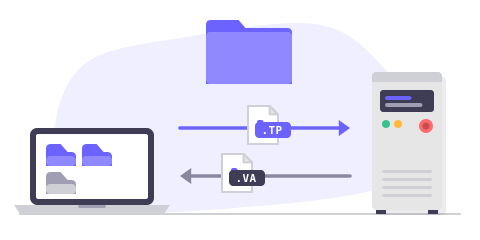
FTP overview
FTP provides access to internal controller files including variables, programs, diagnostics, safety status, and current position.
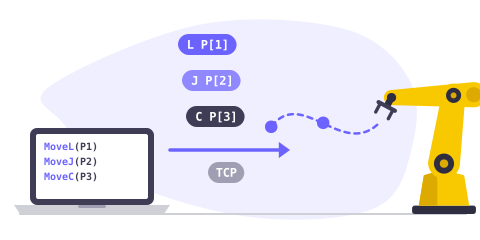
RMI overview
RMI (Remote Motion Interface) is a TCP-based protocol for sending motion commands, managing frames, and controlling the robot remotely.
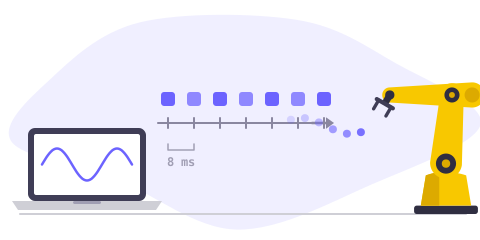
Stream Motion overview
Stream Motion (J519 option) gives the position of the robot at every communication cycle (2 to 8 ms). Requirements, TP program, protocol versions and quick start.
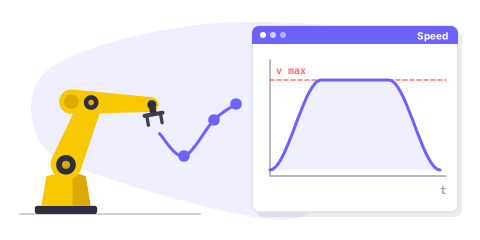
Motion planner overview
Create smooth robot trajectories offline, with velocity, acceleration and jerk limits, using FANUC motion instructions (J, L, C, FINE, CNT, CR).
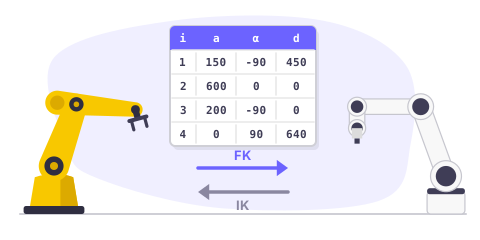
Forward & Inverse Kinematics
Perform forward and inverse kinematics calculations offline for FANUC industrial robots and CRX cobots using DH parameters.
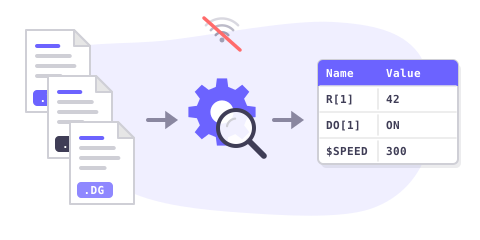
Offline file parsing
Parse and decode Fanuc variable files (.va), error lists (.ls), I/O state, safety status, and current position files without a robot connection.
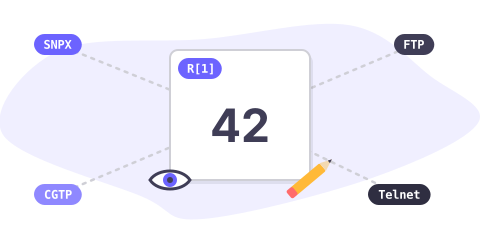
Read & write registers
Compare all methods to read and write numeric, position, and string registers on a Fanuc robot: SNPX, FTP, CGTP, and Telnet.
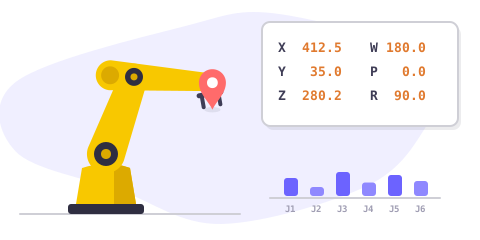
Get current position
Retrieve the current robot position (joint and Cartesian) using SNPX, FTP, CGTP, or Telnet. Compare approaches and choose the best for your use case.
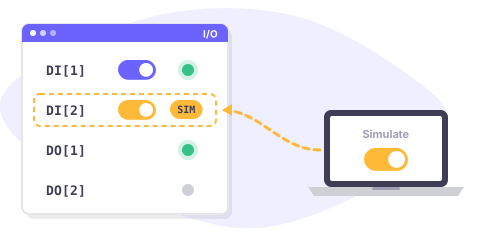
Control inputs & outputs
Set, read, simulate, and unsimulate I/O ports on a Fanuc robot using SNPX, CGTP, or Telnet. Compare port types and methods.
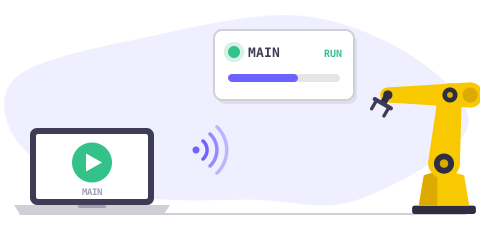
Run a program remotely
Start, pause, abort, and monitor Fanuc programs remotely using Telnet, CGTP, SNPX system variables, or RMI.
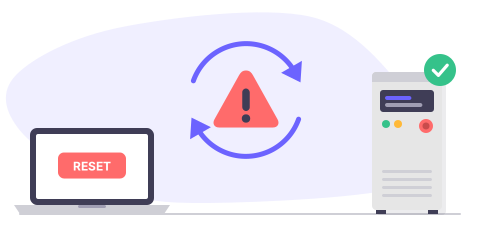
Reset alarms remotely
Clear and reset alarms on a Fanuc robot using SNPX, Telnet, or CGTP. Read active alarms and alarm history.
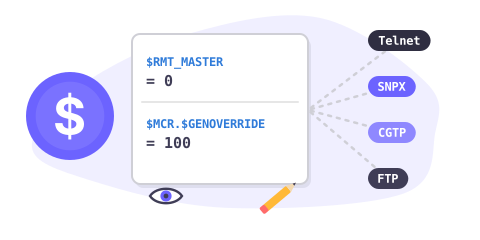
Read & write system variables
Access and modify Fanuc system variables ($RMT_MASTER, $MCR.$GENOVERRIDE, etc.) using Telnet, SNPX, CGTP, or FTP.
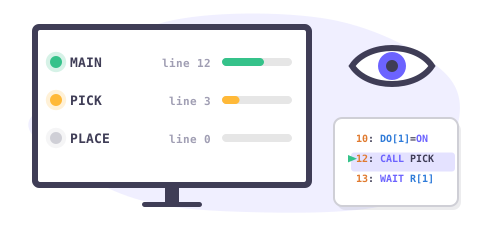
Monitor task execution
Supervise running programs, check task states, line numbers, and calling programs using SNPX, FTP, or Telnet.

Move robot remotely
Move a Fanuc robot from an external application using RMI motion commands, Stream Motion real-time streaming, or DPM with SNPX.
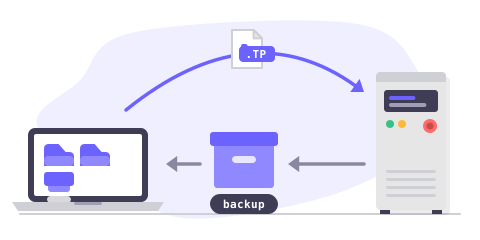
Upload, download & backup files
Transfer TP programs, variable files, and backups between your PC and a Fanuc controller using FTP or CGTP.
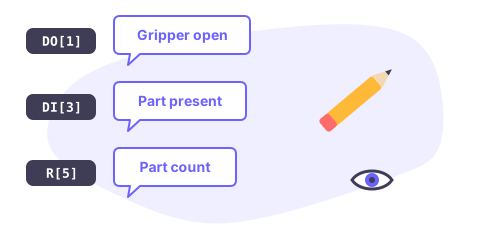
Read & write I/O comments
Read and write comments (descriptions) for registers and I/O ports using SNPX or CGTP.
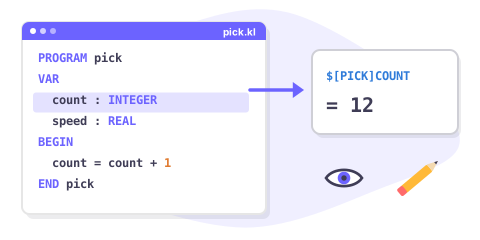
Access Karel program variables
Read and write Karel program variables using SNPX ($[Program]Variable syntax), CGTP, or FTP variable files.
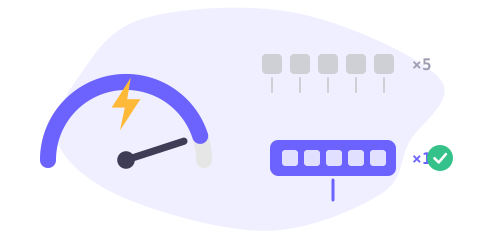
Optimize with batch operations
Maximize read/write performance using SNPX batch assignments and CGTP batch variables for high-frequency data exchange.
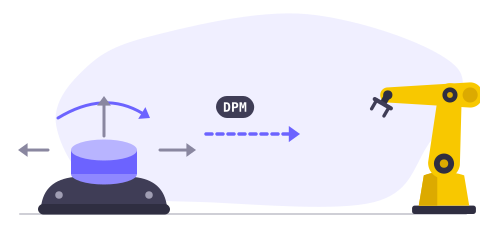
Move robot with mouse
Control a FANUC robot in real time using Dynamic Path Modification (DPM) and SNPX. Ideal for joystick or 6D mouse teleoperation setups.
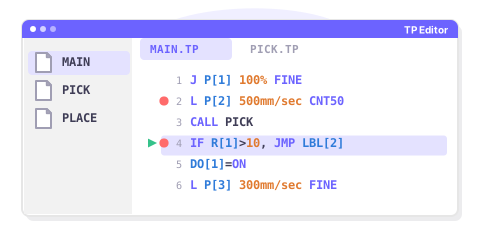
TP editor with breakpoints
Prototype your own TP Editor with syntax highlighting and breakpoint debugging using Telnet and FTP features.
价格
可以免费下载库, 可以进行30天的测试。 在此期间之后, 您可以要求我们延长试用期, 或购买最适合您的许可证: 站点 (仅二进制二进制) 或源代码 (源代码) 。 购买后, 您有一个一年的维护期, 使您优先访问支持和更新的可能性。 当您购买使用许可证时, 它会链接到机器人品牌, 无论您将其重新分配给客户的机器人, 开发人员或软件的数量如何, 都可以永远使用, 而无需重复费用。 如果您是分销商, 并希望为您的客户提供我们的产品之一, 请与我们联系以讨论特殊条件和价格。
标准站点许可证
•
专业许可
•
源代码许可
•
常见问题
GitHub 上的库
每个包都发布在 GitHub 上,并附有更新日志。