Try the SDK with the demo application
A Windows application, one executable and open source, that calls every function of the SDK. Test what your Staubli controller answers before you write any code.
The demo application lets you try the whole Staubli SDK on your CS8 or CS9 controller, before you write any code. It is a Windows desktop application that exposes the functions of the SDK with buttons and fields, and shows what the controller answers.
Download
Download UnderAutomation.Staubli.Showcase.Forms.exe
There is no installer. The application is one self contained executable, built with .NET 8 for Windows: it runs on a PC without .NET. Copy it where you want, run it, delete it when you are done.
Windows can block a file downloaded from the internet. Right click the file, open Properties, check Unblock and click OK.
The application runs in the 30 day trial of the SDK. The License page registers a key.
What it does
The tree on the left has one page per topic. It connects to a real controller or to the emulator of Staubli Robotics Suite.
Everything on this page can be tried without writing code, in the Connection page of the demo application.
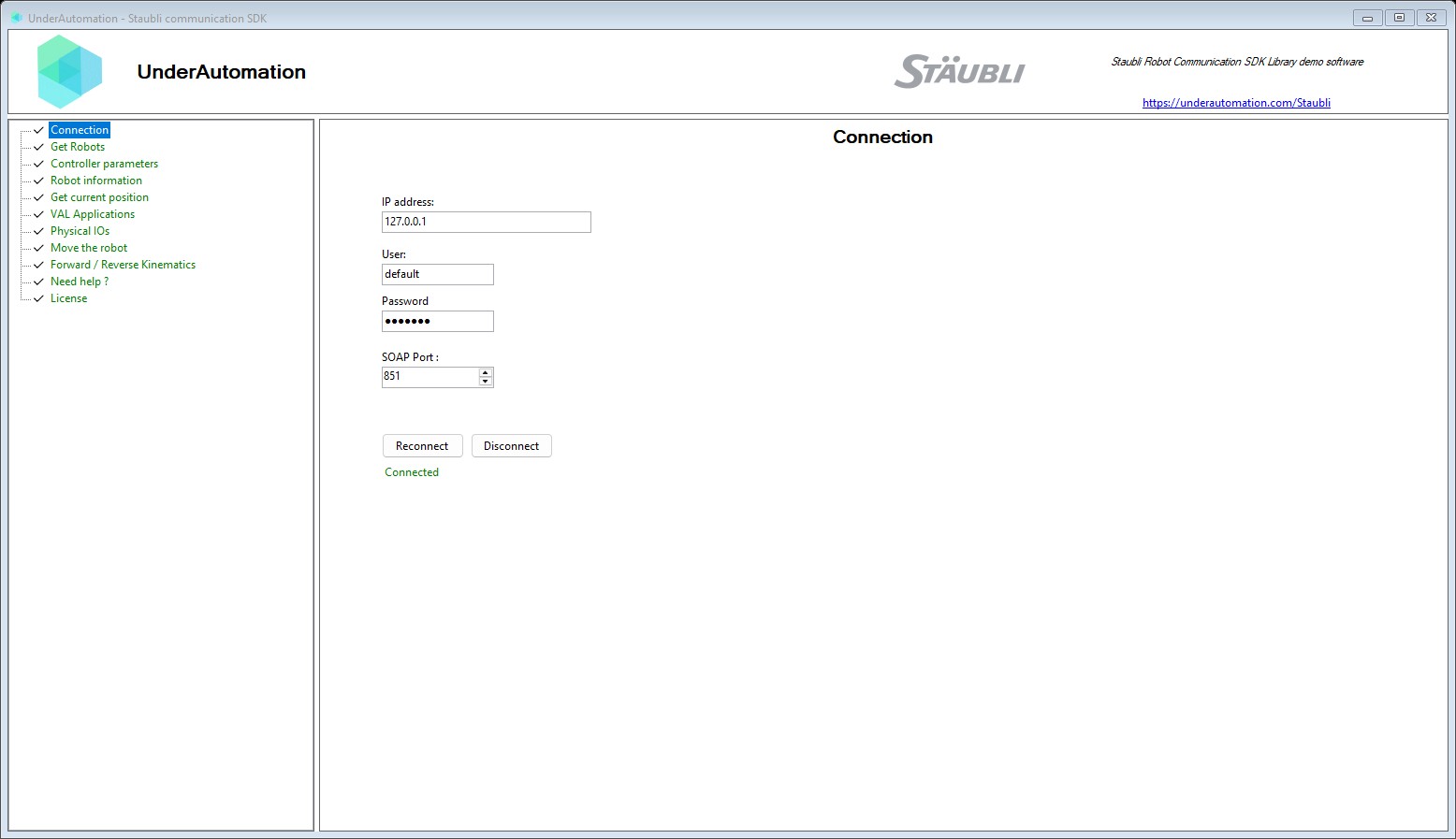
The demo application is open source. The C# source of this page is ConnectControl.cs.
| Page in the application | What you can try | Documentation |
|---|---|---|
| Connection | Address, SOAP port, user and password, connect | Connect to your robot |
| Get Robots | The robots of the controller, with their arm and kinematic | Controller and robots |
| Robot information | DH parameters and joint ranges of a robot | Controller and robots |
| Controller parameters | The parameters of the controller | Controller and robots |
| Get current position | Joints and Cartesian position, with a tool and a frame | Position |
| Forward / Reverse Kinematics | Joints to frame, and frame to joints | Kinematics |
| Move the robot | Power, motion descriptor, MoveJJ, MoveJC, MoveL, stop and restart | Motion |
| Physical IOs | List, read and write the physical I/O | Inputs and outputs |
| VAL Applications | List, load, start and stop applications, control the tasks | VAL 3 applications |
| License | Register a license key, read the state of the trial | Licensing |
Start with the Connection page: the other pages stay disabled until a connection is open.
The Move the robot page moves the arm. Try it on the emulator first, then on the real robot with low speeds.
Read its source
The application is open source: github.com/underautomation/Staubli.NET, folder UnderAutomation.Staubli.Showcase.Forms.
It is a Windows Forms project for .NET 8. It references the same UnderAutomation.Staubli DLL as your project: there is nothing specific to the demo in the way it calls the SDK. Each page of the application is one C# user control in the Components folder. Copy the calls you need into your code.
What to read next
- Connect to your robot: the connection parameters, in code.
- Test with the Staubli Robotics Suite emulator: run the application without a real robot.
- SOAP overview: what each topic covers.