SNPX overview
SNPX (also known as RobotIF or SRTP) is a high-speed protocol for reading and writing registers, variables, I/O signals, alarms, and positions in less than 2 ms.
SNPX (also known as RobotIF, Robot Interface, or SRTP) is a high-performance binary protocol for reading and writing data on a Fanuc robot controller in less than 2 ms.
Key features
- Registers: Read/write numeric (R[]), position (PR[]), string (SR[]), and flag (F[]) registers
- I/O signals: Read/write 13 digital signal types and 5 numeric I/O types
- System variables: Read/write integer, real, position, and string variables
- Current position: Read world and user frame positions for any group
- Alarms: Read active alarm, alarm history, clear alarms
- Task monitoring: Read running program status, line number, and caller
- Batch reading: Read groups of data in a single command for maximum throughput
- Comments: Read/write descriptions for registers and I/O
Quick example
using UnderAutomation.Fanuc;using UnderAutomation.Fanuc.Common;public class Snpx{static void Main(){// Create a new Fanuc robot instanceFanucRobot robot = new FanucRobot();// Set connection parametersConnectionParameters parameters = new ConnectionParameters("192.168.0.1");parameters.Snpx.Enable = true;// Connect to the robotrobot.Connect(parameters);// Read a registerPosition posReg1 = robot.Snpx.PositionRegisters.Read(1);float numReg5 = robot.Snpx.NumericRegisters.Read(5);string strReg10 = robot.Snpx.StringRegisters.Read(10);// Write a registerposReg1.CartesianPosition.X = 100;robot.Snpx.PositionRegisters.Write(1, posReg1);robot.Snpx.NumericRegisters.Write(2, 123.45f);robot.Snpx.StringRegisters.Write(3, "Hello, world!");// Read a variableint rmtMaster = robot.Snpx.IntegerSystemVariables.Read("$RMT_MASTER");string lastAlm = robot.Snpx.StringSystemVariables.Read("$ALM_IF.$LAST_ALM");Position cellFloor = robot.Snpx.PositionSystemVariables.Read("$CELL_FLOOR");// Write a system variablerobot.Snpx.IntegerSystemVariables.Write("$RMT_MASTER", 1);robot.Snpx.StringSystemVariables.Write("$ALM_IF.$LAST_ALM", "No alarms");robot.Snpx.PositionSystemVariables.Write("$CELL_FLOOR", cellFloor);// Write a Karel program variablerobot.Snpx.IntegerSystemVariables.Write("$[KarelProgram]KarelVariable", 1);// Read and Write I/O (SDI,SDO,RDI,RDO,UI,UO,SI,SO,WI,WO,WSI,PMC_K,PMC_R)robot.Snpx.RDO.Write(1, true);ushort ai5 = robot.Snpx.AI.Read(5);// Read and Write analogs (AI,AO,GI,GO,PMC_D)robot.Snpx.AO.Write(2, 5);ushort ao3 = robot.Snpx.AO.Read(3);// Clear alarmsrobot.Snpx.ClearAlarms();}}
Differences with official Fanuc Robot Interface
Fanuc provides its own Robot Interface client (FRRJIF.DLL). Here are the main differences:
| UnderAutomation SDK | Fanuc FRRJIF.DLL | |
|---|---|---|
| Publisher | UnderAutomation | Fanuc Ltd. |
| Technology | 100% managed .NET assembly | Native ActiveX / COM |
| Dependencies | No dependencies, single DLL | Requires PCDK installation |
| Typical read time | 2 ms | 30 ms |
| Cross platform | Windows, Linux, macOS | Windows only |
| Languages | C#, Python, LabVIEW | COM-compatible languages |
Robot options
To enable SNPX on your robot, you need one of the following:
- FANUC America (R650 FRA): Option R553 "HMI Device SNPX" is required
- FANUC Ltd. (R651 FRL): No additional option needed
TCP port 60008 (Robot IF Server) must be accessible on your controller.
Performance
SNPX is the fastest protocol in the SDK. Regardless of the amount of data transported in a single command, execution time remains constant at approximately 2 ms.
For example, you can read 80 position registers in a single batch in the same time as reading a single variable.
When used with ROBOGUIDE, execution times under 1 ms can be achieved.
Connection
static void Main(){// Via FanucRobotvar robot = new FanucRobot();var parameters = new ConnectionParameters("192.168.0.1");parameters.Snpx.Enable = true;robot.Connect(parameters);// Or standalonevar snpx = new SnpxClient();snpx.Connect("192.168.0.1");}}
Check if SNPX is available
parameters.Ftp.FtpPassword = "";robot.Connect(parameters);Features features = robot.Ftp.GetSummaryDiagnostic().Features;bool isSnpxAvailable = features.HasSnpx;}}
Next steps
- Registers : R[], PR[], SR[], F[]
- Inputs & Outputs : Digital and numeric signals
- System variables : Integer, real, position, string variables
- Current position : World and user frame positions
- Alarms & task status : Alarm management and task monitoring
- Batch reading : High-performance batch operations
Demonstration
The SNPX page of the demo application reads and writes registers, variables and signals without writing code.
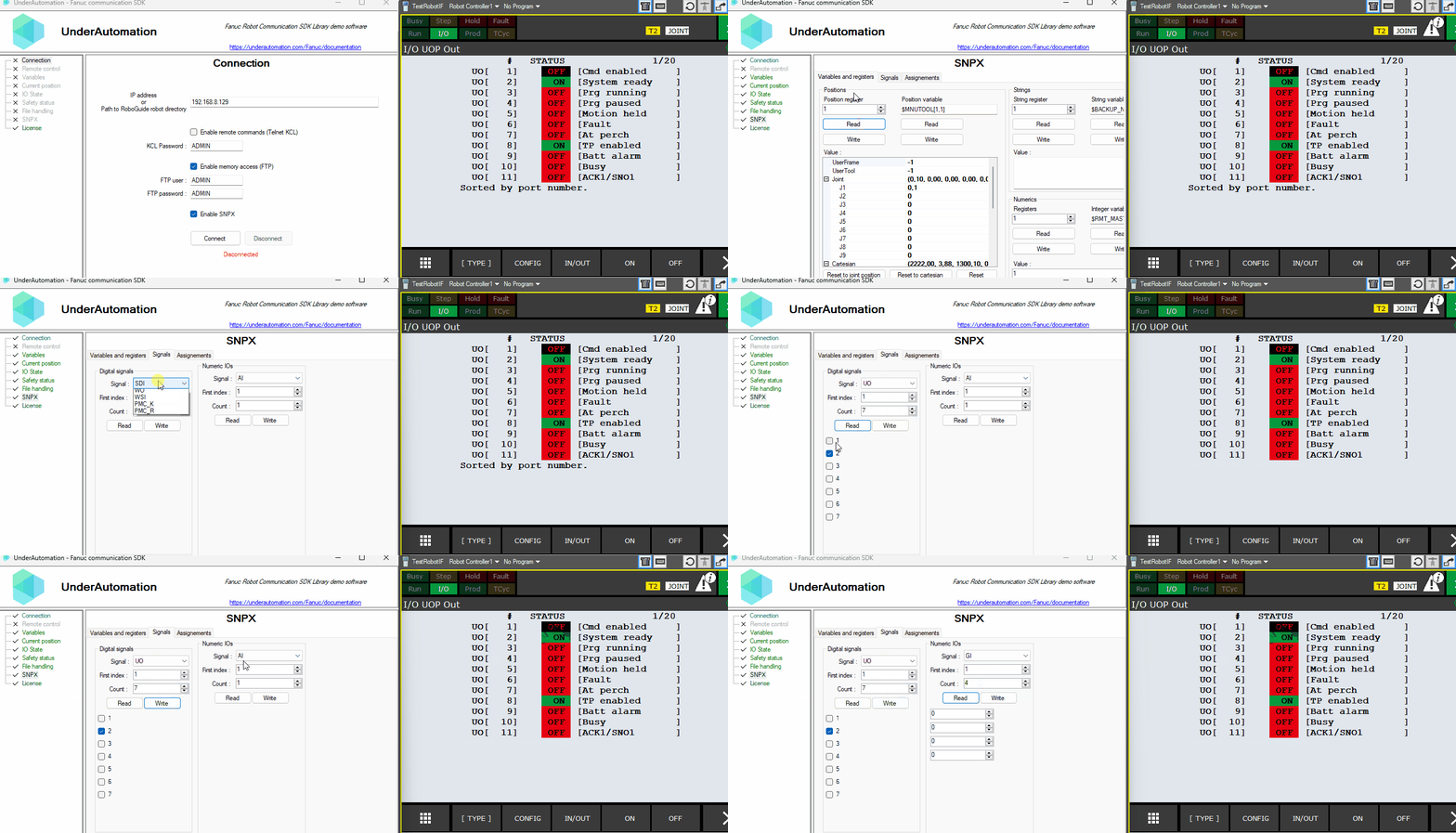
Everything on this page can be tried without writing code, in the SNPX page of the demo application.
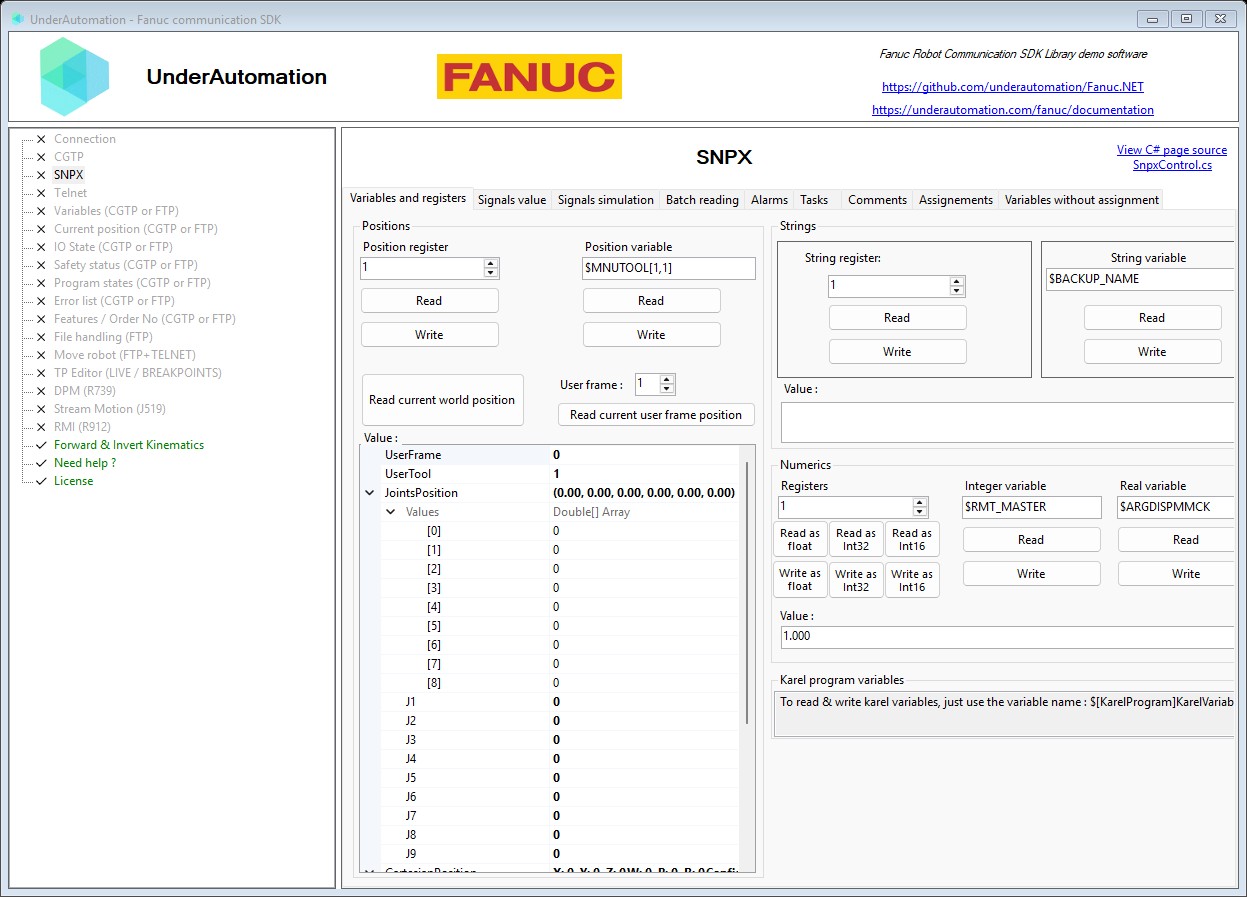
The demo application is open source. The C# source of this page is SnpxControl.cs.
API reference
SNPX protocol client for communicating with Fanuc robots.
| Member | Type | Description |
|---|---|---|
SnpxClient() Constructor | Initializes a new instance of the SnpxClient class. | |
Connect(string, int) Method | void | Connects to a Fanuc robot using the SNPX protocol.
|
Base class for Snpx internal and public client
| Member | Type | Description |
|---|---|---|
AI Property read only | NumericIO | Analog Inputs |
AO Property read only | NumericIO | Analog Outputs |
ActiveAlarm Property read only | AlarmAccess | Current active alarms |
AlarmHistory Property read only | AlarmAccess | Alarm history |
Comments Property read only | Comments | Comments of registers, I/O signals and other data |
Connected Property read only | bool | Indicates if the SNPX underlying TCP client is connected to the robot |
CurrentPosition Property read only | CurrentPosition | Current position in world or user frame |
CurrentTaskStatus Property read only | CurrentTaskStatus | Current program tasks status. Index starts from 1. |
DigitalSignals Property read only | DigitalSignals[] | List of all digital signal accessors (SDI, SDO, RDI, RDO, ...) |
Flags Property read only | Flags | Flags |
GI Property read only | NumericIO | Group Inputs |
GO Property read only | NumericIO | Group Outputs |
IntegerSystemVariables Property read only | IntegerSystemVariables | Integer variables |
Ip Property read only | string | IP address of the connected robot. |
Language Property | Languages | Controller language (default is English) |
NumericIOs Property read only | NumericIO[] | List of all Numeric IOs accessors (GI, GO, AI, AO, ...) |
NumericRegisters Property read only | NumericRegisters | Number registers R[] as floating point values |
NumericRegistersInt16 Property read only | NumericRegistersInt16 | Number registers R[] as 16-bit integer values |
NumericRegistersInt32 Property read only | NumericRegistersInt32 | Number registers R[] as 32-bit integer values |
PMC_D Property read only | NumericIO | Programmable Machine Controller Data |
PMC_K Property read only | DigitalSignals | Programmable Machine Controller Constants |
PMC_R Property read only | DigitalSignals | Programmable Machine Controller Relays |
PositionRegisters Property read only | PositionRegisters | Position registers |
PositionSystemVariables Property read only | PositionSystemVariables | Position variables |
RDI Property read only | DigitalSignals | Remote Digital Inputs |
RDO Property read only | DigitalSignals | Remote Digital Outputs |
RealSystemVariables Property read only | RealSystemVariables | Real variables |
SDI Property read only | DigitalSignals | Safety Digital Inputs |
SDO Property read only | DigitalSignals | Safety Digital Outputs |
SI Property read only | DigitalSignals | System Inputs |
SO Property read only | DigitalSignals | System Outputs |
SimulationStatus Property read only | SimulationStatus | I/O simulation status |
StringRegisters Property read only | StringRegisters | String registers |
StringSystemVariables Property read only | StringSystemVariables | String variables |
UI Property read only | DigitalSignals | User Inputs |
UO Property read only | DigitalSignals | User Outputs |
WI Property read only | DigitalSignals | Weld Inputs |
WO Property read only | DigitalSignals | Weld Outputs |
WSI Property read only | DigitalSignals | Weld System Inputs |
ClearAlarms() Method | void | Clear all active alarms |
ClearAssignments() Method | void | Clear all assignments |
ConnectInternal(string, int) Method | void | |
Disconnect() Method | void | Disconnect from the robot |
GetAssignments() Method | Assignment[] | Gets all current assignments. |
PollAndGetUpdatedConnectedState() Method | bool | Checks the actual connection status via an active socket polling |
SetVariable(string, bool) Method | void | Set boolean variable without assignments.
|
SetVariable(string, double) Method | void | Set double variable without assignments.
|
SetVariable(string, int) Method | void | Set integer variable without assignments.
|
SetVariable(string, string) Method | void | Set string variable without assignments.
|