Alarms
Read up to 4 alarms of a Yaskawa controller with their code, text and time, read the sub codes, then reset the alarms or cancel an error.
This page shows how to read the alarms of a Yaskawa Motoman controller with the SDK, and how to reset them from a PC. It covers every controller with the High Speed Ethernet Server.
Read the alarms
The controller reports up to 4 alarms. GetAlarm(which) reads one of them, with its code, its text and the time it occurred.
var robot = new YaskawaRobot();robot.Connect("192.168.0.1");// The controller reports up to 4 alarms, the most recent firstforeach (RobotRecentAlarm which in Enum.GetValues(typeof(RobotRecentAlarm))){RobotAlarmData alarm = robot.HighSpeedEServer.GetAlarm(which);// Code 0 means that there is no alarm at this positionif (alarm.Code == 0) continue;Console.WriteLine($"{which}: {alarm.Code} {alarm.Text} at {alarm.OccurringTime} (data {alarm.Data}, type {alarm.Type})");}robot.Disconnect();}
| Property | Content |
|---|---|
Code | Alarm number, as shown on the pendant. 0 when there is no alarm |
Data | Sub code of the alarm |
Type | Type of the sub code |
OccurringTime | Date and time of the alarm, as a text of the controller |
Text | Name of the alarm |
RobotRecentAlarm.Latest is the most recent alarm, FourthLatest the oldest of the four. GetStatusInformation().Alarming tells if an alarm is active, in one short request: test it first, then read the alarms.
The meaning of each code and the action to take are in the alarm manual of your controller.
Read the sub codes
GetAlarmExtended(which) returns the same values, plus the texts of the sub codes. Use it to log the full context of an alarm.
var robot = new YaskawaRobot();robot.Connect("192.168.0.1");// Same as GetAlarm, plus the sub code texts of the alarmRobotAlarmDataExtended alarm = robot.HighSpeedEServer.GetAlarmExtended(RobotRecentAlarm.Latest);Console.WriteLine($"{alarm.Code} {alarm.Text} at {alarm.OccurringTime}");Console.WriteLine($"Information: {alarm.AdditionnalInformation}");Console.WriteLine($"Sub data: {alarm.SubData}");robot.Disconnect();}
Reset an alarm
AlarmReset(type) resets the alarms or cancels an error. It needs the remote mode. Remove the cause first: an alarm whose cause is still present comes back.
var robot = new YaskawaRobot();robot.Connect("192.168.0.1");RobotStatusData status = robot.HighSpeedEServer.GetStatusInformation();// Reset the alarms, once their cause is removedif (status.Alarming)robot.HighSpeedEServer.AlarmReset(AlarmResetType.Reset);// Cancel an error (a message that does not stop the controller)if (status.ErrorOccurring)robot.HighSpeedEServer.AlarmReset(AlarmResetType.Cancel);robot.Disconnect();}
AlarmResetType | Use |
|---|---|
Reset | Reset the alarms (GetStatusInformation().Alarming) |
Cancel | Cancel an error message (GetStatusInformation().ErrorOccurring) |
A complete program, with the check after the reset, is in Read and reset alarms.
Try it in the demo application
Everything on this page can be tried without writing code, in the Alarms and system info page of the demo application.
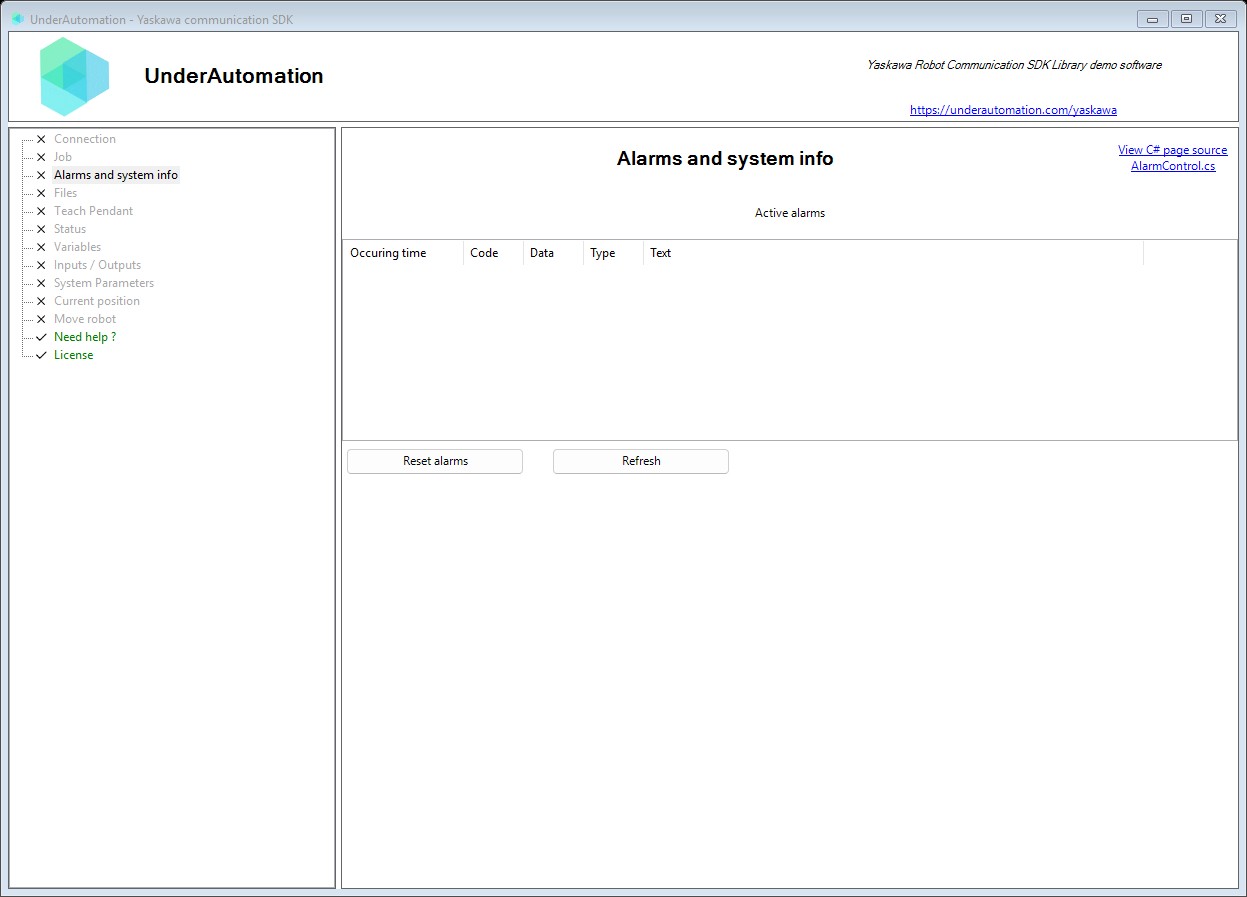
The demo application is open source. The C# source of this page is AlarmControl.cs.
Reference
Methods of HighSpeedEServerClientBase :// Resets alarms or cancels errors on the robot controller. Use Reset to clear alarm conditions after resolving the cause. Use Cancel for recoverable errors that don't require alarm reset.RobotDataHeader AlarmReset(AlarmResetType type);// Reads alarm information from the robot controller. Retrieves alarm code, type, occurrence time, and descriptive text.RobotAlarmData GetAlarm(RobotRecentAlarm alarm);// Retrieves extended alarm information including sub-code character strings. Provides more detailed information than GetAlarm for troubleshooting.RobotAlarmDataExtended GetAlarmExtended(RobotRecentAlarm alarm);
Contains information about a robot alarm retrieved from the controller. Alarms indicate error conditions that may require operator intervention.
| Member | Type | Description |
|---|---|---|
Code Property read only | int | Gets the alarm code identifying the specific alarm type. Alarm codes are documented in the robot's maintenance manual. |
Data Property read only | int | Gets additional alarm data providing context about the alarm. The meaning depends on the specific alarm code. |
OccurringTime Property read only | string | Gets the timestamp when the alarm occurred. Format: "YYYY/MM/DD HH:MM:SS" (16 characters). |
Text Property read only | string | Gets the alarm message text describing the alarm condition. Maximum 32 characters. |
Type Property read only | int | Gets the alarm type/category classification. |
Contains extended information about a robot alarm, including sub-code details. Provides more detailed diagnostic information than the basic RobotAlarmData.
| Member | Type | Description |
|---|---|---|
AdditionnalInformation Property read only | string | Gets additional information about the alarm condition. Maximum 16 characters. |
SubData Property read only | string | Gets the sub-code data providing detailed error context. Maximum 96 characters. |
SubDataReverse Property read only | string | Gets the reversed sub-code data. Maximum 96 characters. |
Specifies which recent alarm to retrieve from the robot controller. The controller maintains a history of the most recent alarms.
| Name | Value | Description |
|---|---|---|
FourthLatest | 4 | The fourth most recent alarm. |
Latest | 1 | The most recent (current) alarm. |
SecondLatest | 2 | The second most recent alarm. |
ThirdLatest | 3 | The third most recent alarm. |