RTDE: Real-Time Data Exchange
Exchange data with a UR cobot up to 500 Hz with RTDE: choose the outputs and the inputs, receive the data, write the inputs, pause and resume.
RTDE (Real-Time Data Exchange) exchanges data between a Universal Robots cobot and your application, up to 500 times per second on e-Series. This page shows how to choose the data, receive it, write inputs and follow the state of the connection.
How it works
At the connection, you give two lists, named from the point of view of the robot:
- the outputs: the data that the robot sends (positions, speeds, currents, I/O, registers...);
- the inputs: the data that your application writes (digital and analog outputs, registers, speed slider...).
The robot then sends a package of the outputs at the frequency you set, and accepts the inputs at any time. RTDE runs on port 30004, next to the robot program: it does not stop it.
For the list of the data and their meaning, see the RTDE guide of Universal Robots.
Prerequisites
- The service
RTDEis enabled on the robot: see Prepare the robot. - To write inputs, the robot is in remote control.
Example
static void Main(string[] args){var robot = new UR();var parameters = new ConnectParameters("192.168.0.1");// RTDE is disabled by defaultparameters.Rtde.Enable = true;parameters.Rtde.Frequency = 500; // Hz// Outputs: the data that the robot sendsparameters.Rtde.OutputSetup.Add(RtdeOutputData.ActualTcpPose);parameters.Rtde.OutputSetup.Add(RtdeOutputData.OutputDoubleRegisters, 24);// Inputs: the data that your application writesparameters.Rtde.InputSetup.Add(RtdeInputData.StandardAnalogOutputMask);parameters.Rtde.InputSetup.Add(RtdeInputData.StandardAnalogOutput0);parameters.Rtde.InputSetup.Add(RtdeInputData.InputIntRegisters, 24);robot.Connect(parameters);// Raised at each package, 500 times per second hererobot.Rtde.OutputDataReceived += (sender, e) =>{Pose pose = e.OutputDataValues.ActualTcpPose;double register24 = e.OutputDataValues.OutputDoubleRegisters.X24;};// Write inputsvar inputs = new RtdeInputValues();inputs.StandardAnalogOutputMask = 0b01; // analog output 0inputs.StandardAnalogOutput0 = 0.2;inputs.InputIntRegisters.X24 = 12;robot.Rtde.WriteInputs(inputs);// Close RTDE onlyrobot.Rtde.Disconnect();}}
The same client works without UR:
static void Main(string[] args){// An RTDE client, without a UR instancevar client = new RtdeClient();var outputSetup = new RtdeOutputSetup();outputSetup.Add(RtdeOutputData.ActualCurrent);var inputSetup = new RtdeInputSetup();inputSetup.Add(RtdeInputData.InputIntRegisters, 24);client.Connect("192.168.0.1", outputSetup, inputSetup, RtdeVersions.V2, frequency: 500);client.OutputDataReceived += (sender, e) =>{JointsDoubleValues currents = e.OutputDataValues.ActualCurrent; // A};var inputs = new RtdeInputValues();inputs.InputIntRegisters.X24 = 12;client.WriteInputs(inputs);client.Disconnect();}}
Choose the data
RTDE is disabled by default: set Rtde.Enable in ConnectParameters. Then add the outputs to OutputSetup and the inputs to InputSetup, with the enumerations RtdeOutputData and RtdeInputData.
{var robot = new UR();var parameters = new ConnectParameters("192.168.0.1");parameters.Rtde.Enable = true;// 10 Hz by default, up to 500 Hz on e-Series. 0 is the maximum of the robotparameters.Rtde.Frequency = 500;// V2 by default. The SDK uses V1 when the robot does not support V2parameters.Rtde.Version = RtdeVersions.V2;// Inputs, written by your applicationparameters.Rtde.InputSetup.Add(RtdeInputData.StandardDigitalOutputMask);parameters.Rtde.InputSetup.Add(RtdeInputData.StandardDigitalOutput);parameters.Rtde.InputSetup.Add(RtdeInputData.InputBitRegisters, 64);// Outputs, sent by the robot. A register needs its numberparameters.Rtde.OutputSetup.Add(RtdeOutputData.ActualTcpPose);parameters.Rtde.OutputSetup.Add(RtdeOutputData.ToolOutputVoltage);parameters.Rtde.OutputSetup.Add(RtdeOutputData.OutputDoubleRegisters, 24);robot.Connect(parameters);// Version used on this connectionRtdeVersions version = robot.Rtde.Version;robot.Disconnect();}
Frequency
Frequency is 10 Hz by default. The maximum is 500 Hz on e-Series and 125 Hz on CB-Series. 0 asks for the maximum of the robot. AppliedFrequency gives the frequency used.
Registers
A register type (InputIntRegisters, OutputDoubleRegisters...) needs the number of the register as second argument of Add. The registers 0 to 23 are for the fieldbus of the robot, 24 to 47 for RTDE clients. See Read and write registers.
Protocol version
Version is V2 by default: it is the version that takes the frequency into account. When the robot does not support V2, the SDK uses V1. robot.Rtde.Version gives the version used.
Receive data
OutputDataValues holds the last values received. The event OutputDataReceived is raised at each package, with the values and MeasuredFrequency, the frequency computed from the timestamps of the robot.
robot.Connect(parameters);// Last values receivedPose pose = robot.Rtde.OutputDataValues.ActualTcpPose;int toolVoltage = robot.Rtde.OutputDataValues.ToolOutputVoltage;double register24 = robot.Rtde.OutputDataValues.OutputDoubleRegisters.X24;// Or an event, raised at each packagerobot.Rtde.OutputDataReceived += (sender, e) =>{// Frequency computed from the timestamps of the robotdouble frequency = e.MeasuredFrequency;Pose tcp = e.OutputDataValues.ActualTcpPose;};robot.Disconnect();}
The event runs in the thread that receives the data. Keep it short: a slow handler delays the next packages.
Write inputs
Create an RtdeInputValues, set its fields, and send it with WriteInputs. Give a value to every input of the setup: the robot writes them all.
The digital and analog outputs have a mask: only the outputs of the mask change.
robot.Connect(parameters);// Every input of the setup is written: give a value to each onevar inputs = new RtdeInputValues();// Digital output 7: the mask selects the outputs to change, the value sets theminputs.StandardDigitalOutputMask = 0b1000_0000;inputs.StandardDigitalOutput = 0b1000_0000;inputs.ExternalForceTorque = new CartesianCoordinates(0, 0, 1, 0, 0, 0.1);// Analog output 1inputs.StandardAnalogOutputMask = 0b10;inputs.StandardAnalogOutput1 = 0.1;inputs.InputBitRegisters.X64 = true;robot.Rtde.WriteInputs(inputs);robot.Disconnect();}
Pause and resume
Pause stops the stream without closing the connection. Resume starts it again. The robot answers each request with PauseReceived and StartReceived.
robot.Connect(parameters);// The robot answers each requestrobot.Rtde.PauseReceived += (sender, e) => Console.WriteLine("Paused: " + e.Accepted);robot.Rtde.StartReceived += (sender, e) => Console.WriteLine("Started: " + e.Accepted);// Stop the stream, the connection stays openrobot.Rtde.Pause();// Start the stream againrobot.Rtde.Resume();robot.Disconnect();}
State of the connection
Connected and State give the state of the connection. The robot sends text messages about the RTDE session: the last one is in LastTextMessage, and TextMessageReceived is raised for each one. InternalErrorOccured is raised when the SDK meets an error.
robot.Connect(parameters);// Frequency accepted by the robot (V2)double appliedFrequency = robot.Rtde.AppliedFrequency;// The connection is openbool connected = robot.Rtde.Connected;// Started, paused...bool paused = robot.Rtde.State == RTDEStates.Paused;// Messages of the robot about the RTDE session. The last one is keptrobot.Rtde.TextMessageReceived += (sender, e) =>{Console.WriteLine(e.WarningLevel + " " + e.Source + ": " + e.Message);};RtdeTextMessageEventArgs lastMessage = robot.Rtde.LastTextMessage;// Errors of the SDK in the backgroundrobot.Rtde.InternalErrorOccured += (sender, e) => Console.WriteLine(e.Message);robot.Disconnect();}
Try it in the demo application
Everything on this page can be tried without writing code, in the Real-time Data Exchange (RTDE) page of the demo application.
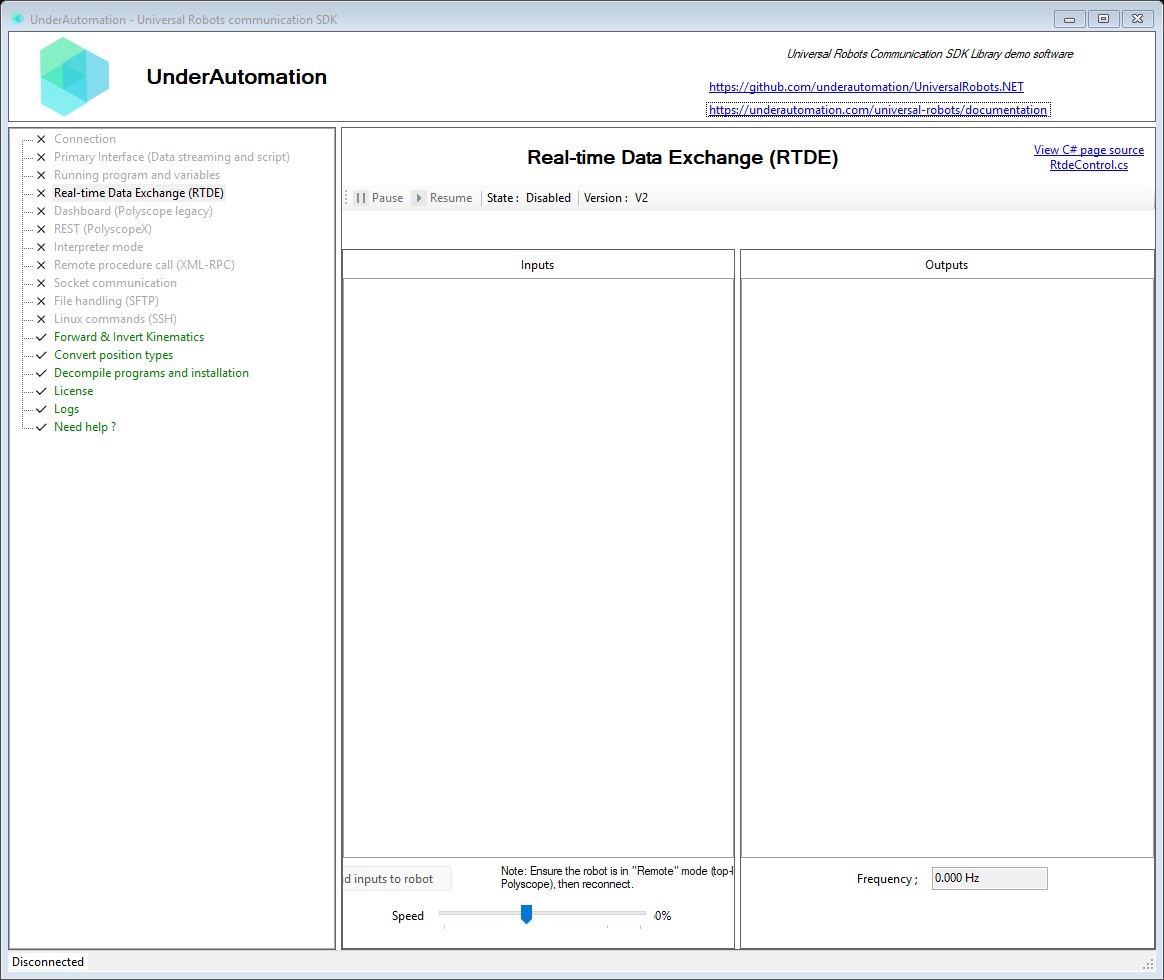
The demo application is open source. The C# source of this page is RtdeControl.cs.
Reference
Base class common to all RTDE clients
| Member | Type | Description |
|---|---|---|
RtdeClientBase() Constructor | ||
AppliedFrequency Property read only | double | Output data frequency requested to the robot, only for RTDE version 2 |
Connected Property read only | bool | Gets a value indicating if RTDE client is connected to the robot |
IP Property read only | string | IP address of the robot |
InputRecipeId Property read only | byte | Recipe Identifier of input sent data |
InputRecipeIsValid Property read only | bool | Indicates that the recipe is valid, i.e. that all the registers have been found and are not already reserved for writing by another RTDE client. Check event SetupInputsReceived to see which registers are NOT_FOUND or IN_USE |
InputSetup Property read only | RtdeInputSetupItem[] | List of all data the PC can write to the robot (robot point of view) |
LastTextMessage Property read only | RtdeTextMessageEventArgs | Last text received from the robot |
MeasuredFrequency Property read only | double | Measured output data packet frequency. "Timestamp" output data shoud be part of output setup to measure frequency. |
OutputDataValues Property read only | RtdeOutputValues | Last data received from the robot |
OutputRecipeId Property read only | byte | Recipe Identifier of output received data |
OutputSetup Property read only | RtdeOutputSetupItem[] | List of all data sent from the robot to the PC (robot point of view) |
State Property read only | RTDEStates | Current RTDE state |
Version Property read only | RtdeVersions | Current protocol version used to stream data |
OutputDataReceived Event | EventHandler<RtdeDataPackageEventArgs> | Event raised when data from the robot is comming at specified frequency |
PackageReceived Event | EventHandler<PackageEventArgs> | Generic event raised each time a RTDE package is received |
PauseReceived Event | EventHandler<RtdeBasicRequestEventArgs> | Event raised when streaming is paused |
ProtocolVersionReceived Event | EventHandler<RtdeProtocolVersionEventArgs> | Event raised during connection when the robot specifies if asked protocol version is supported |
SetupInputsReceived Event | EventHandler<RtdeControlPackageSetupInputsEventArgs> | Event raised during connection when the robot acknowledges input setup |
SetupOutputsReceived Event | EventHandler<RtdeControlPackageSetupOutputsEventArgs> | Event raised during connection when the robot acknowledges output setup |
StartReceived Event | EventHandler<RtdeBasicRequestEventArgs> | Event raised as soon as data streaming starts |
TextMessageReceived Event | EventHandler<RtdeTextMessageEventArgs> | Event raised when a RTDE message is received |
ConnectInternal(string, int, RtdeOutputSetup, RtdeInputSetup, RtdeVersions, double) Method | void | Connects to the robot RTDE server and sets up input/output recipes.
|
Disconnect() Method | void | Close the RTDE connection to the robot |
Pause() Method | void | Pause data streaming without disconnecting client |
Resume() Method | void | Restart data streaming after a Pause |
WriteInputs(RtdeInputValues) Method | void | Write data to controller. Data must be those selected in connect parameters |
Base parameters to set up RTDE
| Member | Type | Description |
|---|---|---|
RtdeParametersBase() Constructor | ||
Frequency Property | double | For RTDE version 2, you can specify a frequency for output received data. Maximum frequency depends on your robot version. If you set frequency to 0, maximum frequency will be choosen Default value is 10Hz |
InputSetup Property | RtdeInputSetup | List of all input data you can send to the robot |
OutputSetup Property | RtdeOutputSetup | List of all output data the robot will send to your application |
Port Property | int | TCP port used for RTDE connection. Default : 30004 |
Version Property | RtdeVersions | RTDE version. If set to Auto, the most recent version will be choosen according to your robot version Default value is V2 |
DEFAULT_PORT Field | int | Default RTDE TCP port used (30004) |
| Name | Value | Description |
|---|---|---|
ActualCurrent | 8 | Actual joint currents |
ActualDigitalInputBits | 15 | Current state of the digital inputs. 0-7: Standard, 8-15: Configurable, 16-17: Tool |
ActualDigitalOutputBits | 30 | Current state of the digital outputs. 0-7: Standard, 8-15: Configurable, 16-17: Tool |
ActualExecutionTime | 17 | Controller real-time thread execution time |
ActualJointVoltage | 29 | Actual joint voltages |
ActualMainVoltage | 26 | Safety Control Board: Main voltage |
ActualMomentum | 25 | Norm of Cartesian linear momentum |
ActualQ | 6 | Actual joint positions |
ActualQd | 7 | Actual joint velocities |
ActualRobotCurrent | 28 | Safety Control Board: Robot current |
ActualRobotVoltage | 27 | Safety Control Board: Robot voltage (48V) |
ActualTcpForce | 12 | Generalized forces in the TCP. It compensates the measurement for forces and torques generated by the payload |
ActualTcpPose | 10 | Actual Cartesian coordinates of the tool: (x,y,z,rx,ry,rz), where rx, ry and rz is a rotation vector representation of the tool orientation |
ActualTcpSpeed | 11 | Actual speed of the tool given in Cartesian coordinates. The speed is given in [m/s] and the rotational part of the TCP speed (rx, ry, rz) is the angular velocity given in [rad/s] |
ActualToolAccelerometer | 22 | Tool x, y and z accelerometer values |
AnalogIOTypes | 36 | Bits 0-3: analog input 0 | analog input 1 | analog output 0 | analog output 1, {0=current[mA], 1=voltage[V]} |
ElbowPosition | 32 | Position of robot elbow in Cartesian Base Coordinates |
ElbowVelocity | 33 | Velocity of robot elbow in Cartesian Base Coordinates |
Euromap67InputBits | 42 | Euromap67 input bits |
Euromap67OutputBits | 43 | Euromap67 output bits |
Euromap67_24VCurrent | 45 | Euromap 24V current [mA] |
Euromap67_24VVoltage | 44 | Euromap 24V voltage [V] |
FTRawWrench | 71 | Raw force and torque measurement, not compensated for forces and torques caused by the payload |
IOCurrent | 41 | I/O current [mA] |
InputBitRegisters | 61 | 64 general purpose bits, X: [64..127] - The upper range of the boolean output registers can be used by external RTDE clients (i.e URCAPS). |
InputBitRegisters0To31 | 59 | General purpose bits (input read back). This range of the boolean output registers is reserved for FieldBus/PLC interface usage. |
InputBitRegisters32To63 | 60 | General purpose bits (input read back), This range of the boolean output registers is reserved for FieldBus/PLC interface usage. |
InputDoubleRegisters | 63 | 48 general purpose double registers. X: [0..23] - The lower range of the double input registers is reserved for FieldBus/PLC interface usage. X: [24..47] - The upper range of the double input registers can be used by external RTDE clients (i.e URCAPS). |
InputIntRegisters | 62 | 48 general purpose integer registers. X: [0..23] - The lower range of the integer input registers is reserved for FieldBus/PLC interface usage. X: [24..47] - The upper range of the integer input registers can be used by external RTDE clients (i.e URCAPS). |
JointControlOutput | 9 | Joint control currents |
JointMode | 19 | Joint control modes |
JointTemperatures | 16 | Temperature of each joint in degrees Celsius |
OutputBitRegisters | 56 | 64 general purpose bits. X: [64..127] - The upper range of the boolean output registers can be used by external RTDE clients (i.e URCAPS). |
OutputBitRegisters0To31 | 54 | General purpose bits |
OutputBitRegisters32To63 | 55 | General purpose bits |
OutputDoubleRegisters | 58 | 48 general purpose double registers. X: [0..23] - The lower range of the double output registers is reserved for FieldBus/PLC interface usage. X: [24..47] - The upper range of the double output registers can be used by external RTDE clients (i.e URCAPS). |
OutputIntRegisters | 57 | 48 general purpose integer registers. X: [0..23] - The lower range of the integer output registers is reserved for FieldBus/PLC interface usage. X: [24..47] - The upper range of the integer output registers can be used by external RTDE clients (i.e URCAPS). |
Payload | 67 | Payload mass Kg |
PayloadCOG | 68 | Payload Center of Gravity (CoGx, CoGy, CoGz) m |
PayloadInertia | 69 | Payload inertia matrix elements (Ixx,Iyy,Izz,Ixy,Ixz,Iyz] expressed in kg*m^2 |
RobotMode | 18 | Robot mode |
RobotStatusBits | 34 | Bits 0-3:Is power on | Is program running | Is teach button pressed | Is power button pressed |
RuntimeState | 31 | Program state |
SafetyMode | 20 | Safety mode |
SafetyStatus | 21 | Safety status |
SafetyStatusBits | 35 | Bits 0-10: Is normal mode | Is reduced mode | Is protective stopped | Is recovery mode | Is safeguard stopped | Is system emergency stopped | Is robot emergency stopped | Is emergency stopped | Is violation | Is fault | Is stopped due to safety |
ScriptControlLine | 70 | Script line number that is actually in control of the robot given the robot is locked by one of the threads in the script. If no thread is locking the robot this field is set to '0'. Script line number should not be confused with program tree line number displayed on polyscope. |
SpeedScaling | 23 | Speed scaling of the trajectory limiter |
StandardAnalogInput0 | 37 | Standard analog input 0 [mA or V] |
StandardAnalogInput1 | 38 | Standard analog input 1 [mA or V] |
StandardAnalogOutput0 | 39 | Standard analog output 0 [mA or V] |
StandardAnalogOutput1 | 40 | Standard analog output 1 [mA or V] |
TargetCurrent | 4 | Target joint currents |
TargetMoment | 5 | Target joint moments (torques) |
TargetQ | 1 | Target joint positions |
TargetQd | 2 | Target joint velocities |
TargetQdd | 3 | Target joint accelerations |
TargetSpeedFraction | 24 | Target speed fraction |
TargetTcpPose | 13 | Target Cartesian coordinates of the tool: (x,y,z,rx,ry,rz), where rx, ry and rz is a rotation vector representation of the tool orientation |
TargetTcpSpeed | 14 | Target speed of the tool given in Cartesian coordinates. The speed is given in [m/s] and the rotational part of the TCP speed (rx, ry, rz) is the angular velocity given in [rad/s] |
TcpForceScalar | 53 | TCP force scalar [N] |
Timestamp | 0 | Time elapsed since the controller was started [s] |
ToolAnalogInput0 | 48 | Tool analog input 0 [mA or V] |
ToolAnalogInput1 | 49 | Tool analog input 1 [mA or V] |
ToolAnalogInputTypes | 47 | Output domain {0=current[mA], 1=voltage[V]} Bits 0-1: tool_analog_input_0 | tool_analog_input_1 |
ToolDigitalOutput0mode | 65 | The current mode of digital output 0 |
ToolDigitalOutput1Mode | 66 | The current mode of digital output 1 |
ToolMode | 46 | Tool mode |
ToolOutputCurrent | 51 | Tool current [mA] |
ToolOutputMode | 64 | The current output mode |
ToolOutputVoltage | 50 | Tool output voltage [V] |
ToolTemperature | 52 | Tool temperature in degrees Celsius |
| Name | Value | Description |
|---|---|---|
ConfigurableDigitalOutput | 5 | Configurable digital outputs |
ConfigurableDigitalOutputMask | 3 | Configurable digital output bit mask |
ExternalForceTorque | 15 | Input external wrench when using ft_rtde_input_enable builtin. |
InputBitRegisters | 12 | 64 general purpose bits. X: [64..127] - The upper range of the boolean input registers can be used by external RTDE clients (i.e URCAPS). |
InputBtRegisters0To31 | 10 | General purpose bits. This range of the boolean input registers is reserved for FieldBus/PLC interface usage. |
InputBtRegisters32To63 | 11 | General purpose bits. This range of the boolean input registers is reserved for FieldBus/PLC interface usage. |
InputDoubleRegisters | 14 | 48 general purpose double registers. X: [0..23] - The lower range of the double input registers is reserved for FieldBus/PLC interface usage. X: [24..47] - The upper range of the double input registers can be used by external RTDE clients (i.e URCAPS). |
InputIntRegisters | 13 | 48 general purpose integer registers. X: [0..23] - The lower range of the integer input registers is reserved for FieldBus/PLC interface usage. X: [24..47] - The upper range of the integer input registers can be used by external RTDE clients (i.e URCAPS). |
SpeedSliderFraction | 1 | new speed slider value |
SpeedSliderMask | 0 | 0 = don't change speed slider with this input, 1 = use speed_slider_fraction to set speed slider value |
StandardAnalogOutput0 | 8 | Standard analog output 0 (ratio) [0..1] |
StandardAnalogOutput1 | 9 | Standard analog output 1 (ratio) [0..1] |
StandardAnalogOutputMask | 6 | Standard analog output mask |
StandardAnalogOutputType | 7 | Output domain {0=current[mA], 1=voltage[V]}. Bits 0-1: standard_analog_output_0 | standard_analog_output_1 |
StandardDigitalOutput | 4 | Standard digital outputs |
StandardDigitalOutputMask | 2 | Standard digital output bit mask |
Holds the current values for all RTDE input variables (client-to-robot). Use this to prepare data before calling WriteInputs(RtdeInputValues).
| Member | Type | Description |
|---|---|---|
RtdeInputValues() Constructor | Initializes a new instance with default values for all input variables. | |
ConfigurableDigitalOutput Property | byte | Configurable digital outputs |
ConfigurableDigitalOutputMask Property | byte | Configurable digital output bit mask |
ExternalForceTorque Property | CartesianCoordinates | Input external wrench when using ft_rtde_input_enable builtin. |
InputBitRegisters Property read only | RtdeBitRegistersValue | 64 general purpose bits. X: [64..127] - The upper range of the boolean input registers can be used by external RTDE clients (i.e URCAPS). |
InputBtRegisters0To31 Property | uint | General purpose bits. This range of the boolean input registers is reserved for FieldBus/PLC interface usage. |
InputBtRegisters32To63 Property | uint | General purpose bits. This range of the boolean input registers is reserved for FieldBus/PLC interface usage. |
InputDoubleRegisters Property read only | RtdeDoubleRegistersValue | 48 general purpose double registers. X: [0..23] - The lower range of the double input registers is reserved for FieldBus/PLC interface usage. X: [24..47] - The upper range of the double input registers can be used by external RTDE clients (i.e URCAPS). |
InputIntRegisters Property read only | RtdeIntRegistersValue | 48 general purpose integer registers. X: [0..23] - The lower range of the integer input registers is reserved for FieldBus/PLC interface usage. X: [24..47] - The upper range of the integer input registers can be used by external RTDE clients (i.e URCAPS). |
InternalValues Property read only | RtdeValue[] | Gets the internal array of all RTDE values. |
SpeedSliderFraction Property | double | new speed slider value |
SpeedSliderMask Property | uint | 0 = don't change speed slider with this input, 1 = use speed_slider_fraction to set speed slider value |
StandardAnalogOutput0 Property | double | Standard analog output 0 (ratio) [0..1] |
StandardAnalogOutput1 Property | double | Standard analog output 1 (ratio) [0..1] |
StandardAnalogOutputMask Property | byte | Standard analog output mask |
StandardAnalogOutputType Property | byte | Output domain {0=current[mA], 1=voltage[V]}. Bits 0-1: standard_analog_output_0 | standard_analog_output_1 |
StandardDigitalOutput Property | byte | Standard digital outputs |
StandardDigitalOutputMask Property | byte | Standard digital output bit mask |
GetValue(RtdeInputSetupItem) Method | object | Gets the current value for the input variable described by a setup item.
|
InternaleGetValue(RtdeInputData) Method | RtdeValue | Gets the RtdeValue wrapper for the specified variable.
|
Reset() Method | void | Resets all input values to their defaults. |
SetValue(RtdeInputData, int, object) Method | void | Sets the value for the specified RTDE input variable at a given register index.
|
SetValue(RtdeInputData, object) Method | void | Sets the value for the specified RTDE input variable.
|
SetValue(RtdeInputSetupItem, object) Method | void | Sets the value for the input variable described by a setup item.
|
Holds the current values for all RTDE output variables (robot-to-client). Updated automatically when data is received from the robot.
| Member | Type | Description |
|---|---|---|
ActualCurrent Property | JointsDoubleValues | Actual joint currents |
ActualDigitalInputBits Property | ulong | Current state of the digital inputs. 0-7: Standard, 8-15: Configurable, 16-17: Tool |
ActualDigitalOutputBits Property | ulong | Current state of the digital outputs. 0-7: Standard, 8-15: Configurable, 16-17: Tool |
ActualExecutionTime Property | double | Controller real-time thread execution time |
ActualJointVoltage Property | JointsDoubleValues | Actual joint voltages |
ActualMainVoltage Property | double | Safety Control Board: Main voltage |
ActualMomentum Property | double | Norm of Cartesian linear momentum |
ActualQ Property | JointsDoubleValues | Actual joint positions |
ActualQd Property | JointsDoubleValues | Actual joint velocities |
ActualRobotCurrent Property | double | Safety Control Board: Robot current |
ActualRobotVoltage Property | double | Safety Control Board: Robot voltage (48V) |
ActualTcpForce Property | CartesianCoordinates | Generalized forces in the TCP. It compensates the measurement for forces and torques generated by the payload |
ActualTcpPose Property | Pose | Actual Cartesian coordinates of the tool: (x,y,z,rx,ry,rz), where rx, ry and rz is a rotation vector representation of the tool orientation |
ActualTcpSpeed Property | Pose | Actual speed of the tool given in Cartesian coordinates. The speed is given in [m/s] and the rotational part of the TCP speed (rx, ry, rz) is the angular velocity given in [rad/s] |
ActualToolAccelerometer Property | Vector3D | Tool x, y and z accelerometer values |
AnalogIOTypes Property | uint | Bits 0-3: analog input 0 | analog input 1 | analog output 0 | analog output 1, {0=current[mA], 1=voltage[V]} |
ElbowPosition Property | Vector3D | Position of robot elbow in Cartesian Base Coordinates |
ElbowVelocity Property | Vector3D | Velocity of robot elbow in Cartesian Base Coordinates |
Euromap67InputBits Property | uint | Euromap67 input bits |
Euromap67OutputBits Property | uint | Euromap67 output bits |
Euromap67_24VCurrent Property | double | Euromap 24V current [mA] |
Euromap67_24VVoltage Property | double | Euromap 24V voltage [V] |
FTRawWrench Property | CartesianCoordinates | Raw force and torque measurement, not compensated for forces and torques caused by the payload |
IOCurrent Property | double | I/O current [mA] |
InputBitRegisters Property read only | RtdeBitRegistersValue | 64 general purpose bits, X: [64..127] - The upper range of the boolean output registers can be used by external RTDE clients (i.e URCAPS). |
InputBitRegisters0To31 Property | uint | General purpose bits (input read back). This range of the boolean output registers is reserved for FieldBus/PLC interface usage. |
InputBitRegisters32To63 Property | uint | General purpose bits (input read back), This range of the boolean output registers is reserved for FieldBus/PLC interface usage. |
InputDoubleRegisters Property read only | RtdeDoubleRegistersValue | 48 general purpose double registers. X: [0..23] - The lower range of the double input registers is reserved for FieldBus/PLC interface usage. X: [24..47] - The upper range of the double input registers can be used by external RTDE clients (i.e URCAPS). |
InputIntRegisters Property read only | RtdeIntRegistersValue | 48 general purpose integer registers. X: [0..23] - The lower range of the integer input registers is reserved for FieldBus/PLC interface usage. X: [24..47] - The upper range of the integer input registers can be used by external RTDE clients (i.e URCAPS). |
InternalValues Property read only | RtdeValue[] | Gets the internal array of all RTDE values. |
JointControlOutput Property | JointsDoubleValues | Joint control currents |
JointMode Property | JointsIntValues | Joint control modes |
JointTemperatures Property | JointsDoubleValues | Temperature of each joint in degrees Celsius |
OutputBitRegisters Property read only | RtdeBitRegistersValue | 64 general purpose bits. X: [64..127] - The upper range of the boolean output registers can be used by external RTDE clients (i.e URCAPS). |
OutputBitRegisters0To31 Property | uint | General purpose bits |
OutputBitRegisters32To63 Property | uint | General purpose bits |
OutputDoubleRegisters Property read only | RtdeDoubleRegistersValue | 48 general purpose double registers. X: [0..23] - The lower range of the double output registers is reserved for FieldBus/PLC interface usage. X: [24..47] - The upper range of the double output registers can be used by external RTDE clients (i.e URCAPS). |
OutputIntRegisters Property read only | RtdeIntRegistersValue | 48 general purpose integer registers. X: [0..23] - The lower range of the integer output registers is reserved for FieldBus/PLC interface usage. X: [24..47] - The upper range of the integer output registers can be used by external RTDE clients (i.e URCAPS). |
Payload Property | double | Payload mass Kg |
PayloadCOG Property | Vector3D | Payload Center of Gravity (CoGx, CoGy, CoGz) m |
PayloadInertia Property | CartesianCoordinates | Payload inertia matrix elements (Ixx,Iyy,Izz,Ixy,Ixz,Iyz] expressed in kg*m^2 |
RobotMode Property | int | Robot mode |
RobotStatusBits Property | uint | Bits 0-3:Is power on | Is program running | Is teach button pressed | Is power button pressed |
RuntimeState Property | uint | Program state |
SafetyMode Property | int | Safety mode |
SafetyStatus Property | int | Safety status |
SafetyStatusBits Property | uint | Bits 0-10: Is normal mode | Is reduced mode | Is protective stopped | Is recovery mode | Is safeguard stopped | Is system emergency stopped | Is robot emergency stopped | Is emergency stopped | Is violation | Is fault | Is stopped due to safety |
ScriptControlLine Property | uint | Script line number that is actually in control of the robot given the robot is locked by one of the threads in the script. If no thread is locking the robot this field is set to '0'. Script line number should not be confused with program tree line number displayed on polyscope. |
SpeedScaling Property | double | Speed scaling of the trajectory limiter |
StandardAnalogInput0 Property | double | Standard analog input 0 [mA or V] |
StandardAnalogInput1 Property | double | Standard analog input 1 [mA or V] |
StandardAnalogOutput0 Property | double | Standard analog output 0 [mA or V] |
StandardAnalogOutput1 Property | double | Standard analog output 1 [mA or V] |
TargetCurrent Property | JointsDoubleValues | Target joint currents |
TargetMoment Property | JointsDoubleValues | Target joint moments (torques) |
TargetQ Property | JointsDoubleValues | Target joint positions |
TargetQd Property | JointsDoubleValues | Target joint velocities |
TargetQdd Property | JointsDoubleValues | Target joint accelerations |
TargetSpeedFraction Property | double | Target speed fraction |
TargetTcpPose Property | Pose | Target Cartesian coordinates of the tool: (x,y,z,rx,ry,rz), where rx, ry and rz is a rotation vector representation of the tool orientation |
TargetTcpSpeed Property | Pose | Target speed of the tool given in Cartesian coordinates. The speed is given in [m/s] and the rotational part of the TCP speed (rx, ry, rz) is the angular velocity given in [rad/s] |
TcpForceScalar Property | double | TCP force scalar [N] |
Timestamp Property | double | Time elapsed since the controller was started [s] |
ToolAnalogInput0 Property | double | Tool analog input 0 [mA or V] |
ToolAnalogInput1 Property | double | Tool analog input 1 [mA or V] |
ToolAnalogInputTypes Property | uint | Output domain {0=current[mA], 1=voltage[V]} Bits 0-1: tool_analog_input_0 | tool_analog_input_1 |
ToolDigitalOutput0mode Property | byte | The current mode of digital output 0 |
ToolDigitalOutput1Mode Property | byte | The current mode of digital output 1 |
ToolMode Property | uint | Tool mode |
ToolOutputCurrent Property | double | Tool current [mA] |
ToolOutputMode Property | byte | The current output mode |
ToolOutputVoltage Property | int | Tool output voltage [V] |
ToolTemperature Property | double | Tool temperature in degrees Celsius |
GetValue(RtdeOutputSetupItem) Method | object | Gets the current value for the output variable described by a setup item.
|
InternaleGetValue(RtdeOutputData) Method | RtdeValue | Gets the RtdeValue wrapper for the specified variable.
|
What to read next
- Read and write registers: exchange values with the robot program.
- Get the robot position and Read and write I/O.