VAL 3 applications
List the VAL 3 applications of a Staubli controller, load a project from its disk, start it, stop it and unload it from a PC.
This page shows how to manage the VAL 3 applications of a Staubli CS8 or CS9 controller from a PC: list them, load a project from the disk of the controller, start it, stop it and unload it. The tasks that an application creates are on the page VAL 3 tasks.
List the applications
GetValApplications() returns the VAL 3 applications of the controller.
var controller = new StaubliController();controller.Connect("192.168.0.254");ValApplication[] applications = controller.Soap.GetValApplications();foreach (ValApplication application in applications){Console.WriteLine($"{application.Name}: loaded={application.Loaded} running={application.IsRunning} encrypted={application.IsCrypted}");}controller.Disconnect();}
| Property | Meaning |
|---|---|
Name | Name of the application |
Loaded | The application is in memory |
IsRunning | The application runs |
IsCrypted | The application is encrypted |
Load and start a project
LoadProject(path) loads a project from the disk of the controller, without starting it. StartApplication(path) starts it. The path is the one of the project file on the controller, for example Disk://myProject/myProject.pjx, which is the file /usr/usrapp/myProject/myProject.pjx. To copy a project from the PC to the controller, see Send a VAL 3 application.
var controller = new StaubliController();controller.Connect("192.168.0.254");// Path of the project on the disk of the controllerstring project = "Disk://myProject/myProject.pjx";// Load the application in memory, without starting itcontroller.Soap.LoadProject(project);// Start itcontroller.Soap.StartApplication(project);controller.Disconnect();}
When the controller refuses, the method throws a CustomSoapException. Its ErrorCode tells why, for example ApplicationNotFound or CannotStartApplication. See Connect to your robot for the errors.
Stop and unload
var controller = new StaubliController();controller.Connect("192.168.0.254");// Stop the running application. It stays in memory.controller.Soap.StopApplication();// Or stop every application and remove them from memorycontroller.Soap.StopAndUnloadAll();controller.Disconnect();}
StopApplication()stops the running application. It stays in memory.StopAndUnloadAll()stops every application and removes them from memory.
A running application can move the arm: check the state of the cell before you start or stop one from a PC.
Try it in the demo application
Everything on this page can be tried without writing code, in the VAL Applications page of the demo application.
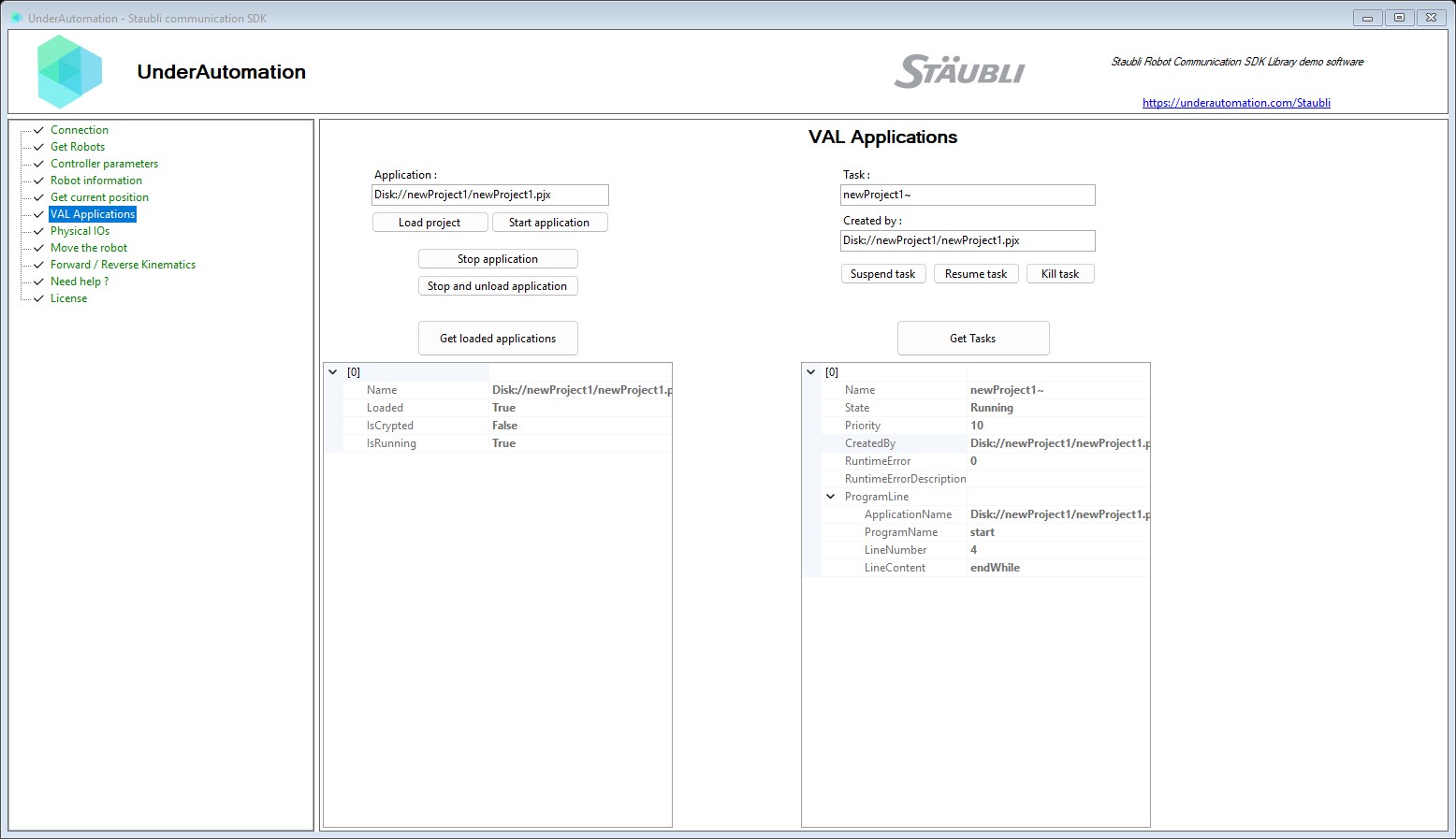
The demo application is open source. The C# source of this page is ValApplicationsControl.cs.
Reference
Methods of SoapClientBase :// Get all the VAL applications available on the controllerValApplication[] GetValApplications();// Load a project in memory from disk (does not start it)void LoadProject(string projectPath);// Start a VAL application on the controllervoid StartApplication(string applicationPath);// Stop all VAL applications on the controllervoid StopAndUnloadAll();// Stop application on the controllervoid StopApplication();
Represents a VAL3 application on the controller.
| Member | Type | Description |
|---|---|---|
ValApplication() Constructor | ||
IsCrypted Property | bool | Indicates whether the application is encrypted. |
IsRunning Property | bool | Indicates whether the application is currently running. |
Loaded Property | bool | Indicates whether the application is loaded in memory. |
Name Property | string | Name of the application. |
Equals(object) Method | bool | |
GetHashCode() Method | int | |
ToString() Method | string |