Try the SDK with the demo application
A ready made Windows application, single executable and open source, that exposes every function of the SDK. Test what your controller answers before writing any code.
Before writing any code, you can try the whole SDK against your robot with a ready made application. It is a Windows desktop application that exposes every function of the SDK behind buttons and fields, so you can check what a controller answers before you integrate anything.
Download
Download UnderAutomation.ABB.Showcase.Forms.exe
There is no installer and nothing to configure. The application is compiled as a self contained single executable with .NET 8, so it runs on a Windows PC that has no .NET installed. Copy the file where you want, run it, delete it when you are done.
Windows may warn about a file downloaded from the internet. Right click the file, open its properties and unblock it.
What it does
The left tree lists one page per service of the SDK. Each page holds the calls of that service, with a field for every argument and a control showing what the controller answered. It connects to a real controller as well as to a RobotStudio virtual controller.
Everything on this page can be tried without writing code, in the Controller info (RWS) page of the demo application.
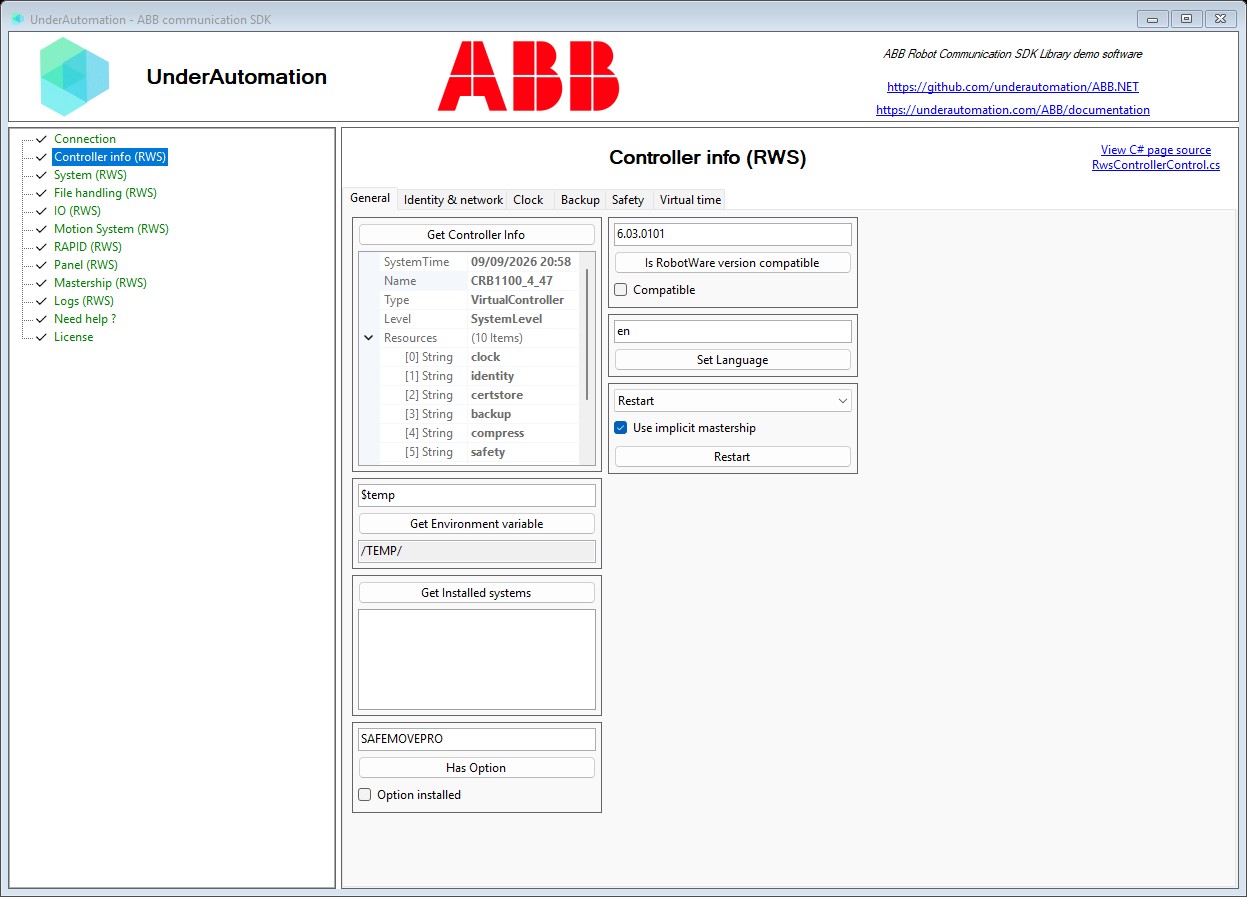
The demo application is open source. The C# source of this page is RwsControllerControl.cs.
| Page in the application | What you can try | Documentation |
|---|---|---|
| Connection | Address, user account, RWS version, HTTP or HTTPS, connect | Connect to your robot |
| Controller info (RWS) | Identity, clock, network, options, restart, backup, safety | Controller |
| System (RWS) | RobotWare version, installed options and products, energy counters | System information |
| File handling (RWS) | Browse the controller file system, download and upload files | File system |
| IO (RWS) | Read and write signals, pulse, simulate, browse devices and networks | I/O signals |
| Motion System (RWS) | Read positions, jog, kinematics, mechanical units, calibration | Motion system |
| RAPID (RWS) | Tasks, program execution, variables, modules | RAPID tasks |
| Panel (RWS) | Operation mode, motors on and off, speed ratio | Control panel |
| Mastership (RWS) | Request and release the write lock, see who holds it | Mastership |
| Logs (RWS) | Read the event log, filter by domain, clear it | Event log |
| License | Register a license key, read the state of the trial | Licensing |
Start with the Connection page, the other pages stay disabled until a connection is open.
Reading its source
Every page of the application has a View C# page source link in its top right corner. It opens the C# file of that page on GitHub, so you can see exactly which SDK calls produced what you have on screen, and copy them into your own project.
The whole application is open source: github.com/underautomation/ABB.NET.
It is a Windows Forms project targeting .NET 8, and it references the same UnderAutomation.ABB assembly you get from NuGet. There is nothing specific to the demo in the way it calls the SDK.
What to read next
- Connect to your robot : the connection parameters, in code this time.
- Test with a RobotStudio virtual controller : run the application without a real robot.
- Robot Web Services overview : what each service covers.